AI agent for job seekers
Suspicious Job Posting Check Agent
A clear safe, unsure or avoid verdict with evidence before you share any information
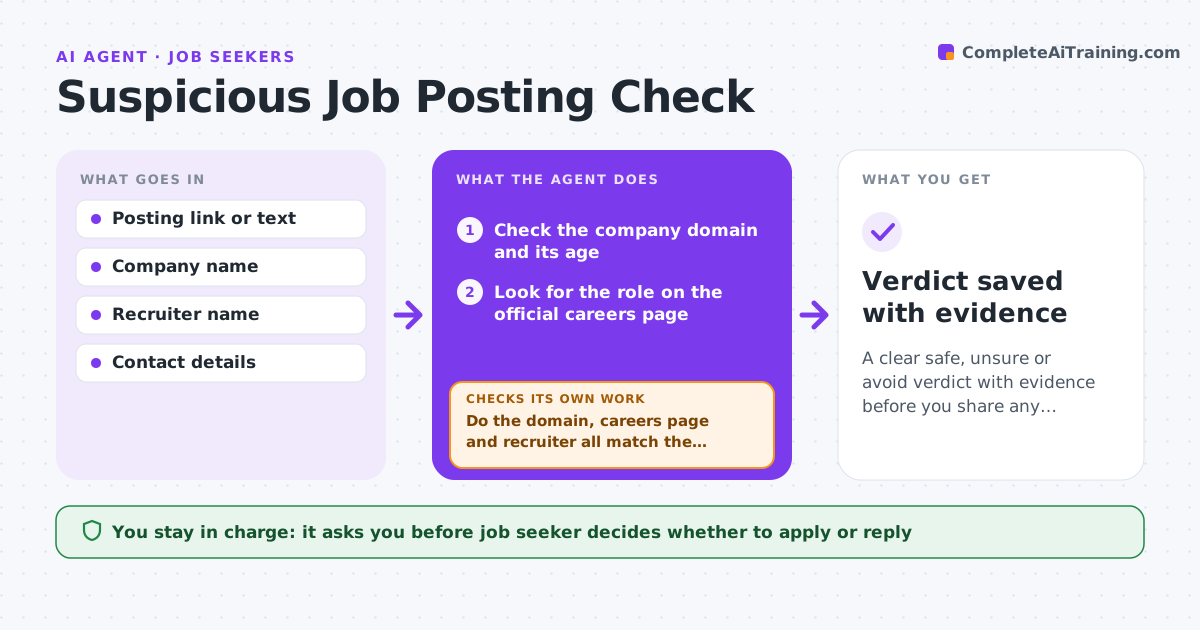
What it does
Fake job postings and scam recruiters ask for personal data or money, and they look convincing at a glance. For each posting, this agent checks the company domain, the recruiter's contact details, and whether the same role appears on the company's official careers page. It looks for known scam signs such as fees, requests for ID before an offer, and chat-only interviews. When one check fails, it searches further instead of stopping, for example by looking up the recruiter or the domain age. It gives a verdict of safe, unsure or avoid with its evidence, and you decide whether to apply. Edge case: a real staffing agency posts on behalf of a client, so the agent looks for the agency's own listing.
How it works
Follow the arrows from top to bottom. The orange dashed arrow is the loop: when a check fails, the agent goes back and tries again.
Read the steps as a list
- Seeker saves a posting
- Check the company domain and its age
- Look for the role on the official careers page
- Review the recruiter's name, email domain and profile
- Scan the text for scam signs such as fees or chat-only interviews
- Do the domain, careers page and recruiter all match the company?If not: search further for an agency listing, news or reports about the recruiter, then rerun the checks. Back to step 2.
- Assign safe, unsure or avoid with the evidence
- Job seeker decides whether to applyThe agent waits here for your OK.
- Verdict saved with evidence
How it decides
Several independent checks are combined. Any request for money or early ID counts as avoid. Unresolved checks give unsure.
- Mark avoid if the posting asks for payment or sensitive ID before an offer
- Mark avoid when the email domain does not match the company and cannot be explained
- Mark unsure when the role is missing from the careers page but nothing else looks wrong
- Mark safe only when domain, careers page and recruiter all match
Make it yours
Every agent is a starting point. You choose these settings for your own situation.
- Scam signs to look for
- Email domains you already trust
- Verdict wording
- Whether to log every posting checked
What keeps you in control
It always asks you first
- Job seeker decides whether to apply or reply
Hard limits
- Never contacts the recruiter or submits any form
- Never gives a safe verdict on thin evidence
It stops when
- Done: a verdict with evidence is given
- Stop: the posting has no company name or link to check
Set it up
We guide you through the set-up, step by step
Members get the full set-up guide for this agent. No technical skills needed: you copy, paste and upload.
- One set of instructions to paste into your AI, with the clicks for ChatGPT, Claude, Microsoft 365 Copilot, Gemini and Grok
- The agent then walks you through connecting your own data, one source at a time
- A downloadable copy with the flow chart, the rules and the full guide