AI agent for physicists
Systematic Uncertainty Budget Agent
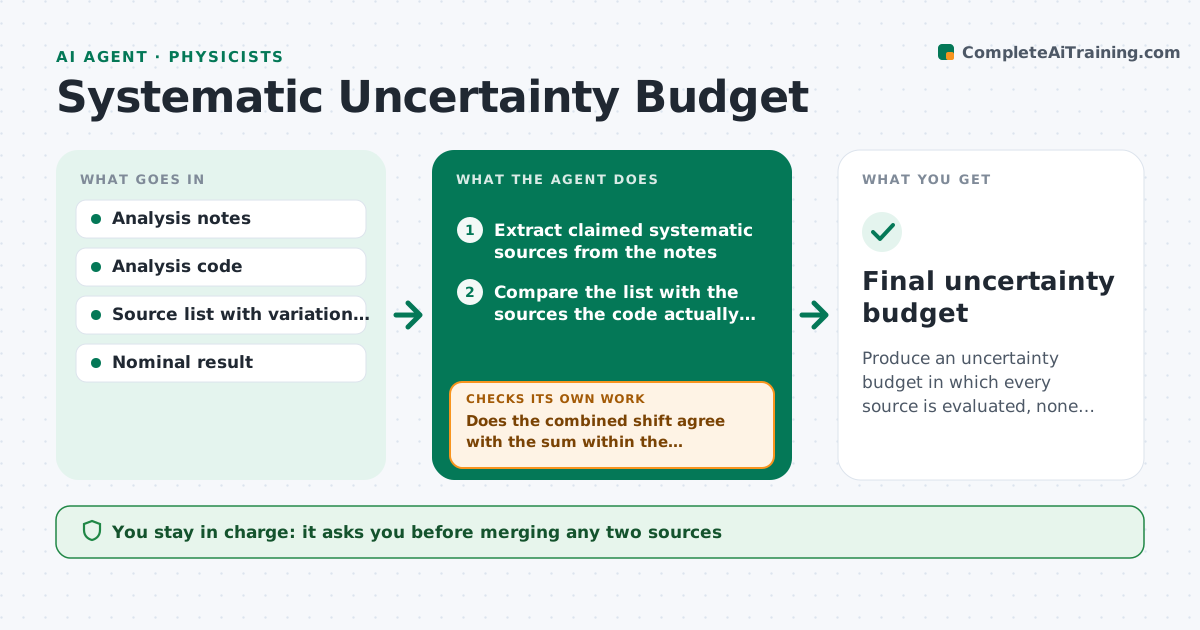
Produce an uncertainty budget in which every source is evaluated, none is double counted, and the total checks against a combined variation.
What it does
A measurement's systematic uncertainty is built from many sources, and in practice some are left out and some are counted twice under different names. This agent reads the analysis notes and lists every claimed source of systematic uncertainty, such as calibration, efficiency, background model and beam energy. For each one it reruns the analysis with the source varied by its stated size and records the change in the result. It then combines the individual effects and compares the total with a combined variation of all sources at once, which reveals correlations and double counting. If the totals disagree, it looks for overlapping sources and loops. It lists sources that appear in the notes but not in the budget. It never finalizes the budget. The physicist approves it. Edge case: two sources that shift the same input are merged only with the physicist's decision.
How it works
Follow the arrows from top to bottom. The orange dashed arrow is the loop: when a check fails, the agent goes back and tries again.
Read the steps as a list
- Result ready for the budget
- Extract claimed systematic sources from the notes
- Compare the list with the sources the code actually varies
- Rerun the analysis once per source with the variation applied
- Record the shift from each source and combine them
- Run a combined variation of all sources together
- Does the combined shift agree with the sum within the margin?If not: look for overlapping or correlated sources and test them in pairs. Back to step 3.
- Are all sources in the notes either in the budget or explained?If not: list the missing sources and ask the physicist. Back to step 2.
- Write the budget table with correlations noted
- Physicist approves the budgetThe agent waits here for your OK.
- Final uncertainty budget
How it decides
It trusts the combined variation as the check on the sum. If the two differ by more than a set margin, it looks for correlated or repeated sources.
- Flag a mismatch when the combined variation differs from the quadrature sum by over 10%
- Test overlapping sources in pairs
- Treat a source with no stated size as incomplete
- Report sources below 1% of the total in a separate line
Make it yours
Every agent is a starting point. You choose these settings for your own situation.
- Sources and variation sizes
- Agreement margin (default 10%)
- Combination method
- Report format
- Correlation handling rules
What keeps you in control
It always asks you first
- Merging any two sources
- The final budget
Hard limits
- Never drop a source without a stated reason
- Keep every rerun result on file
It stops when
- Done: budget agrees with the combined check and is approved
- Stop: a key source has no estimate
Set it up
We guide you through the set-up, step by step
Members get the full set-up guide for this agent. No technical skills needed: you copy, paste and upload.
- One set of instructions to paste into your AI, with the clicks for ChatGPT, Claude, Microsoft 365 Copilot, Gemini and Grok
- The agent then walks you through connecting your own data, one source at a time
- A downloadable copy with the flow chart, the rules and the full guide