AI agent for customs brokers
Tariff Change Impact Agent
Affected clients told quickly and accurately about tariff changes
What it does
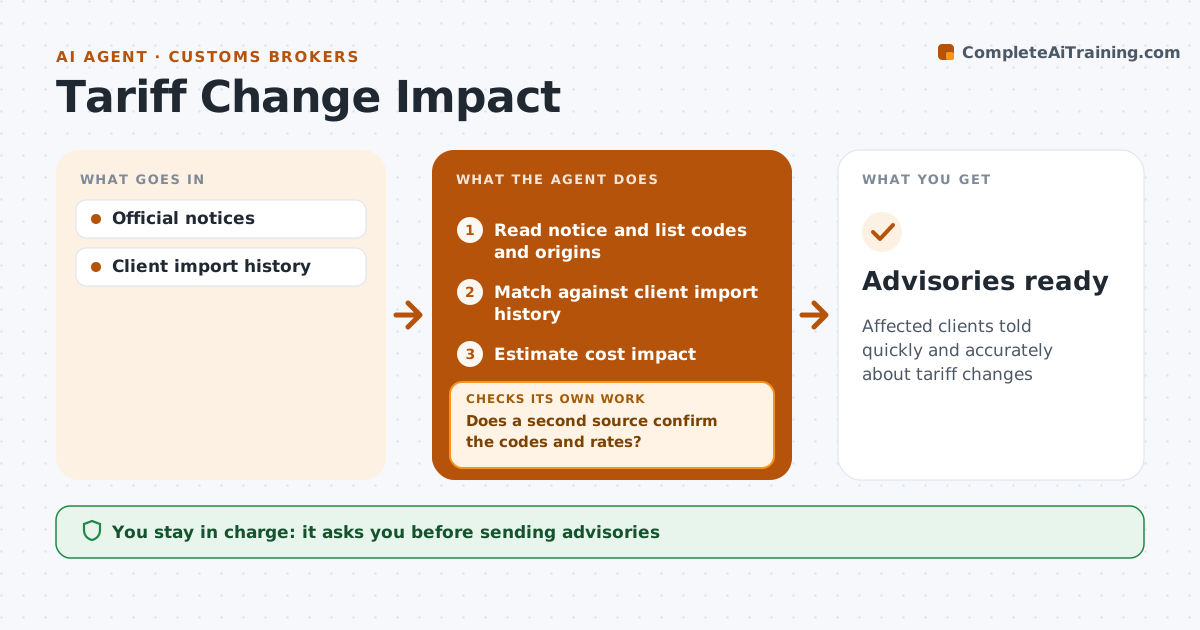
Tariff rates and trade rules change often, sometimes with little notice, and clients expect their broker to warn them before the bill arrives. When a notice is published, this agent reads it and lists the affected codes and countries of origin. It matches them against each client's import history over the last 12 months to see who is hit and estimates the cost impact. Before drafting anything, it checks its list against a second source of the rule text. If the two differ, it rereads the notice and its annexes and rebuilds the list. It checks whether goods already shipped may qualify for transit relief. It then drafts a short advisory for each affected client with the cost impact and effective date. The broker approves every client advisory. Edge case: goods already on the water may get transit relief and are noted separately.
How it works
Follow the arrows from top to bottom. The orange dashed arrow is the loop: when a check fails, the agent goes back and tries again.
Read the steps as a list
- Tariff notice published
- Read notice and list codes and origins
- Match against client import history
- Estimate cost impact
- Does a second source confirm the codes and rates?If not: reread the notice. Back to step 2.
- Draft client advisories
- Broker approves advisoriesThe agent waits here for your OK.
- Advisories ready
How it decides
A client is affected if they imported the code from that origin in the last 12 months.
- 12-month history
- Transit relief checked
- Two sources
Make it yours
Every agent is a starting point. You choose these settings for your own situation.
- Notice sources
- History window
- Advisory template
- Impact threshold
What keeps you in control
It always asks you first
- Sending advisories
Hard limits
- Never gives legal advice
- No sending
It stops when
- Done: advisories approved
- Stop: notice unclear, wait for guidance
Set it up
We guide you through the set-up, step by step
Members get the full set-up guide for this agent. No technical skills needed: you copy, paste and upload.
- One set of instructions to paste into your AI, with the clicks for ChatGPT, Claude, Microsoft 365 Copilot, Gemini and Grok
- The agent then walks you through connecting your own data, one source at a time
- A downloadable copy with the flow chart, the rules and the full guide