AI agent for tax advisors
Tax Notice Response Agent
Every notice answered correctly before its deadline
What it does
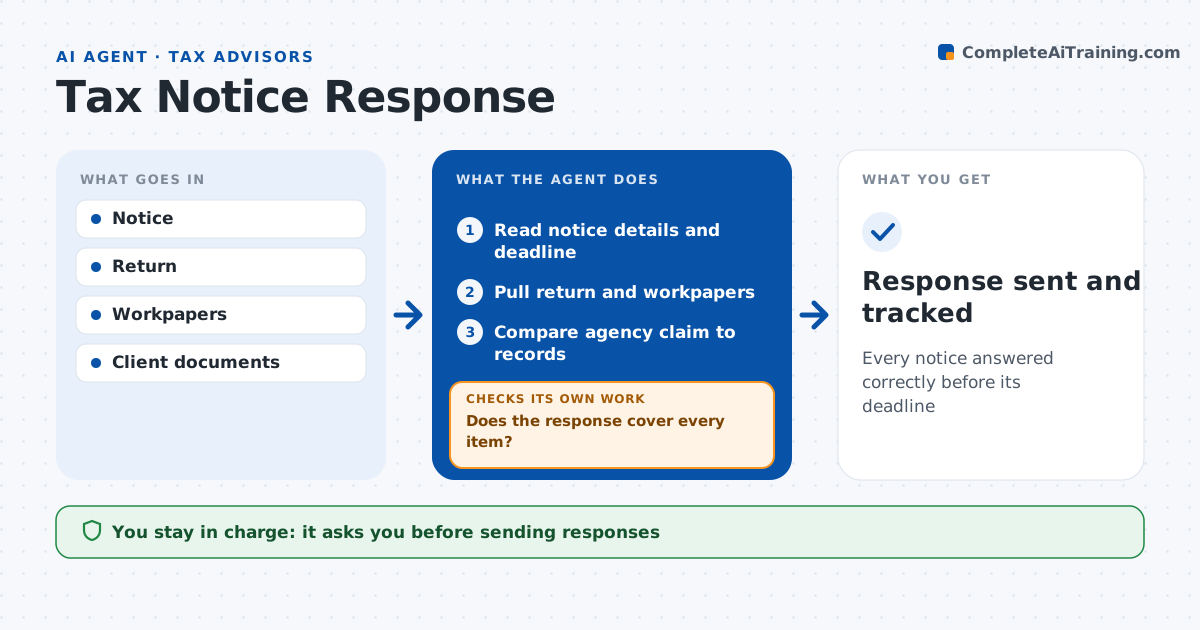
Tax notices worry clients and carry tight deadlines, yet many are simply wrong or ask for something already reported. When a client sends a notice, this agent reads it and identifies the type, tax year, issue, amount and response deadline. It pulls the return and workpapers and compares the agency's claim, such as unreported income or a math error, to the records. It decides whether the notice is correct, partly correct or wrong. It drafts a response letter citing the exact return lines with supporting documents, or a payment recommendation if the notice is correct. It checks that the response addresses every item in the notice and fixes any gaps. Notices due within ten days come first. The advisor reviews and signs before anything is sent. Edge case: the unreported income was reported on a different schedule, so the agent points to the line.
How it works
Follow the arrows from top to bottom. The orange dashed arrow is the loop: when a check fails, the agent goes back and tries again.
Read the steps as a list
- Notice received
- Read notice details and deadline
- Pull return and workpapers
- Compare agency claim to records
- Draft response or payment recommendation
- Does the response cover every item?If not: add missing items and supporting documents. Back to step 4.
- Advisor signs responseThe agent waits here for your OK.
- Response sent and tracked
How it decides
It compares the agency's figures to the return and source documents.
- Notice correct: recommend payment
- Income reported elsewhere: cite line
- Deadline within 10 days: priority
Make it yours
Every agent is a starting point. You choose these settings for your own situation.
- Notice types handled
- Deadline alerts
- Letter template
- Supporting document rules
What keeps you in control
It always asks you first
- Sending responses
- Payments
Hard limits
- Never sends responses
- Never contacts the agency
It stops when
- Done: response sent
- Stop: notice relates to a year not prepared by the firm
Set it up
We guide you through the set-up, step by step
Members get the full set-up guide for this agent. No technical skills needed: you copy, paste and upload.
- One set of instructions to paste into your AI, with the clicks for ChatGPT, Claude, Microsoft 365 Copilot, Gemini and Grok
- The agent then walks you through connecting your own data, one source at a time
- A downloadable copy with the flow chart, the rules and the full guide