AI agent for tax advisors
Tax Planning Scenario Agent
Tested tax-saving moves for each client before year-end
What it does
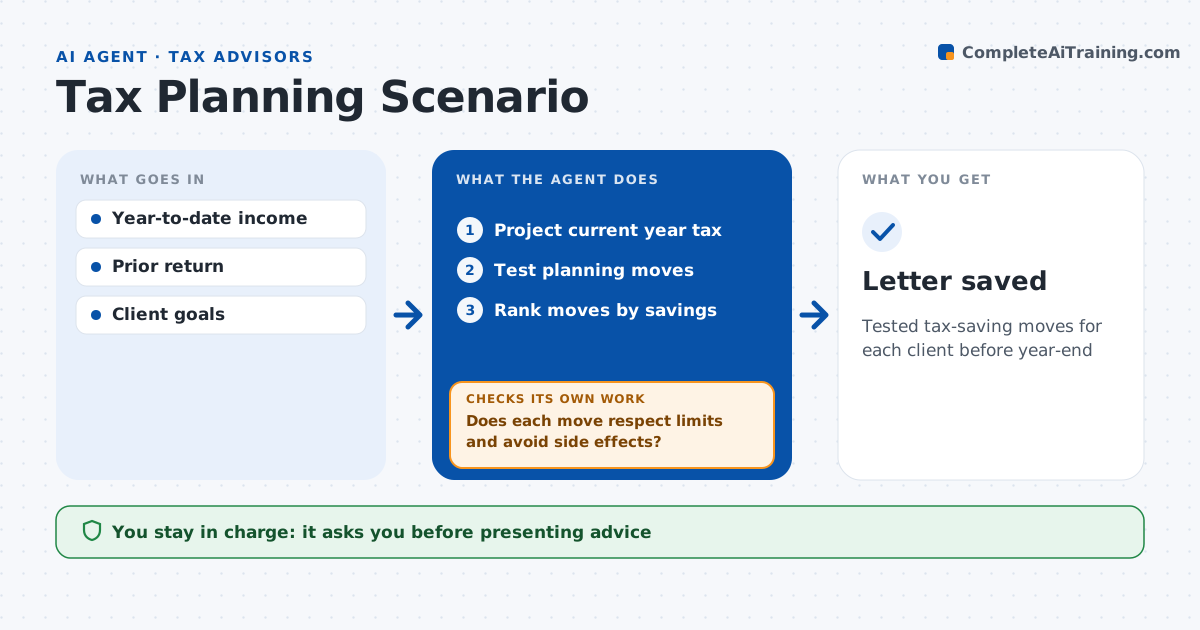
Year-end tax planning works only if moves are tested before December, but running scenarios for every client takes weeks. In the fall, this agent projects each client's current year tax from year-to-date data and tests common moves: retirement contributions, timing of income and deductions, harvesting losses and charitable gifts. It calculates the effect of each move and of combinations. It then checks each scenario for limits and side effects, such as phase-outs and minimum tax. If a move breaks a limit or triggers minimum tax, it adjusts or drops it and retests. Moves saving under 300 dollars are skipped. It drafts a short planning letter with the top moves. The advisor reviews and decides what to present to the client. Edge case: bunching charitable gifts helps only if itemizing beats the standard deduction, which the agent checks first.
How it works
Follow the arrows from top to bottom. The orange dashed arrow is the loop: when a check fails, the agent goes back and tries again.
Read the steps as a list
- Planning season
- Project current year tax
- Test planning moves
- Does each move respect limits and avoid side effects?If not: adjust or drop the move and retest. Back to step 3.
- Rank moves by savings
- Draft planning letter
- Advisor decides what to presentThe agent waits here for your OK.
- Letter saved
How it decides
It ranks moves by savings after limits and side effects.
- Saving under $300: skip
- Move triggers minimum tax: drop
- Itemizing below standard: no bunching
Make it yours
Every agent is a starting point. You choose these settings for your own situation.
- Moves to test
- Minimum savings
- Letter style
- Client list
What keeps you in control
It always asks you first
- Presenting advice
Hard limits
- Never implements moves
- Never presents to clients
It stops when
- Done: letter ready
- Stop: year-to-date data missing
Set it up
We guide you through the set-up, step by step
Members get the full set-up guide for this agent. No technical skills needed: you copy, paste and upload.
- One set of instructions to paste into your AI, with the clicks for ChatGPT, Claude, Microsoft 365 Copilot, Gemini and Grok
- The agent then walks you through connecting your own data, one source at a time
- A downloadable copy with the flow chart, the rules and the full guide