AI agent for professors
Teaching Source Packet Assembly Agent
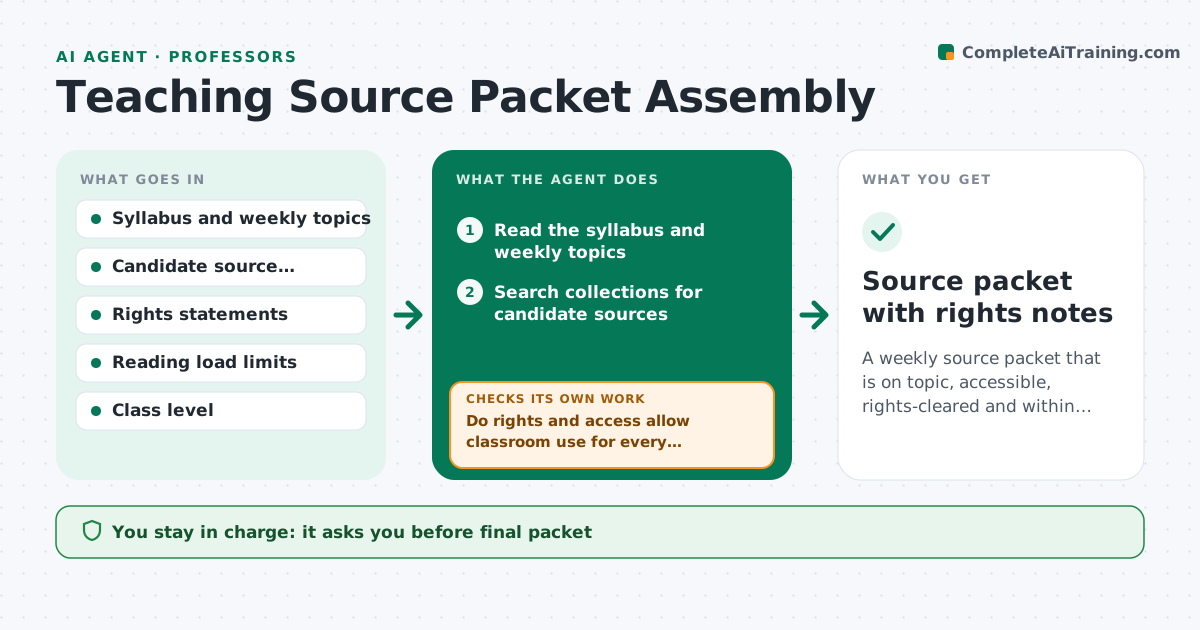
A weekly source packet that is on topic, accessible, rights-cleared and within the reading load
What it does
Primary source packets are often assembled the night before class, and then rights or access problems show up. This agent selects candidate sources for each week's topic from the syllabus and archives, and checks rights, licenses and access, including whether students can reach a link. It checks the total reading load and difficulty for the week and flags gaps in topics or perspectives. When a source fails, it substitutes another. It rechecks after each change. The instructor approves the packet. Edge case: a perfect letter is restricted to a library reading room, so the agent proposes a transcribed and permitted alternative.
How it works
Follow the arrows from top to bottom. The orange dashed arrow is the loop: when a check fails, the agent goes back and tries again.
Read the steps as a list
- Unit planning begins
- Read the syllabus and weekly topics
- Search collections for candidate sources
- Shortlist sources by topic, level and perspective
- Do rights and access allow classroom use for every source?If not: substitute another source or request permission. Back to step 3.
- Estimate reading load and difficulty for the week
- Is the total load within the weekly limit and are perspectives balanced?If not: trim or swap sources and recheck. Back to step 3.
- Draft the packet with context notes
- Instructor approves the packetThe agent waits here for your OK.
- Source packet with rights notes
How it decides
A source goes in only if rights allow classroom use, students can reach it and it fits the week's topic and level.
- Reject sources without clear rights for classroom use
- Keep weekly reading under the set page limit
- Include at least 2 perspectives per topic
- Prefer sources with open access links
Make it yours
Every agent is a starting point. You choose these settings for your own situation.
- Weekly page limit
- Rights rules for the institution
- Perspective balance rule
- Lead time (default 3 weeks)
What keeps you in control
It always asks you first
- Final packet
- Any rights request to an archive
Hard limits
- Never uses a source without a rights check
- Never publishes the packet to students
It stops when
- Done: packet approved
- Stop: no rights-clear sources exist for the topic
Set it up
We guide you through the set-up, step by step
Members get the full set-up guide for this agent. No technical skills needed: you copy, paste and upload.
- One set of instructions to paste into your AI, with the clicks for ChatGPT, Claude, Microsoft 365 Copilot, Gemini and Grok
- The agent then walks you through connecting your own data, one source at a time
- A downloadable copy with the flow chart, the rules and the full guide