AI agent for scrum masters
Team Health Trend Agent
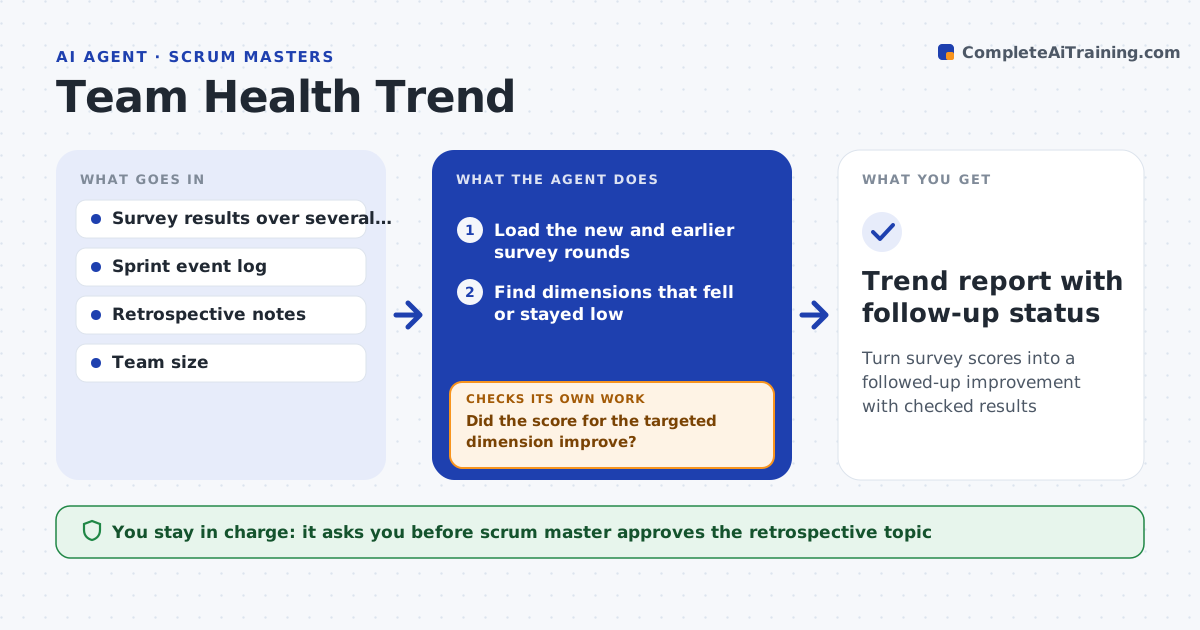
Turn survey scores into a followed-up improvement with checked results
What it does
The team fills in a health survey each sprint, and the results are looked at once and forgotten. After each survey this agent compares scores with earlier rounds and finds dimensions that are falling, such as workload or code quality. It links the changes to sprint events like incidents, scope changes, staff leave and releases. It proposes a topic for the retrospective with the evidence. After the retrospective it records what was agreed and checks the next survey to see whether the score moved. If it did not, it proposes a different angle. The scrum master approves what is raised with the team, since scores may reflect personal matters. Edge case: one low score from a single answer in a small team, so the agent notes anonymity risk.
How it works
Follow the arrows from top to bottom. The orange dashed arrow is the loop: when a check fails, the agent goes back and tries again.
Read the steps as a list
- Survey results available
- Load the new and earlier survey rounds
- Find dimensions that fell or stayed low
- Read the sprint event log for the same periods
- Link falling scores to events
- Propose a retrospective topic with evidence
- Scrum master approves what is raised with the teamThe agent waits here for your OK.
- Record the agreed actions after the retrospective
- Read the next survey round
- Did the score for the targeted dimension improve?If not: propose a different angle or a different action. Back to step 6.
- Trend report with follow-up status
How it decides
It flags a dimension that has fallen for two rounds or by 1 point or more and links it to events in the same sprints.
- Flag a dimension falling in 2 rounds in a row
- Flag a drop of 1 point or more on a 5 point scale
- Suppress detail when fewer than 5 respondents
- Check the effect only after one full sprint
Make it yours
Every agent is a starting point. You choose these settings for your own situation.
- Survey dimensions
- Drop alert level (default 1 point)
- Minimum respondents (default 5)
- Event sources
- Retrospective format
What keeps you in control
It always asks you first
- Scrum master approves the retrospective topic
- Scrum master approves sharing the trend with the team
Hard limits
- Never reveal who gave which answer
- Never raise a topic with the team without the scrum master
It stops when
- Done: the targeted score improves or an alternate action is chosen
- Stop: the team is too small to keep responses anonymous
Set it up
We guide you through the set-up, step by step
Members get the full set-up guide for this agent. No technical skills needed: you copy, paste and upload.
- One set of instructions to paste into your AI, with the clicks for ChatGPT, Claude, Microsoft 365 Copilot, Gemini and Grok
- The agent then walks you through connecting your own data, one source at a time
- A downloadable copy with the flow chart, the rules and the full guide