AI agent for seo specialists
Technical SEO Crawl Fix Agent
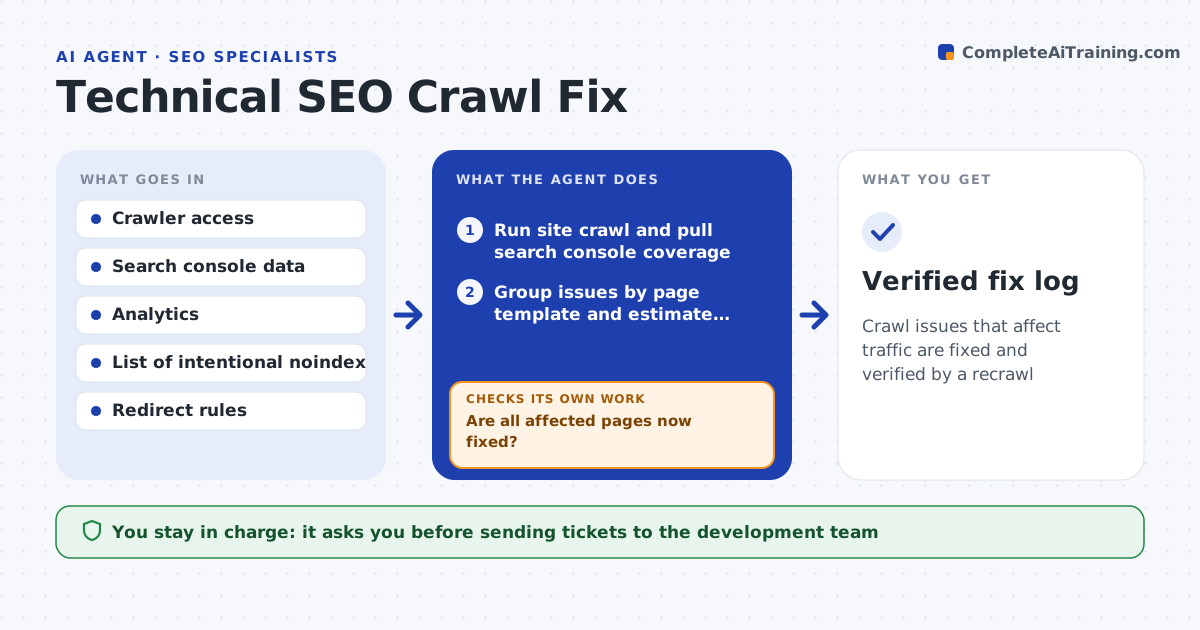
Crawl issues that affect traffic are fixed and verified by a recrawl
What it does
Site crawl audits turn up broken links, redirect chains, missing canonicals, noindex mistakes and slow pages, and the lists often sit unfixed while fixes go unverified. This agent runs the crawl and groups issues by page template, so one fix covers many pages. Before reporting a noindex, it checks your allow list of pages that are noindexed on purpose. It estimates impact using traffic and indexed status and writes clear developer tickets with examples and the expected result. After the fix ships, it recrawls the affected pages to confirm. If issues remain, it reopens the ticket with the pages still failing. The SEO specialist approves which tickets go to developers. Edge case: thin filter pages that are noindexed on purpose are not reported as errors.
How it works
Follow the arrows from top to bottom. The orange dashed arrow is the loop: when a check fails, the agent goes back and tries again.
Read the steps as a list
- Weekly crawl date or site release
- Run site crawl and pull search console coverage
- Group issues by page template and estimate impact
- Draft developer tickets with examples and expected result
- SEO specialist approves tickets to send to developersThe agent waits here for your OK.
- Recrawl affected pages after the fix is released
- Are all affected pages now fixed?If not: reopen the ticket with the pages still failing and the new evidence. Back to step 4.
- Verified fix log
How it decides
It ranks issue groups by affected pages with organic traffic or impressions and skips anything on the intentional exceptions list.
- Template-level issues come before single-page issues
- Pages with no impressions in 90 days are low priority
- Intentional noindex and redirects are excluded via allow list
Make it yours
Every agent is a starting point. You choose these settings for your own situation.
- Crawl schedule (default weekly)
- Impact threshold to file a ticket
- Intentional exceptions list
- Issue tracker used
What keeps you in control
It always asks you first
- Sending tickets to the development team
Hard limits
- Never edits the live site
- Never changes robots.txt or redirects itself
It stops when
- Done: all approved tickets verified fixed
- Stop: same ticket fails verification twice, ask the specialist to meet the developer
Set it up
We guide you through the set-up, step by step
Members get the full set-up guide for this agent. No technical skills needed: you copy, paste and upload.
- One set of instructions to paste into your AI, with the clicks for ChatGPT, Claude, Microsoft 365 Copilot, Gemini and Grok
- The agent then walks you through connecting your own data, one source at a time
- A downloadable copy with the flow chart, the rules and the full guide