AI agent for innovation strategists
Technology Radar Refresh Agent
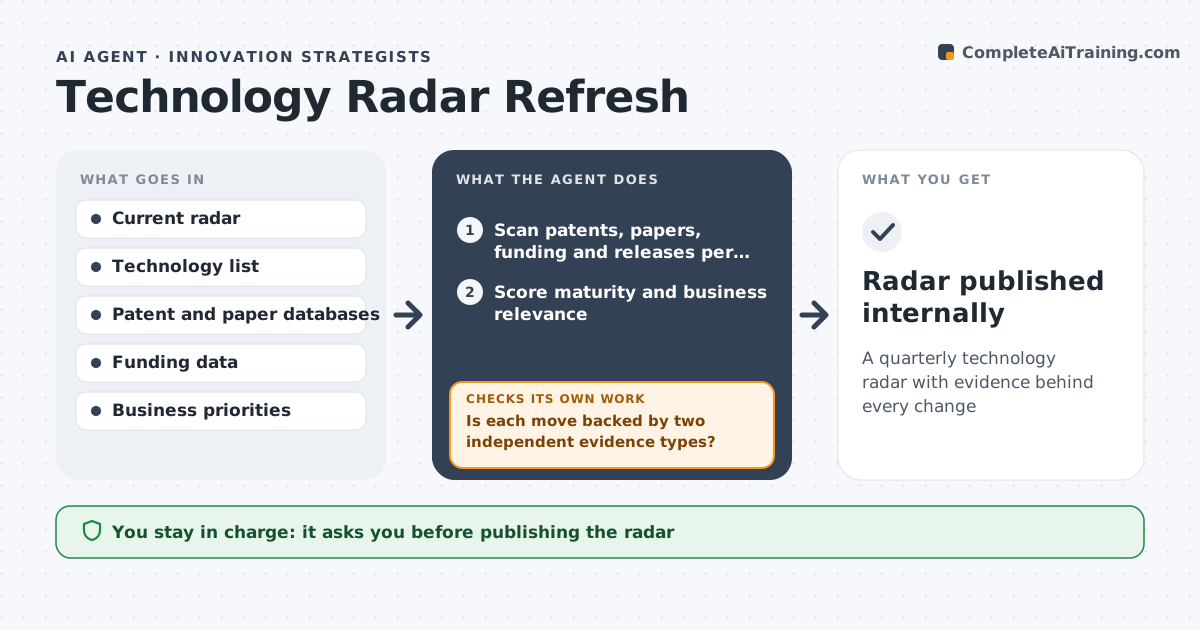
A quarterly technology radar with evidence behind every change
What it does
Innovation teams keep a radar of technologies to watch, test or adopt, but it is easily swayed by hype. Each quarter this agent scans patents, research papers, funding rounds, standards activity and vendor releases for each technology on the radar and for new ones in scope. It scores maturity and relevance to current business priorities using set evidence rules, merging technologies that vendors have renamed. It proposes ring moves and new entries, then checks each move is backed by at least two independent evidence types. Press coverage alone never moves a ring; when a move rests on press only, it holds the move and looks for harder evidence. It drafts the updated radar with reasons for each change. The innovation lead approves the radar before it is shared. Edge case: a technology is renamed by vendors, so the agent merges the old and new names.
How it works
Follow the arrows from top to bottom. The orange dashed arrow is the loop: when a check fails, the agent goes back and tries again.
Read the steps as a list
- Quarterly radar refresh
- Scan patents, papers, funding and releases per technology
- Score maturity and business relevance
- Propose ring moves and new entries
- Is each move backed by two independent evidence types?If not: hold the move and search for stronger evidence. Back to step 2.
- Draft radar with reasons for each change
- Innovation lead approves radarThe agent waits here for your OK.
- Radar published internally
How it decides
It moves a technology between rings only when two independent evidence types support the move.
- Press coverage alone never moves a ring
- Relevance scored against current business priorities
- Renamed technologies merged
Make it yours
Every agent is a starting point. You choose these settings for your own situation.
- Technologies in scope
- Ring definitions
- Evidence types counted
- Refresh frequency
What keeps you in control
It always asks you first
- Publishing the radar
- Starting a pilot from the test ring
Hard limits
- Public and licensed sources only
- No vendor contact
It stops when
- Done: radar published
- Stop: business priorities under review
Set it up
We guide you through the set-up, step by step
Members get the full set-up guide for this agent. No technical skills needed: you copy, paste and upload.
- One set of instructions to paste into your AI, with the clicks for ChatGPT, Claude, Microsoft 365 Copilot, Gemini and Grok
- The agent then walks you through connecting your own data, one source at a time
- A downloadable copy with the flow chart, the rules and the full guide