AI agent for film composers
Temp Score Mockup Timing Agent
Keep mockup cues on picture and in line with the intended feel after every cut change.
What it does
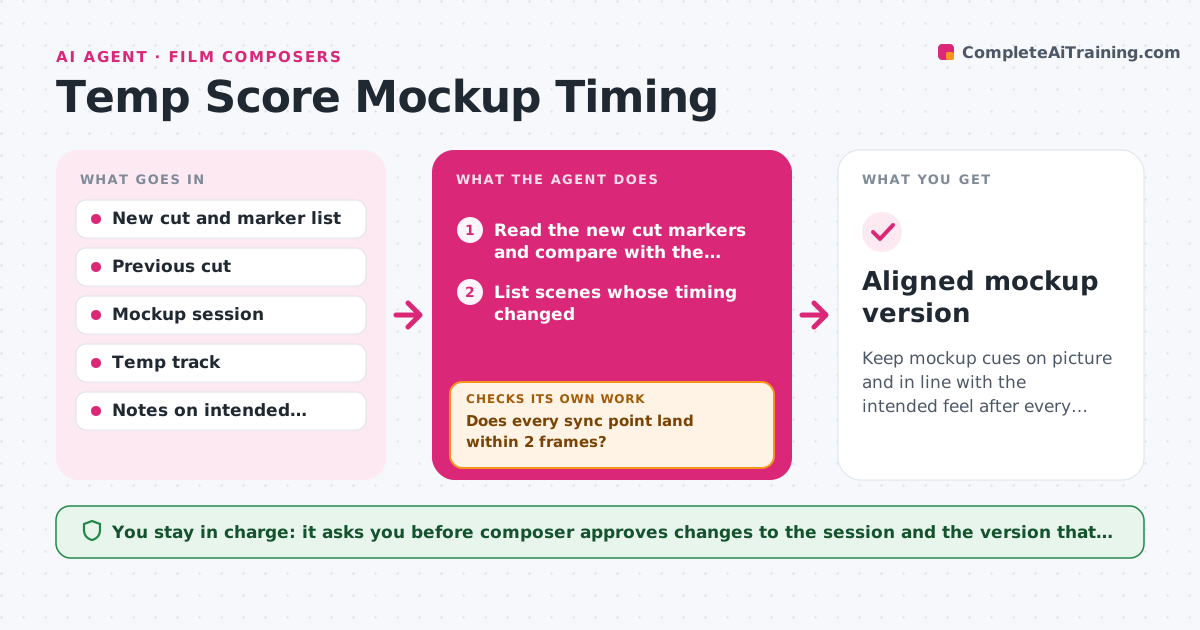
The picture cut changes again on Thursday, and your mockup for reel 3 no longer hits the scene change or the door slam. This agent reads the new cut, with its markers and timecodes, and aligns your cue timings to the new picture. It compares the mockup's tempo, key energy and density with the temp track for each scene, and lists the mismatches, such as a cue that starts too quiet when the temp builds. It proposes timing changes and tempo adjustments. After you revise, it checks that every sync point still lands within a frame or two and that the energy matches the intent in each scene. It rechecks again after each new cut. The composer approves the version that goes to the director. Edge case: the director wants the cue to differ from the temp on purpose, so the agent skips that comparison.
How it works
Follow the arrows from top to bottom. The orange dashed arrow is the loop: when a check fails, the agent goes back and tries again.
Read the steps as a list
- New picture cut arrives
- Read the new cut markers and compare with the previous cut
- List scenes whose timing changed
- Propose new cue start times and tempo changes
- Does every sync point land within 2 frames?If not: adjust the proposed positions and recheck. Back to step 4.
- Compare tempo and energy of mockup and temp for each scene
- List mismatches that are not marked as intentional
- Composer approves the changes to the mockupThe agent waits here for your OK.
- Apply the changes and render a check version
- Do sync points and energy now match the intent?If not: revise the proposals and render again. Back to step 4.
- Aligned mockup version
How it decides
It compares sync points with the new markers and flags any that move by more than 2 frames. It compares temp and mockup by tempo and loudness curve for each scene.
- Flag any sync point that moves more than 2 frames
- Treat tempo differences over 5 BPM from the temp as a mismatch unless marked intentional
- Align hits to cuts before aligning phrases
- Skip temp comparison for scenes marked as different on purpose
Make it yours
Every agent is a starting point. You choose these settings for your own situation.
- Sync tolerance in frames (default 2)
- Tempo difference limit (default 5 BPM)
- Scenes marked as intentional differences
- Frame rate
- Render format
What keeps you in control
It always asks you first
- Composer approves changes to the session and the version that goes to the director
Hard limits
- Never overwrite the original session without a saved copy
- Never send a version to the director without approval
It stops when
- Done: all sync points land and the composer approves
- Stop: the cut has no markers and cannot be matched
Set it up
We guide you through the set-up, step by step
Members get the full set-up guide for this agent. No technical skills needed: you copy, paste and upload.
- One set of instructions to paste into your AI, with the clicks for ChatGPT, Claude, Microsoft 365 Copilot, Gemini and Grok
- The agent then walks you through connecting your own data, one source at a time
- A downloadable copy with the flow chart, the rules and the full guide