AI agent for production coordinators
Temporary Labor Request Agent
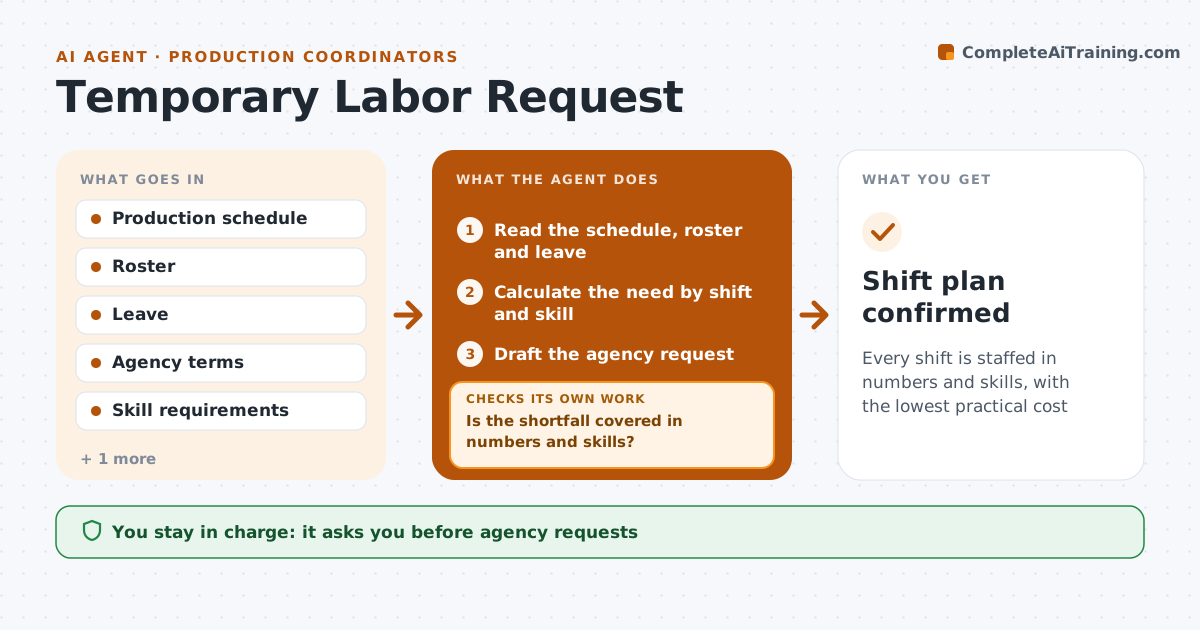
Every shift is staffed in numbers and skills, with the lowest practical cost
What it does
Temporary labor is ordered late and the shift starts short. This agent forecasts labor need from the schedule and compares it with the roster and leave. It drafts the request to the agency, tracks confirmations and checks whether the numbers and skills are covered. If the agency cannot fill the request, it proposes overtime or schedule moves and checks their cost and rules. After each answer, it recounts the shortfall. The coordinator approves requests. Edge case: the agency offers fewer workers with forklift certification than needed, so the agent proposes moving the pick tasks to uncertified workers.
How it works
Follow the arrows from top to bottom. The orange dashed arrow is the loop: when a check fails, the agent goes back and tries again.
Read the steps as a list
- Daily forecast of shifts for the next 7 days
- Read the schedule, roster and leave
- Calculate the need by shift and skill
- Draft the agency request
- Coordinator approves the requestThe agent waits here for your OK.
- Send the request and track confirmations
- Is the shortfall covered in numbers and skills?If not: propose overtime or schedule moves and check the cost and rules. Back to step 2.
- Recount the shortfall after each reply
- Is the cost within the limit?If not: propose another option and recheck. Back to step 2.
- Shift plan confirmed
How it decides
Need is schedule hours divided by output per person. The agent fills gaps in the order: agency, then overtime, then schedule moves, within cost and rule limits.
- Order agency labor 3 days ahead
- Cap overtime at 10 hours per person per week
- Propose schedule moves only if orders stay on time
- Check skills as well as headcount
Make it yours
Every agent is a starting point. You choose these settings for your own situation.
- Order lead time (default 3 days)
- Overtime cap
- Agencies and contacts
- Cost limit per shift
What keeps you in control
It always asks you first
- Agency requests
- Overtime and schedule changes
Hard limits
- Never send a request itself
- Never exceed overtime limits
It stops when
- Done: all shifts staffed
- Stop: schedule is not final
Set it up
We guide you through the set-up, step by step
Members get the full set-up guide for this agent. No technical skills needed: you copy, paste and upload.
- One set of instructions to paste into your AI, with the clicks for ChatGPT, Claude, Microsoft 365 Copilot, Gemini and Grok
- The agent then walks you through connecting your own data, one source at a time
- A downloadable copy with the flow chart, the rules and the full guide