AI agent for sales operations analysts
Territory and Quota Coverage Planning Agent
Propose balanced territories and quotas that cover the sales target
What it does
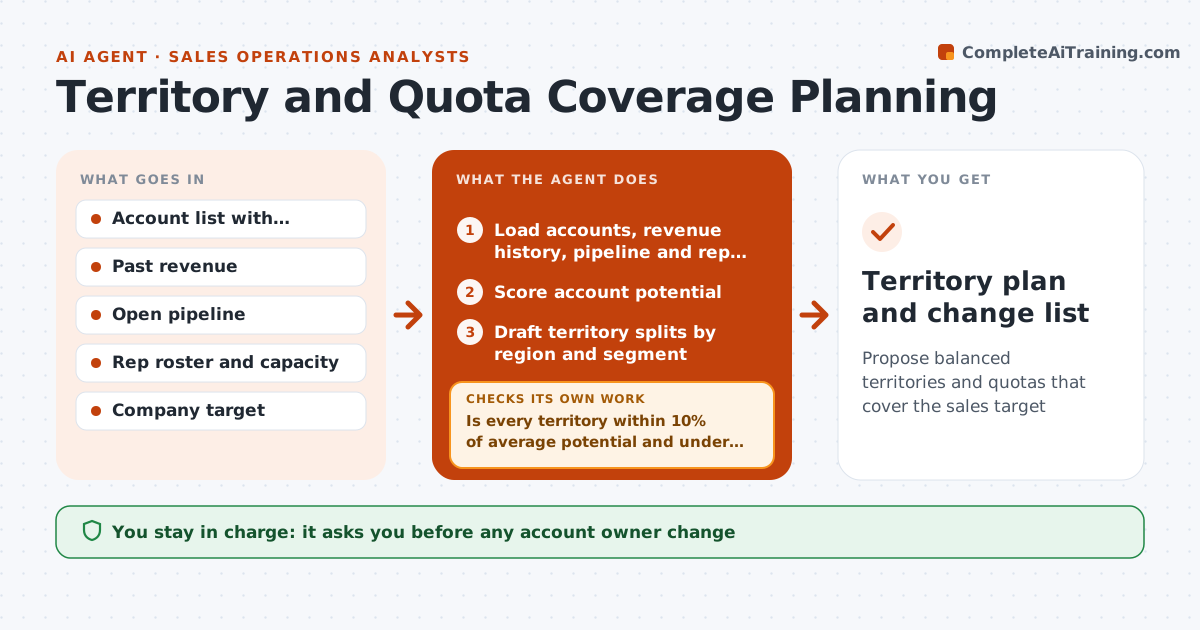
Each planning cycle, sales executives must divide accounts and set quotas, and uneven territories cause missed targets and turnover. This agent loads accounts, revenue history, open pipeline and the rep roster. It scores each account's potential, then drafts territory splits by region and segment. It checks every territory is within 10% of average potential and under the account cap for its segment. When a split breaks a rule, it moves the lowest-impact accounts between neighboring territories and redoes the split. Accounts with late-stage deals stay with the current owner. It then calculates quota per territory and checks total quota covers the company target plus the chosen buffer. It shows before and after for each rep. The executive makes all decisions about people, quotas and owner changes. Edge case: late-stage deals stay with their current owner.
How it works
Follow the arrows from top to bottom. The orange dashed arrow is the loop: when a check fails, the agent goes back and tries again.
Read the steps as a list
- Planning cycle begins
- Load accounts, revenue history, pipeline and rep roster
- Score account potential
- Draft territory splits by region and segment
- Is every territory within 10% of average potential and under the account cap?If not: move the lowest-impact accounts between neighboring territories and redo the split. Back to step 4.
- Calculate quota per territory and coverage of the company target
- Executive approves territories, quotas and owner changesThe agent waits here for your OK.
- Territory plan and change list
How it decides
It balances total account potential per rep within 10% while keeping accounts per rep under the capacity limit, and keeps late-stage deals with the current owner.
- Keep accounts with late-stage deals with the current owner
- Cap accounts per rep by segment
- Quota coverage must reach target plus the chosen buffer
Make it yours
Every agent is a starting point. You choose these settings for your own situation.
- Balance tolerance (default 10%)
- Accounts per rep cap by segment
- Quota buffer over target (default 10%)
- Potential scoring factors and weights
What keeps you in control
It always asks you first
- Any account owner change
- Final quota per rep
Hard limits
- Never reassigns accounts in the CRM
- Treats all owner changes as proposals
It stops when
- Done: plan approved
- Stop: rep capacity or company target not provided
Set it up
We guide you through the set-up, step by step
Members get the full set-up guide for this agent. No technical skills needed: you copy, paste and upload.
- One set of instructions to paste into your AI, with the clicks for ChatGPT, Claude, Microsoft 365 Copilot, Gemini and Grok
- The agent then walks you through connecting your own data, one source at a time
- A downloadable copy with the flow chart, the rules and the full guide