AI agent for 3d artists
Texel Density and Texture Set Check Agent
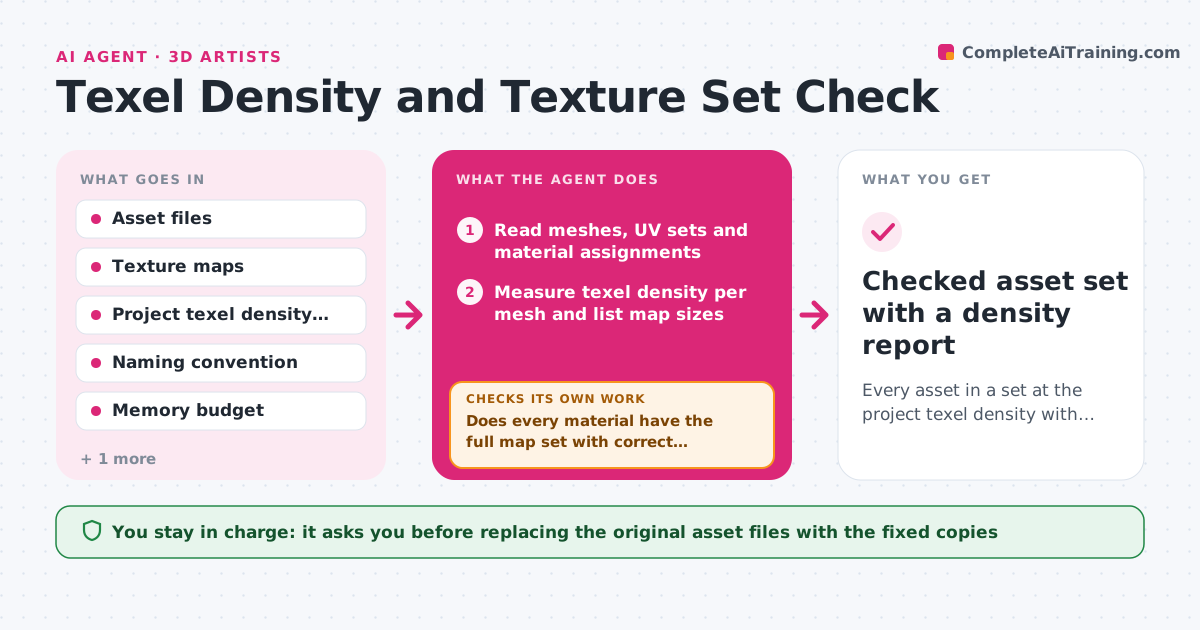
Every asset in a set at the project texel density with a complete, correctly named texture set
What it does
When several assets share a scene, mismatched texture detail shows up as soon as the camera gets close. Checking it by hand means opening each model and measuring UVs. This agent reads every asset in a delivery folder, measures texel density per mesh, and compares it with the project target. It also checks that each material has the full map set, in the right resolution, color space and naming. When an asset is off target, it works out whether to rescale UV shells or change the map resolution, choosing whichever keeps memory within budget. It reruns the measurement after a fix is proposed and checks the result. Changes to the artist's UVs are drafted as a copy, and you approve them. Edge case: hero props may be allowed double density, so the agent reads an exception list before flagging them.
How it works
Follow the arrows from top to bottom. The orange dashed arrow is the loop: when a check fails, the agent goes back and tries again.
Read the steps as a list
- Textured assets land in the review folder
- Read meshes, UV sets and material assignments
- Measure texel density per mesh and list map sizes
- Does every material have the full map set with correct names and color space?If not: list missing or misnamed maps, rename the obvious ones in a copy, and ask the artist for the rest. Back to step 2.
- Compare density to target and read the exception list
- Choose UV rescale or map resize per asset within the memory budget
- Apply proposed fixes to copies and re-measure
- Is every asset within tolerance and the set within memory budget?If not: switch the fix type for the assets still off and try again, then flag what remains. Back to step 6.
- Artist approves the fixed copiesThe agent waits here for your OK.
- Checked asset set with a density report
How it decides
It flags an asset when density differs from target by more than the tolerance. It proposes a UV rescale when the map size is already at budget, and a map resolution change when there is memory room.
- Flag density more than 15% off target
- Allow up to 2x density for assets on the hero exception list
- Prefer a map resize only if total texture memory stays under budget
- Base color maps must be sRGB; normal, roughness and metal maps must be linear
Make it yours
Every agent is a starting point. You choose these settings for your own situation.
- Texel density target (default 512 px per meter)
- Tolerance before flagging (default 15%)
- Texture naming convention
- Memory budget for the set
- Hero asset exception list
What keeps you in control
It always asks you first
- Replacing the original asset files with the fixed copies
Hard limits
- Never edit the original files; work on copies
- Never lower density on assets in the hero list
It stops when
- Done: all assets within tolerance and the set fits memory
- Stop: an asset needs a new UV layout, sent back to the artist
Set it up
We guide you through the set-up, step by step
Members get the full set-up guide for this agent. No technical skills needed: you copy, paste and upload.
- One set of instructions to paste into your AI, with the clicks for ChatGPT, Claude, Microsoft 365 Copilot, Gemini and Grok
- The agent then walks you through connecting your own data, one source at a time
- A downloadable copy with the flow chart, the rules and the full guide