AI agent for phd students
Thesis and Paper Draft Revision Tracker Agent
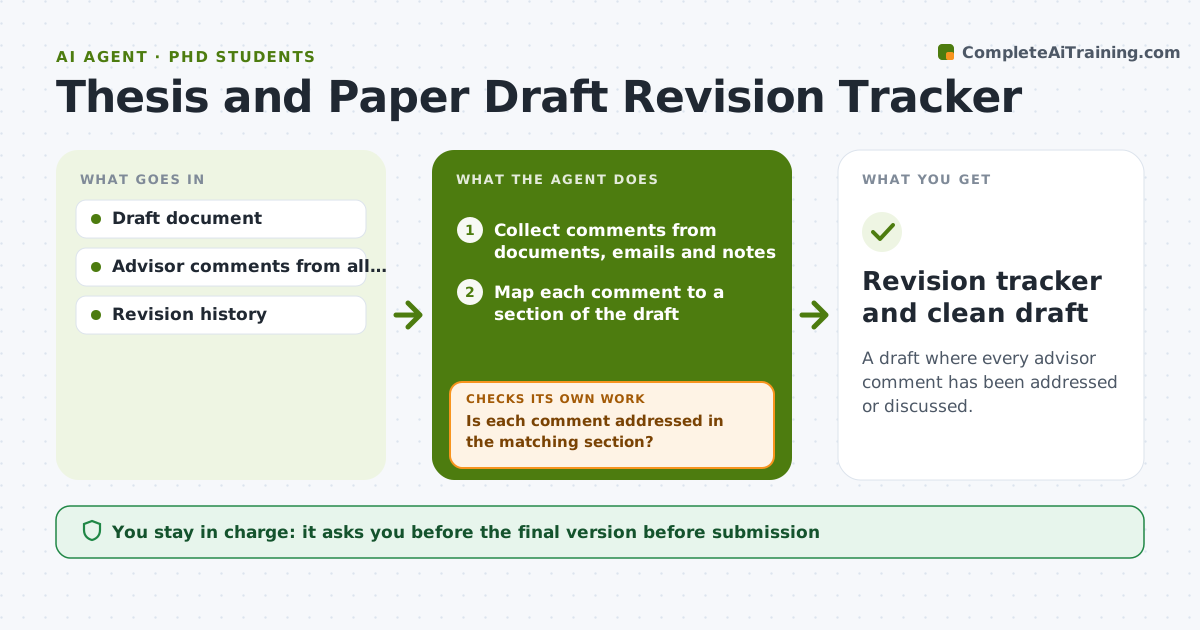
A draft where every advisor comment has been addressed or discussed.
What it does
Your advisor leaves comments in the margins, two emails and a meeting note, and by revision four some are lost. This agent collects advisor comments from every source and maps each to a place in the draft. It builds a revision plan, tracks which comments are done and rechecks the draft against the comments each time you update it. If a comment is only partly addressed, it asks you what remains. It keeps a running tracker of open, partial and finished comments, so you can see what is left at any time. Edge case: two comments conflict, so the agent lists them and suggests you ask your advisor. The student approves the final version.
How it works
Follow the arrows from top to bottom. The orange dashed arrow is the loop: when a check fails, the agent goes back and tries again.
Read the steps as a list
- New advisor feedback arrives
- Collect comments from documents, emails and notes
- Map each comment to a section of the draft
- Build a revision plan ordered by size and impact
- Check the draft after each round of edits
- Is each comment addressed in the matching section?If not: mark it as partial and ask what remains. Back to step 3.
- Do any comments conflict with each other?If not: list conflicts and draft a question for the advisor. Back to step 3.
- Update the comment tracker
- Student approves the final versionThe agent waits here for your OK.
- Revision tracker and clean draft
How it decides
It marks a comment done only when the draft text changed in the matching section and addresses the comment.
- Mark a comment done only when the matching text changed.
- Conflicting comments go back to the advisor.
- Order revisions by effect on the argument first.
- Keep a log of declined comments with reasons.
Make it yours
Every agent is a starting point. You choose these settings for your own situation.
- Comment sources
- Revision order
- Tracker format
- Checks per round
- Output format
What keeps you in control
It always asks you first
- The final version before submission
- Any message to the advisor
Hard limits
- Do not rewrite the student's work without approval.
- Do not send anything to the advisor.
It stops when
- Done: all comments addressed or discussed and the student approved
- Stop: the advisor's comments are unclear, so the agent drafts questions
Set it up
We guide you through the set-up, step by step
Members get the full set-up guide for this agent. No technical skills needed: you copy, paste and upload.
- One set of instructions to paste into your AI, with the clicks for ChatGPT, Claude, Microsoft 365 Copilot, Gemini and Grok
- The agent then walks you through connecting your own data, one source at a time
- A downloadable copy with the flow chart, the rules and the full guide