AI agent for pmo managers
Timesheet and Project Cost Reconciliation Agent
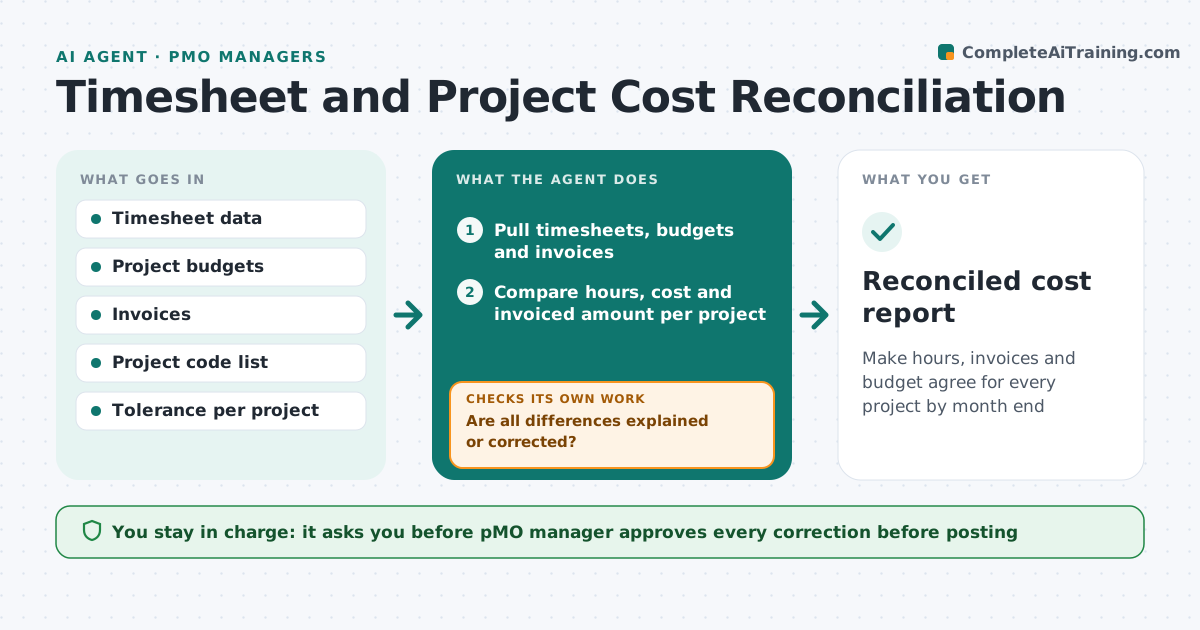
Make hours, invoices and budget agree for every project by month end
What it does
At month end, the hours people logged, the invoices sent and the budget the PMO tracks rarely add up, and someone spends days chasing the difference. This agent does the matching. It compares logged hours with budgets and client invoices for each project, finds unallocated time and hours on closed codes, and lists every difference above the project's tolerance. Any difference above tolerance is traced to a missing timesheet, a wrong code or a late invoice before the manager sees it. It chases owners for corrections, then recalculates totals. The manager approves all corrections. Edge case: a person logged 12 hours to a closed project. The agent proposes the likely correct code from their calendar and asks them to confirm.
How it works
Follow the arrows from top to bottom. The orange dashed arrow is the loop: when a check fails, the agent goes back and tries again.
Read the steps as a list
- Month-end reconciliation window opens
- Pull timesheets, budgets and invoices
- Compare hours, cost and invoiced amount per project
- List differences above each project's tolerance
- Trace each difference to a cause: missing sheet, wrong code or late invoice
- Ask owners to submit or correct timesheets and invoices
- Are all differences explained or corrected?If not: Recompute with the new entries and chase the remaining owners. Back to step 3.
- Recalculate project totals and burn rate
- Do totals match within tolerance for every project?If not: Trace remaining gaps again and flag genuine overruns. Back to step 5.
- PMO manager approves correctionsThe agent waits here for your OK.
- Reconciled cost report
How it decides
It compares hours and cost per project to the budget and invoice. A gap is explained by the first matching cause: missing timesheet, wrong code, late invoice or genuine overrun.
- Default tolerance is 2 percent of project budget
- Hours logged to a closed code are a wrong code until proven otherwise
- A missing timesheet older than 5 days goes to the line manager
- A genuine overrun is reported, not corrected
Make it yours
Every agent is a starting point. You choose these settings for your own situation.
- Tolerance per project (default 2 percent)
- Days before month end to start
- Reminder frequency
- Project codes to include
- Who receives overrun reports
What keeps you in control
It always asks you first
- PMO manager approves every correction before posting
Hard limits
- Never edits timesheets or invoices itself
- Treats hours as employee data, shares only what the manager needs
It stops when
- Done: all projects within tolerance
- Stop: an unexplained gap above 10 percent, hand to finance
Set it up
We guide you through the set-up, step by step
Members get the full set-up guide for this agent. No technical skills needed: you copy, paste and upload.
- One set of instructions to paste into your AI, with the clicks for ChatGPT, Claude, Microsoft 365 Copilot, Gemini and Grok
- The agent then walks you through connecting your own data, one source at a time
- A downloadable copy with the flow chart, the rules and the full guide