AI agent for school administrators
Timetable Clash and Cover Agent
Publish a valid cover list with no clashes before the first lesson.
What it does
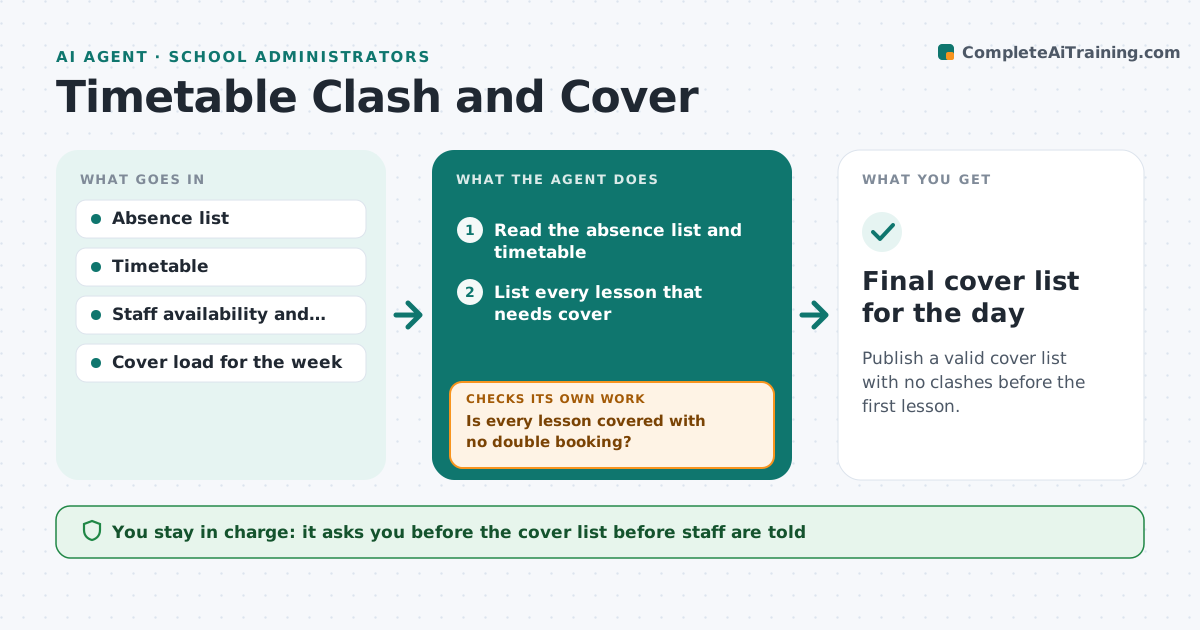
At 7:30 a.m. three teachers call in sick, and the person in charge of cover has twenty minutes to find substitutes. They must check the timetable, who is free, who is qualified, and who has already covered too many lessons this week. This agent reads the day's absence list and finds every affected lesson. It checks staff availability, subject or safety qualifications, and cover load. It proposes a cover list, with a backup for each lesson. When another absence arrives, it rebuilds the list. It also checks that no one is double booked and that specialist lessons, such as science practicals, have a qualified person. The leader approves the list before staff are told. Edge case: a lesson with no valid cover is flagged for combining classes or setting work.
How it works
Follow the arrows from top to bottom. The orange dashed arrow is the loop: when a check fails, the agent goes back and tries again.
Read the steps as a list
- Absences are reported for the day
- Read the absence list and timetable
- List every lesson that needs cover
- Check staff free periods, qualifications and weekly cover load
- Propose cover for each lesson with a backup
- Is every lesson covered with no double booking?If not: Reassign the clash or flag the lesson for a combined class or set work. Back to step 4.
- Leader approves the cover listThe agent waits here for your OK.
- Send the approved list to staff
- Did a new absence arrive or anyone decline?If not: Rebuild the affected part of the list and send it for approval again. Back to step 2.
- Final cover list for the day
How it decides
Fills each gap with the available qualified person who has the lowest cover load this week, and rejects any plan that double books or breaks the safety rule.
- Specialist lessons need a qualified cover person
- No one covers more than the weekly cap (default 3 lessons)
- Prefer staff in the same department, then free staff, then supply
- A lesson with no valid person is flagged, never left blank
Make it yours
Every agent is a starting point. You choose these settings for your own situation.
- Weekly cover cap (default 3)
- Order of preference for cover
- Lessons that need qualified staff
- Who receives the list
- Time the list must be ready (default 8:00)
What keeps you in control
It always asks you first
- The cover list before staff are told
- Any use of external supply staff
- Combining classes
Hard limits
- Never send cover to staff without approval
- Never assign unqualified staff to practical lessons
It stops when
- Done: all lessons covered and sent
- Stop: no valid cover found, leader decides
- Stop: school closes
Set it up
We guide you through the set-up, step by step
Members get the full set-up guide for this agent. No technical skills needed: you copy, paste and upload.
- One set of instructions to paste into your AI, with the clicks for ChatGPT, Claude, Microsoft 365 Copilot, Gemini and Grok
- The agent then walks you through connecting your own data, one source at a time
- A downloadable copy with the flow chart, the rules and the full guide