AI agent for fleet managers
Toll and Violation Driver Assignment Agent
Every notice is traced to a driver or vehicle and paid or appealed before its deadline
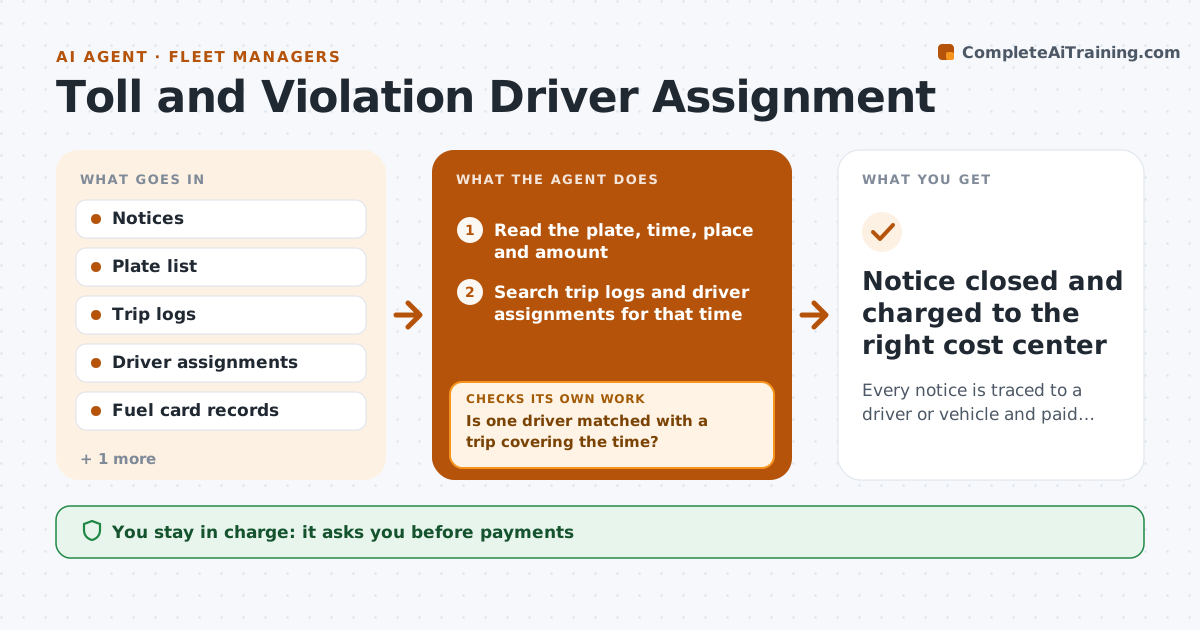
What it does
Toll bills, parking tickets and violation notices arrive weeks after the trip, and nobody knows who drove. This agent matches each notice to trip logs, plate records and driver assignments to name the driver. If it cannot match, it rechecks against other logs such as fuel cards and route sheets. It checks the deadline and the appeal options and prepares either the payment or the response. It also drafts the notice to the driver where the company policy allows. The manager approves every payment and driver notice. Edge case: the vehicle was swapped mid-shift, so two drivers appear in the logs, and the agent uses the time stamp on the notice to decide between them.
How it works
Follow the arrows from top to bottom. The orange dashed arrow is the loop: when a check fails, the agent goes back and tries again.
Read the steps as a list
- A toll, ticket or violation notice arrives
- Read the plate, time, place and amount
- Search trip logs and driver assignments for that time
- Is one driver matched with a trip covering the time?If not: search fuel cards, route sheets and shift swaps, then recheck. Back to step 3.
- Check the deadline and appeal options
- Draft the payment request or appeal
- Manager approves payment and any driver noticeThe agent waits here for your OK.
- Record the payment and notice in the tracker
- Is the item closed before its deadline?If not: escalate to the manager with days left and propose paying under protest. Back to step 5.
- Notice closed and charged to the right cost center
How it decides
A match needs the plate and the notice time to fall inside a logged trip. Without a match, other logs are searched before the notice is marked unassigned.
- Match only when the notice time falls inside a logged trip
- Draft an appeal when the notice time is outside any trip
- Escalate at 7 days before a deadline
- Charge unassigned items to the fleet cost center
Make it yours
Every agent is a starting point. You choose these settings for your own situation.
- Deadline warning days (default 7)
- Fine policy: who pays
- Logs searched in order
- Cost center for unassigned notices
What keeps you in control
It always asks you first
- Payments
- Driver notices
Hard limits
- Never name a driver without a log match
- Never pay without approval
It stops when
- Done: notice paid or appealed and charged
- Stop: notice has no plate or date
Set it up
We guide you through the set-up, step by step
Members get the full set-up guide for this agent. No technical skills needed: you copy, paste and upload.
- One set of instructions to paste into your AI, with the clicks for ChatGPT, Claude, Microsoft 365 Copilot, Gemini and Grok
- The agent then walks you through connecting your own data, one source at a time
- A downloadable copy with the flow chart, the rules and the full guide