AI agent for vp of marketings
Trademark and Domain Watch Agent
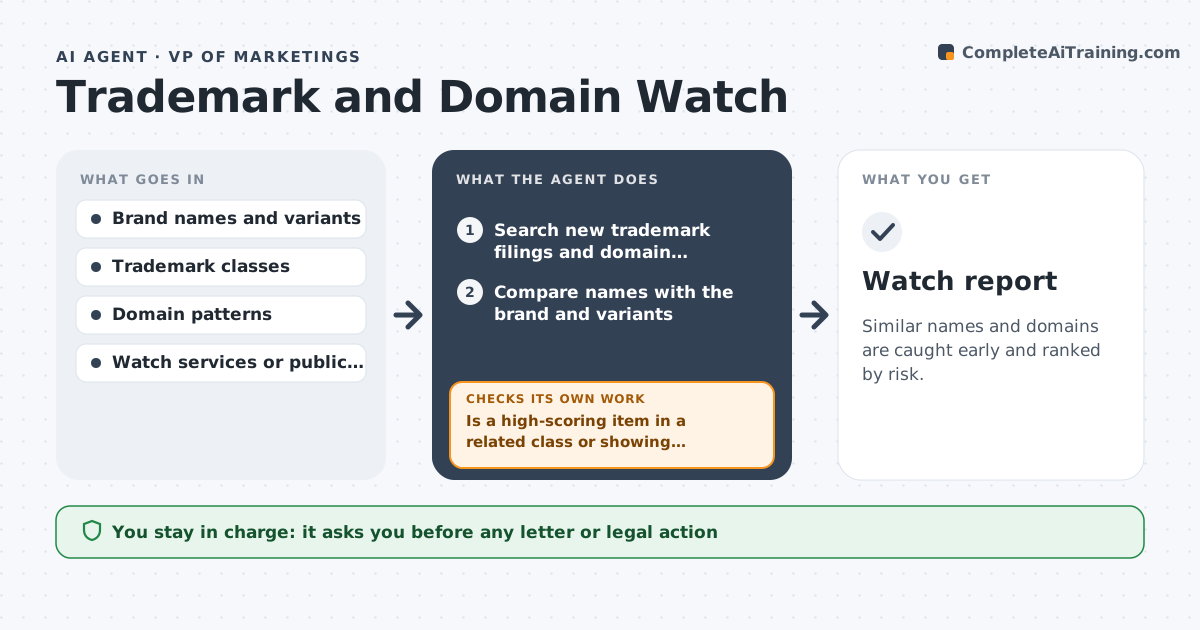
Similar names and domains are caught early and ranked by risk.
What it does
A shop registers a similar name last month and the founder finds out when a customer is confused. This agent monitors new trademark filings and domain registrations similar to your brand. It scores risk, checks use and class, and drafts a watch note. It rechecks activity of flagged items on a schedule. It also looks at how the similar name is used, for example on a website or in marketing, because active use matters more than a filing alone. Flagged items are checked again each month. Edge case: a similar name in an unrelated industry gets a low score. The founder approves any legal action or letter.
How it works
Follow the arrows from top to bottom. The orange dashed arrow is the loop: when a check fails, the agent goes back and tries again.
Read the steps as a list
- Weekly watch run
- Search new trademark filings and domain registrations
- Compare names with the brand and variants
- Score risk by similarity, class and use
- Is a high-scoring item in a related class or showing active use?If not: check the website and filing details. Back to step 3.
- Mark low-risk items as watch only
- Draft a watch note for high-risk items
- Founder approves any action or letterThe agent waits here for your OK.
- Recheck flagged items next month
- Watch report
How it decides
It scores a similarity by sound and spelling, class overlap and signs of active use.
- High risk means similar name plus a related class plus active use.
- Low risk for unrelated industries.
- Recheck flagged items every 30 days.
- Do not contact anyone from the agent.
Make it yours
Every agent is a starting point. You choose these settings for your own situation.
- Brand variants
- Classes watched
- Risk scoring
- Recheck period
- Report format
What keeps you in control
It always asks you first
- Any letter or legal action
Hard limits
- Do not send letters or file anything.
- Do not make legal conclusions.
It stops when
- Done: items are scored and the report is approved
- Stop: the search source is unavailable, so the agent reports the gap
Set it up
We guide you through the set-up, step by step
Members get the full set-up guide for this agent. No technical skills needed: you copy, paste and upload.
- One set of instructions to paste into your AI, with the clicks for ChatGPT, Claude, Microsoft 365 Copilot, Gemini and Grok
- The agent then walks you through connecting your own data, one source at a time
- A downloadable copy with the flow chart, the rules and the full guide