AI agent for meteorologists
Training Case Builder Agent
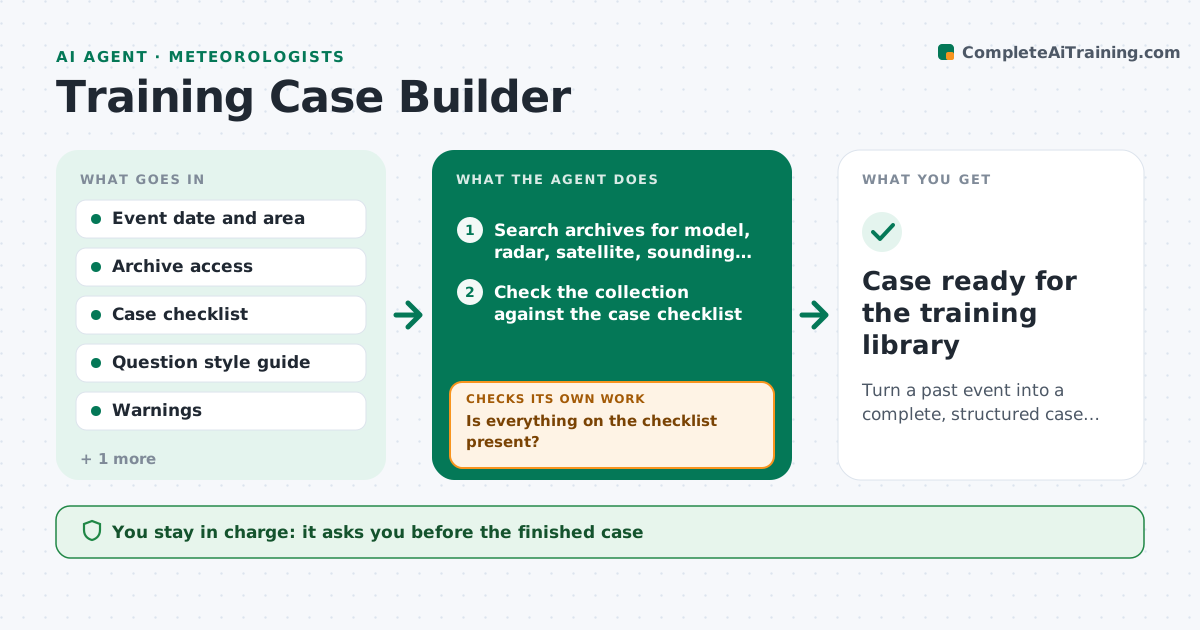
Turn a past event into a complete, structured case with questions for trainees.
What it does
A memorable severe weather day is a great teaching case, but gathering the model runs, radar loops, observations, reports and warnings takes days, so most events are never turned into one. This agent takes the date, place and event type from the trainer. It collects model output, radar and satellite imagery, soundings, observations, local reports and the warnings issued. It checks the set against a case checklist, finds missing items such as a lost model run or a radar gap, and searches archives for them. It then arranges the material in time order with questions for trainees at each decision point and an answer key. It rechecks the gaps and the question quality. It never publishes the case. The trainer approves it. Edge case: a case with no radar data for a key hour is flagged unusable for that exercise.
How it works
Follow the arrows from top to bottom. The orange dashed arrow is the loop: when a check fails, the agent goes back and tries again.
Read the steps as a list
- Trainer selects an event
- Search archives for model, radar, satellite, sounding and report data
- Check the collection against the case checklist
- Is everything on the checklist present?If not: search other archives and mark items that cannot be found. Back to step 2.
- Order the data on a timeline with key decision points
- Draft trainee questions and an answer key
- Can every question be answered from the data supplied?If not: rewrite the question or add the data it needs. Back to step 5.
- Assemble the case file with notes for the trainer
- Trainer approves the caseThe agent waits here for your OK.
- Case ready for the training library
How it decides
It marks a case ready when the checklist is complete and each decision point has data to answer its question. Missing items are searched for before any are dropped.
- Require radar and one model run for each decision point
- Cut a question if the data cannot answer it
- Mark a case unusable for an exercise when a key hour is missing
- Include the warnings actually issued as a comparison
Make it yours
Every agent is a starting point. You choose these settings for your own situation.
- Case checklist
- Question count and style
- Archives to search
- Level of trainee
- Output format
What keeps you in control
It always asks you first
- The finished case
- Any removal of a required item
Hard limits
- Never remove data to make a case look cleaner
- Label substituted data clearly
It stops when
- Done: case approved
- Stop: key data is missing for the event
Set it up
We guide you through the set-up, step by step
Members get the full set-up guide for this agent. No technical skills needed: you copy, paste and upload.
- One set of instructions to paste into your AI, with the clicks for ChatGPT, Claude, Microsoft 365 Copilot, Gemini and Grok
- The agent then walks you through connecting your own data, one source at a time
- A downloadable copy with the flow chart, the rules and the full guide