AI agent for customer onboarding specialists
Training Material Gap Per Account Agent
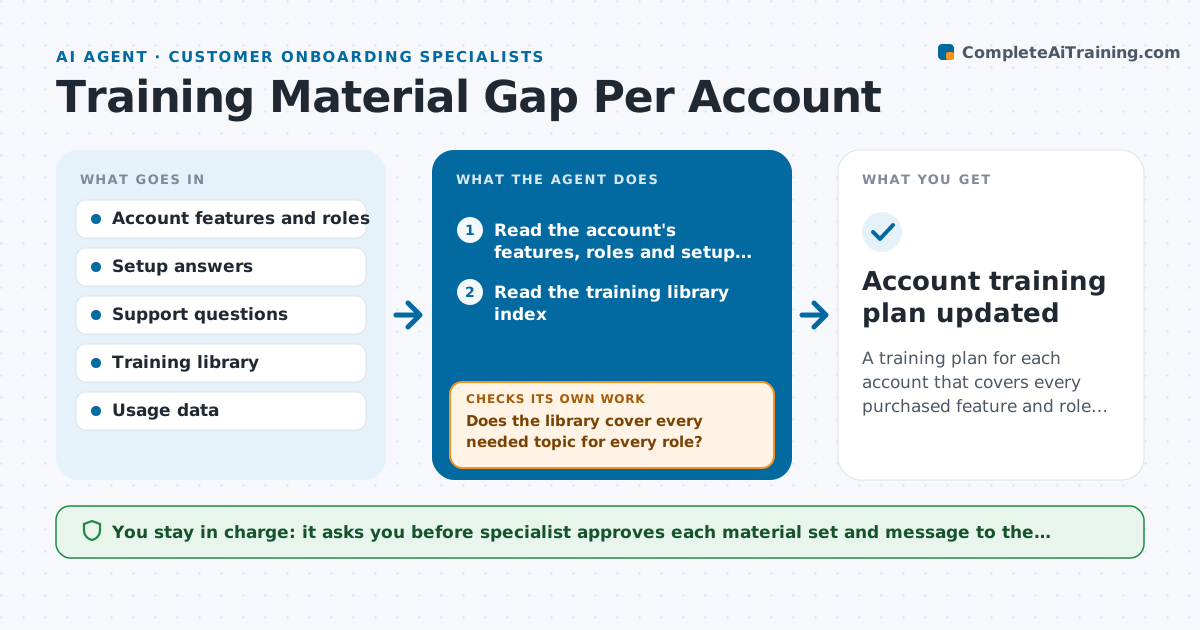
A training plan for each account that covers every purchased feature and role, adjusted by what customers still ask
What it does
A customer buys three modules and has five user roles, but receives the same generic training deck as everyone else, and two weeks later asks questions that the deck never covered. This agent reads the account's purchased features, user roles, setup answers and early support questions, and compares them with the topics the training library covers. It finds uncovered topics for each role, assembles a set of existing materials, and notes where a new short guide is needed. After the training session, it reads follow-up questions and usage data to see which topics still cause trouble, then updates the plan and materials. It loops until questions drop. The specialist approves what is sent to the customer. Edge case: a feature the customer bought but nobody has opened is flagged as an adoption risk.
How it works
Follow the arrows from top to bottom. The orange dashed arrow is the loop: when a check fails, the agent goes back and tries again.
Read the steps as a list
- New account is ready for onboarding
- Read the account's features, roles and setup answers
- Read the training library index
- Map each role to the topics it needs
- Does the library cover every needed topic for every role?If not: List gaps and draft short guides or note where a person must write them. Back to step 3.
- Assemble the material set and session agenda
- Specialist approves what is sent to the customerThe agent waits here for your OK.
- After the session, read follow-up questions and feature usage
- Are questions and unused features declining for the covered topics?If not: Add or rewrite materials for the topics that still cause questions. Back to step 3.
- Account training plan updated
How it decides
It maps each role to the features it uses, checks coverage in the library, and adds topics that show repeated questions or low usage after training.
- Flag a feature as an adoption risk if no one used it within 14 days
- Add a topic after 3 questions on it
- Send materials by role, not the whole library
- Review usage 7 days after training
Make it yours
Every agent is a starting point. You choose these settings for your own situation.
- Roles and feature mapping
- Question count that triggers a new topic (default 3)
- Usage review timing
- Training library location
- Material formats
What keeps you in control
It always asks you first
- Specialist approves each material set and message to the customer
Hard limits
- Never send materials to a customer without approval
- Never publish new guides without the specialist's check
It stops when
- Done: Every role has the materials it needs and questions decline
- Stop: The library has no suitable material and none can be drafted, so the agent asks the specialist to create it
Set it up
We guide you through the set-up, step by step
Members get the full set-up guide for this agent. No technical skills needed: you copy, paste and upload.
- One set of instructions to paste into your AI, with the clicks for ChatGPT, Claude, Microsoft 365 Copilot, Gemini and Grok
- The agent then walks you through connecting your own data, one source at a time
- A downloadable copy with the flow chart, the rules and the full guide