AI agent for corporate trainers
Training Material Localization Agent
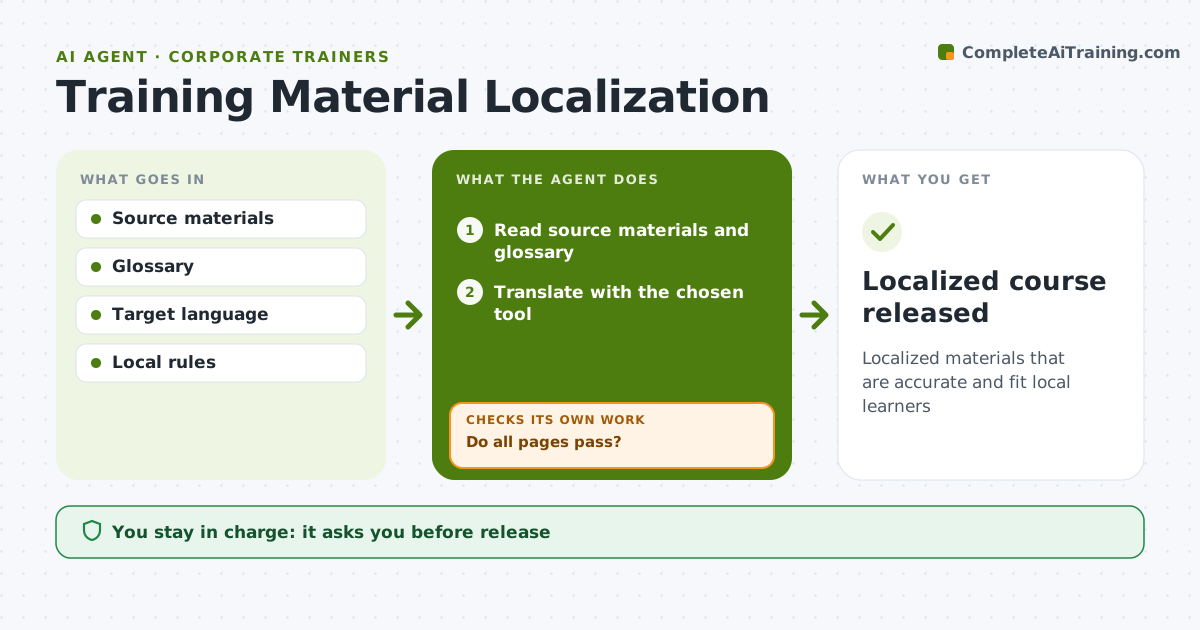
Localized materials that are accurate and fit local learners
What it does
Training rolled out in other countries needs more than translation, or learners meet the wrong terms, currencies and laws. This agent takes the source materials and a glossary of company terms and gets a translation from the chosen tool. It then checks the result: glossary terms used correctly, text that fits on slides, and examples, currencies, names and laws that need local versions. It lists issues by page and sends failing pages back for fixing or re-translation, then checks again until all pages pass. A local reviewer approves the materials before release. Edge case: legal or safety content is always flagged for review by a local expert, even when it passes every automated check.
How it works
Follow the arrows from top to bottom. The orange dashed arrow is the loop: when a check fails, the agent goes back and tries again.
Read the steps as a list
- Course approved for a new language
- Read source materials and glossary
- Translate with the chosen tool
- Check glossary terms, layout and local fit
- Do all pages pass?If not: fix failing pages and re-translate where needed. Back to step 3.
- Local reviewer approvesThe agent waits here for your OK.
- Package the course for the LMS
- Localized course released
How it decides
Each slide or page passes glossary, layout and local relevance checks.
- Glossary terms are mandatory
- Overflowing text is shortened, not shrunk
- Legal content needs local expert
Make it yours
Every agent is a starting point. You choose these settings for your own situation.
- Languages
- Glossary
- Review owners
- Check rules
What keeps you in control
It always asks you first
- Release
- Legal content
Hard limits
- No release without local review
It stops when
- Done: released
- Stop: no local reviewer
Set it up
We guide you through the set-up, step by step
Members get the full set-up guide for this agent. No technical skills needed: you copy, paste and upload.
- One set of instructions to paste into your AI, with the clicks for ChatGPT, Claude, Microsoft 365 Copilot, Gemini and Grok
- The agent then walks you through connecting your own data, one source at a time
- A downloadable copy with the flow chart, the rules and the full guide