AI agent for operations managers
Training Matrix Gap Agent
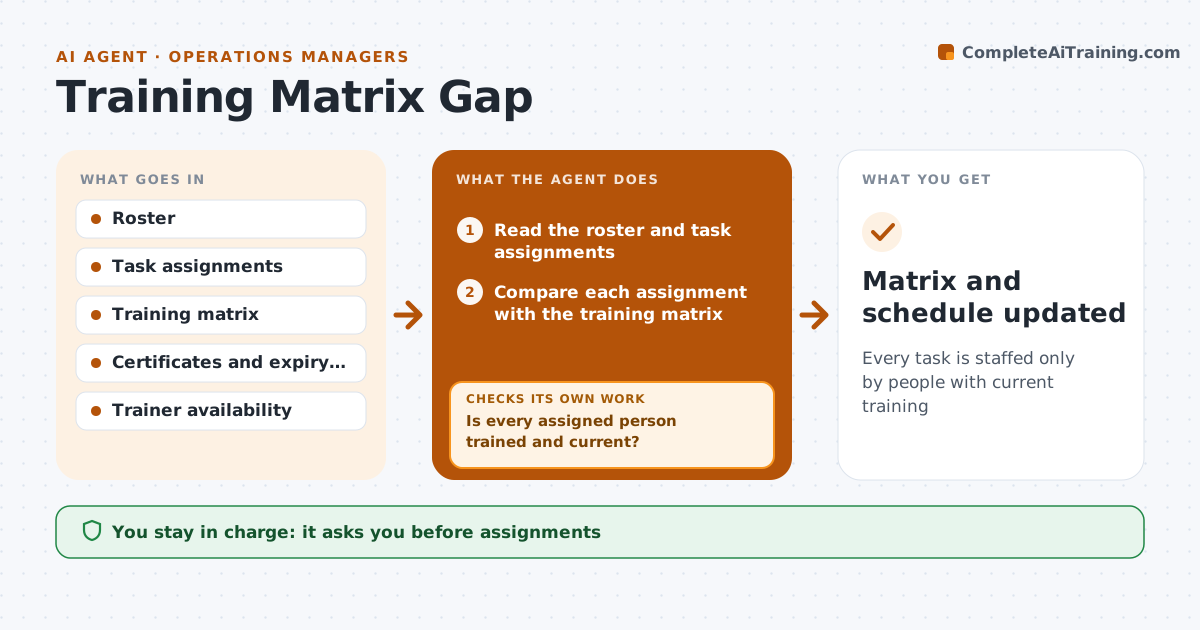
Every task is staffed only by people with current training
What it does
People get assigned to tasks without current training because the training matrix is out of date or not checked against the roster. This agent compares the roster and the task assignments with the training matrix, flags gaps and expiries, and schedules sessions. After each session it checks the completion and the assessment result. A failed assessment reschedules the person and removes them from the task. The manager approves assignments. It also tells the manager which trainer slots are free so gaps close fast. Edge case: a worker is trained on a machine but the certificate expires tomorrow, so the agent allows the shift but schedules the renewal.
How it works
Follow the arrows from top to bottom. The orange dashed arrow is the loop: when a check fails, the agent goes back and tries again.
Read the steps as a list
- Shift plan or weekly matrix review
- Read the roster and task assignments
- Compare each assignment with the training matrix
- Is every assigned person trained and current?If not: flag the gap and propose a trained replacement or a supervised assignment. Back to step 3.
- Manager approves assignmentsThe agent waits here for your OK.
- Schedule sessions for gaps and expiries
- Read completion and assessment results
- Did the person pass the assessment?If not: reschedule the session and remove them from the task until they pass. Back to step 6.
- Matrix and schedule updated
How it decides
A person is eligible when the training for the task is complete and not expired. Expiring training is flagged with lead time and scheduled before it lapses.
- Flag training that expires within 30 days
- Block assignments with no training record
- Allow a supervised assignment only with manager approval
- Reschedule failed assessments within 14 days
Make it yours
Every agent is a starting point. You choose these settings for your own situation.
- Expiry warning (default 30 days)
- Tasks covered
- Reschedule window
- Who may approve exceptions
What keeps you in control
It always asks you first
- Assignments
- Supervised exceptions
Hard limits
- Never record a pass without the result
- Never assign someone with no training
It stops when
- Done: all assignments trained and current
- Stop: matrix is missing for the task
Set it up
We guide you through the set-up, step by step
Members get the full set-up guide for this agent. No technical skills needed: you copy, paste and upload.
- One set of instructions to paste into your AI, with the clicks for ChatGPT, Claude, Microsoft 365 Copilot, Gemini and Grok
- The agent then walks you through connecting your own data, one source at a time
- A downloadable copy with the flow chart, the rules and the full guide