AI agent for training and development managers
Training Needs Analysis Agent
A ranked list of training needs backed by evidence
What it does
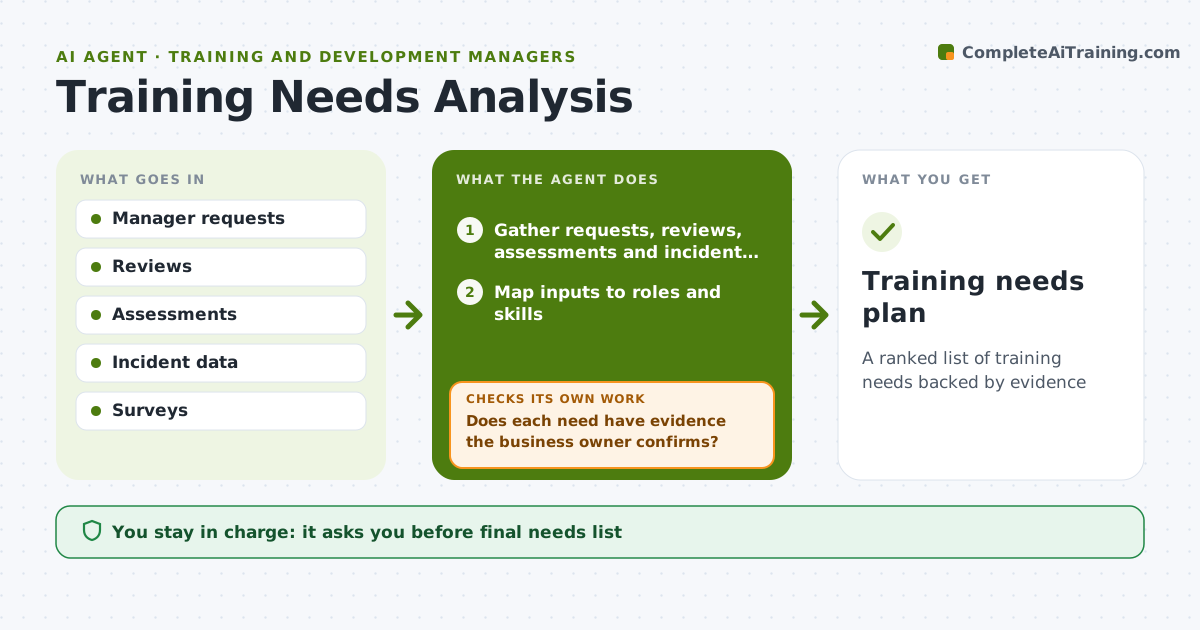
Training budgets get spent on loud requests rather than real skill gaps. This agent builds the needs analysis each planning cycle. It gathers manager requests, performance review themes, skill assessment scores, error and incident data and survey answers. It maps each input to roles and skills, then sizes every gap by how many people it affects and how much it costs the business. It separates gaps that training can fix from those caused by process or tools and routes the second kind to their owners. It ranks the remaining needs, putting safety and compliance first. Each need goes to the business owner to confirm the evidence. If a need lacks evidence, the agent runs a short skills check and adds or drops it based on the result. The L&D lead approves the final plan. Edge case: a vague request like everyone needs Excel is tested before it is added.
How it works
Follow the arrows from top to bottom. The orange dashed arrow is the loop: when a check fails, the agent goes back and tries again.
Read the steps as a list
- Planning cycle starts
- Gather requests, reviews, assessments and incident data
- Map inputs to roles and skills
- Size gaps and separate non-training causes
- Does each need have evidence the business owner confirms?If not: collect more data or run a skills check. Back to step 2.
- L&D lead approves the needs listThe agent waits here for your OK.
- Training needs plan
How it decides
Gaps are ranked by people affected times business impact. Non-training causes are routed elsewhere.
- Process or tool problems go to their owners
- Needs affecting safety or compliance go first
- Unconfirmed needs are tested with a skills check
Make it yours
Every agent is a starting point. You choose these settings for your own situation.
- Data sources
- Impact scoring
- Planning cadence
- Who confirms needs
What keeps you in control
It always asks you first
- Final needs list
- Budget for new programs
Hard limits
- Individual data used only in aggregate
- No program purchased without approval
It stops when
- Done: plan approved
- Stop: business owner unavailable, hold need
Set it up
We guide you through the set-up, step by step
Members get the full set-up guide for this agent. No technical skills needed: you copy, paste and upload.
- One set of instructions to paste into your AI, with the clicks for ChatGPT, Claude, Microsoft 365 Copilot, Gemini and Grok
- The agent then walks you through connecting your own data, one source at a time
- A downloadable copy with the flow chart, the rules and the full guide