AI agent for personal trainers
Training Program Progression Agent
Steady progress without overload
What it does
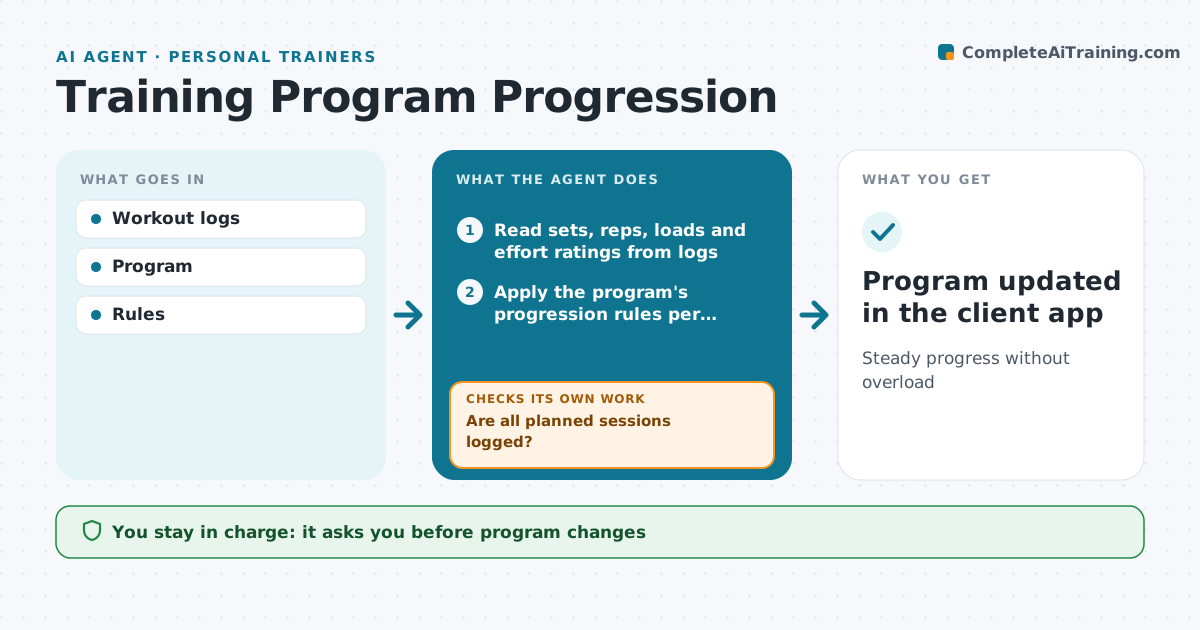
Progress in training needs steady, sensible increases in load or volume, and guessing leads to stalls or injury. This agent reads each client's workout logs, including sets, reps, loads and effort ratings. It first checks that all planned sessions are logged, and reminds the client to log any missing ones. It then applies the program's progression rules. It drafts next week's numbers: increase where all reps were done at the target effort, hold where effort was high, and reduce where reps were missed. The trainer approves the changes. The next week it checks whether the client hit the new targets. If not, it holds or reduces the load and flags the exercise for the trainer. Edge case: any pain report stops progression for that movement and flags it.
How it works
Follow the arrows from top to bottom. The orange dashed arrow is the loop: when a check fails, the agent goes back and tries again.
Read the steps as a list
- Training week ends
- Read sets, reps, loads and effort ratings from logs
- Are all planned sessions logged?If not: send the client a reminder to log missing sessions, then read logs again. Back to step 2.
- Apply the program's progression rules per exercise
- Draft next week's targets with notes on any changes
- Trainer approves next week's programThe agent waits here for your OK.
- Did the client complete the new targets?If not: hold or reduce the load and flag the exercise for the trainer. Back to step 4.
- Program updated in the client app
How it decides
Effort and reps decide increase, hold or reduce.
- All reps at effort 8 or less: increase
- Missed reps: hold
- Pain: stop movement and flag
Make it yours
Every agent is a starting point. You choose these settings for your own situation.
- Rules
- Increments
- Effort scale
- Review day
What keeps you in control
It always asks you first
- Program changes
Hard limits
- No progression with pain
It stops when
- Done: block ends
- Stop: injury
Set it up
We guide you through the set-up, step by step
Members get the full set-up guide for this agent. No technical skills needed: you copy, paste and upload.
- One set of instructions to paste into your AI, with the clicks for ChatGPT, Claude, Microsoft 365 Copilot, Gemini and Grok
- The agent then walks you through connecting your own data, one source at a time
- A downloadable copy with the flow chart, the rules and the full guide