AI agent for data entry specialists
Transcription Verification Agent
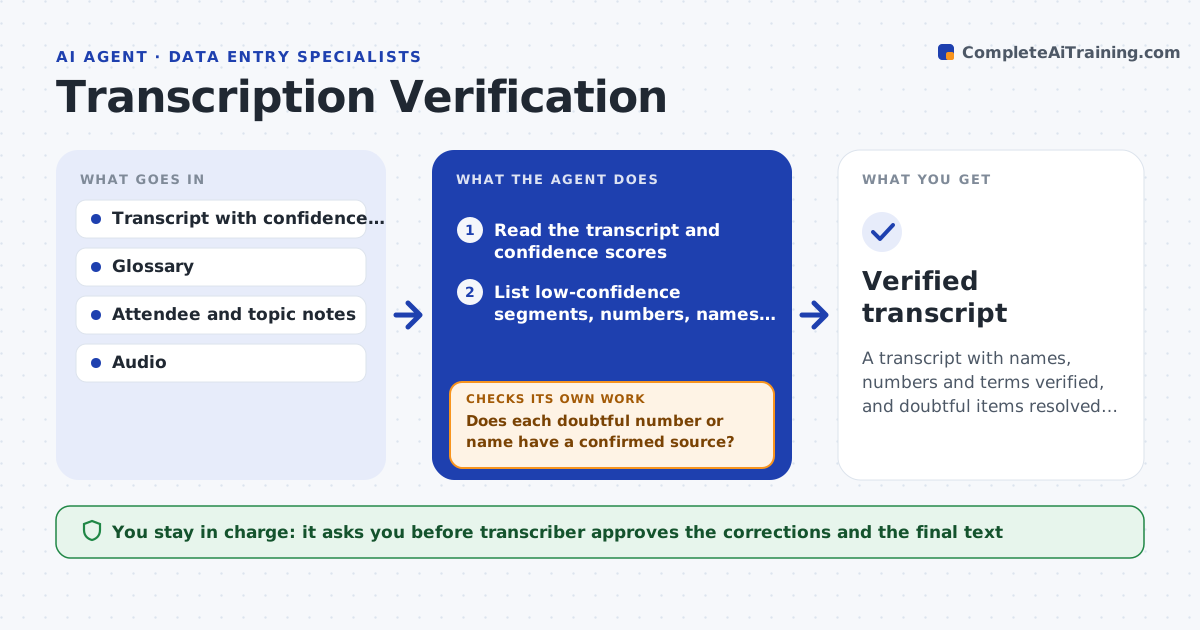
A transcript with names, numbers and terms verified, and doubtful items resolved by the transcriber
What it does
Machine transcripts contain errors in names, numbers and specialist terms. This agent reads the transcript and finds low-confidence segments and every number, name and term. It checks them against a glossary and the notes about the recording, such as attendee lists. It proposes corrections and rechecks after each edit so that a fix does not introduce a new inconsistency, for example a name spelled two ways. The transcriber approves the final text. Edge case: a speaker says a figure that sounds like fifteen or fifty, so the agent marks it for the transcriber to listen to.
How it works
Follow the arrows from top to bottom. The orange dashed arrow is the loop: when a check fails, the agent goes back and tries again.
Read the steps as a list
- Transcript is delivered
- Read the transcript and confidence scores
- List low-confidence segments, numbers, names and terms
- Check each against the glossary and recording notes
- Propose corrections with the source
- Does each doubtful number or name have a confirmed source?If not: mark it for the transcriber to listen and decide. Back to step 3.
- Transcriber approves correctionsThe agent waits here for your OK.
- Apply the corrections
- Are names, terms and numbers now consistent across the text?If not: list the inconsistencies and correct them. Back to step 3.
- Verified transcript
How it decides
A segment goes to review when confidence is low or it holds a number, name or term not in the glossary. Corrections need a source.
- Check every number against the audio when unsure
- Use the glossary spelling for names and terms
- Mark ambiguous sounds for a person
- Check consistency after each edit
Make it yours
Every agent is a starting point. You choose these settings for your own situation.
- Confidence threshold
- Glossary location
- Recording notes format
- Style rules
What keeps you in control
It always asks you first
- Transcriber approves the corrections and the final text
Hard limits
- Never changes a number without a source
- Never removes content
It stops when
- Done: the final text is approved
- Stop: audio is missing or unusable
Set it up
We guide you through the set-up, step by step
Members get the full set-up guide for this agent. No technical skills needed: you copy, paste and upload.
- One set of instructions to paste into your AI, with the clicks for ChatGPT, Claude, Microsoft 365 Copilot, Gemini and Grok
- The agent then walks you through connecting your own data, one source at a time
- A downloadable copy with the flow chart, the rules and the full guide