AI agent for chief compliance officers
Transfer of Value Reconciliation Agent
Compare records of payments to prescribers with draft disclosure data each quarter and fix mismatches before filing
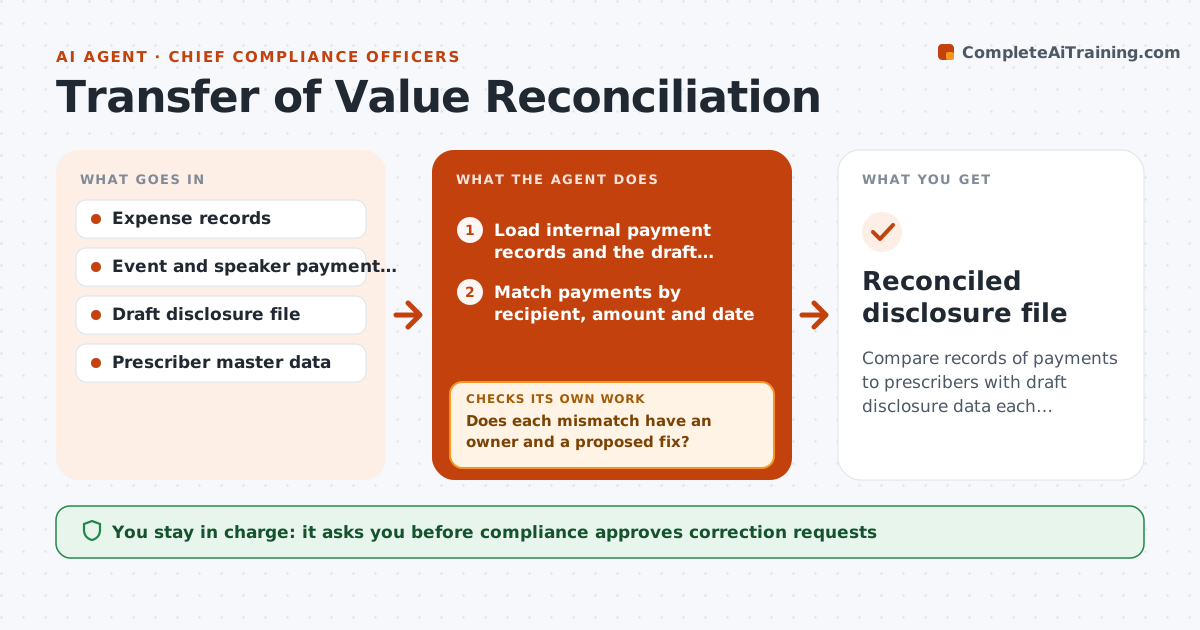
What it does
Reported payments to prescribers often do not match internal records. Each quarter the agent compares expense, event and speaker payment records with the draft disclosure data. It matches each payment by recipient, amount and date, and lists mismatches by prescriber, such as a missing item, a wrong amount or a different name form. It requests corrections from the record owners and reruns the comparison after updates. It tracks open items to the filing date. Compliance approves the final file before filing. Edge case: a speaker fee was paid in two parts and the disclosure shows one, and the agent asks for the matching split.
How it works
Follow the arrows from top to bottom. The orange dashed arrow is the loop: when a check fails, the agent goes back and tries again.
Read the steps as a list
- Quarter closes
- Load internal payment records and the draft disclosure file
- Match payments by recipient, amount and date
- List mismatches by prescriber and cause
- Does each mismatch have an owner and a proposed fix?If not: Trace the cause and find the owner. Back to step 3.
- Compliance approves correction requestsThe agent waits here for your OK.
- Collect corrected records
- Rerun the comparison
- Are all payments matched or explained?If not: Chase the open items and rematch. Back to step 3.
- Compliance approves the final fileThe agent waits here for your OK.
- Reconciled disclosure file
How it decides
Each payment must appear in both sources with the same amount, date and recipient; unmatched items go to the owner for correction.
- Match on prescriber ID before name
- Flag differences over $1
- Treat split payments as one only with proof
- Escalate open items 10 days before filing
Make it yours
Every agent is a starting point. You choose these settings for your own situation.
- Match key
- Difference threshold (default $1)
- Escalation lead time (default 10 days)
- Data sources
What keeps you in control
It always asks you first
- Compliance approves correction requests
- Compliance approves the final file
Hard limits
- Never alter a payment record
- Never file without compliance
It stops when
- Done: all items matched and approved
- Stop: unresolved items at the filing deadline
Set it up
We guide you through the set-up, step by step
Members get the full set-up guide for this agent. No technical skills needed: you copy, paste and upload.
- One set of instructions to paste into your AI, with the clicks for ChatGPT, Claude, Microsoft 365 Copilot, Gemini and Grok
- The agent then walks you through connecting your own data, one source at a time
- A downloadable copy with the flow chart, the rules and the full guide