AI agent for tax analysts
Transfer Pricing Documentation Check Agent
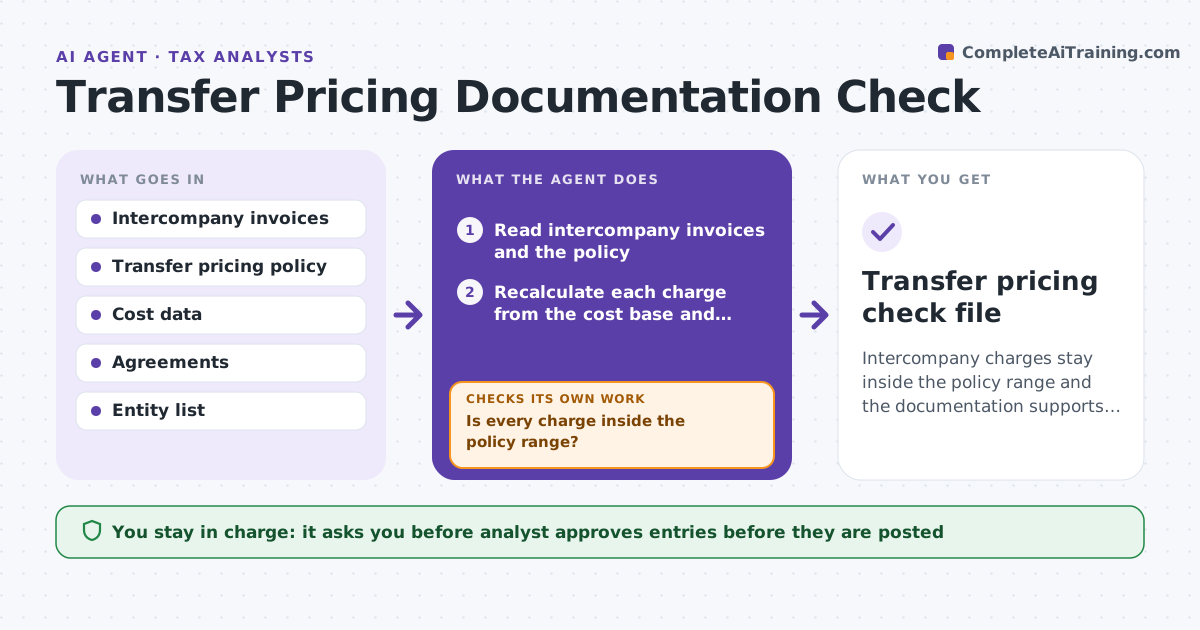
Intercompany charges stay inside the policy range and the documentation supports them.
What it does
Group companies charge each other for services and goods, and those prices should follow the transfer pricing policy. Over a year they drift. This agent reads intercompany invoices and the policy, recalculates charges, flags deviations from the agreed margin, drafts adjusting entries and rechecks after each adjustment. It decides using the agreed method and margin range. The analyst approves entries before they are posted. If an adjustment leaves another entity outside the range, it drafts a second entry and checks again. It keeps a note of the reason for each adjustment so the documentation file is ready for an audit. Edge case: a cost base includes an item the policy excludes, so the agent recalculates without it and shows the difference.
How it works
Follow the arrows from top to bottom. The orange dashed arrow is the loop: when a check fails, the agent goes back and tries again.
Read the steps as a list
- Quarter or year ends
- Read intercompany invoices and the policy
- Recalculate each charge from the cost base and markup
- Compare the result to the invoiced amount
- Flag deviations outside the margin range
- Draft adjusting entries and notes
- Analyst approves entries before postingThe agent waits here for your OK.
- Recheck the totals after adjustment entries
- Is every charge inside the policy range?If not: redraft entries for the remaining deviations. Back to step 3.
- Transfer pricing check file
How it decides
It recomputes each charge as cost base times the policy markup and flags any difference outside the range.
- Flag a margin outside the policy range
- Exclude costs the policy excludes
- Check that agreements exist for each charge
- Document the reason for each adjustment
Make it yours
Every agent is a starting point. You choose these settings for your own situation.
- Margin range
- Cost base rules
- Entities
- Review timing
- Documentation fields
What keeps you in control
It always asks you first
- Analyst approves entries before they are posted
Hard limits
- Never post entries
- Never change the policy
It stops when
- Done: all charges fall within policy
- Stop: the policy does not cover a charge
Set it up
We guide you through the set-up, step by step
Members get the full set-up guide for this agent. No technical skills needed: you copy, paste and upload.
- One set of instructions to paste into your AI, with the clicks for ChatGPT, Claude, Microsoft 365 Copilot, Gemini and Grok
- The agent then walks you through connecting your own data, one source at a time
- A downloadable copy with the flow chart, the rules and the full guide