AI agent for translators
Translation Memory Cleanup Agent
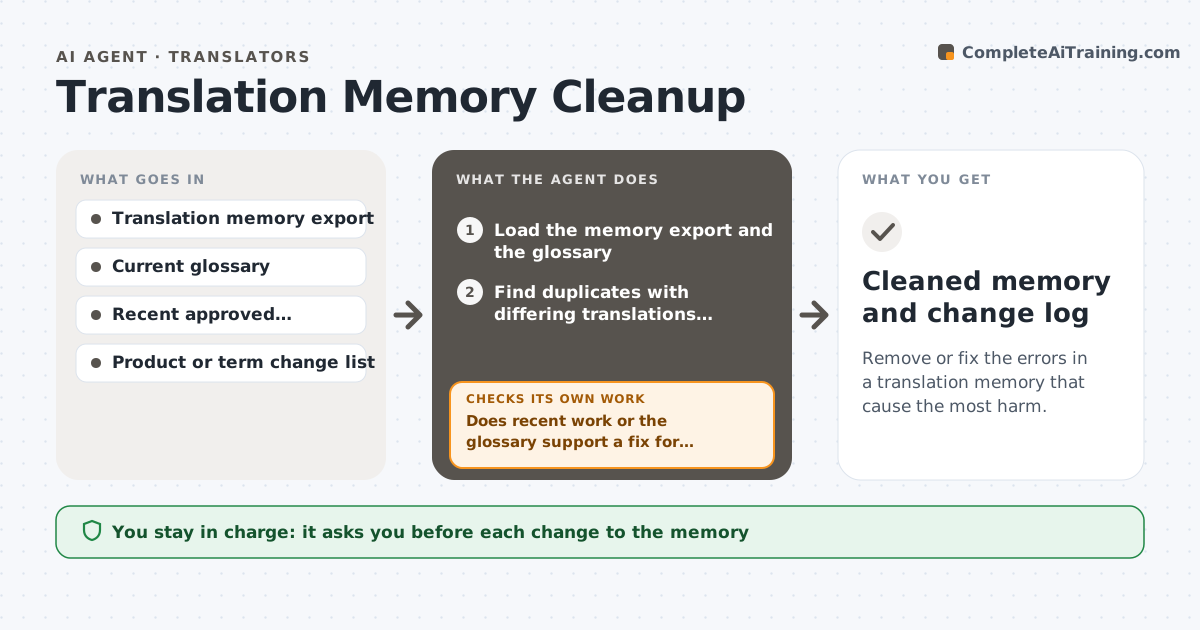
Remove or fix the errors in a translation memory that cause the most harm.
What it does
A translation memory built over years holds wrong, outdated and inconsistent segments, and fuzzy matches then carry old mistakes into new work. This agent scans the memory for problems: the same source with different translations, mismatched numbers, segments in the wrong language, tag errors, terms that disagree with the current glossary, and entries from outdated product names. It checks suspect entries against recent approved work and the glossary, ranks them by how often they are matched, and proposes a fix for each. After the translator edits, it rechecks the cleaned memory and counts the problems left. It never changes the memory directly. The translator approves each change. Edge case: a segment with two valid translations for two contexts is kept, with a context note.
How it works
Follow the arrows from top to bottom. The orange dashed arrow is the loop: when a check fails, the agent goes back and tries again.
Read the steps as a list
- Cleanup requested
- Load the memory export and the glossary
- Find duplicates with differing translations, number mismatches and tag errors
- Compare terms with the glossary and the change list
- Check suspect entries against recent approved translations
- Rank problems by reuse and severity
- Does recent work or the glossary support a fix for each?If not: mark the entry as undecided and list the options. Back to step 5.
- Translator approves each changeThe agent waits here for your OK.
- Apply the approved changes to a copy of the memory
- Does a rescan of the cleaned copy find fewer problems?If not: review the changes that caused new conflicts. Back to step 3.
- Cleaned memory and change log
How it decides
It ranks problems by how often the entry is reused and how serious the error is, and proposes a fix only when the glossary or recent approved work supports it.
- Rank an entry higher when it is matched often
- Treat a different number between source and target as a serious error
- Keep two translations when each fits a different context, with a note
- Never delete without a logged reason
Make it yours
Every agent is a starting point. You choose these settings for your own situation.
- Problem types to scan
- Reuse threshold for priority
- Glossary and change list
- Languages in the memory
- Change log format
What keeps you in control
It always asks you first
- Each change to the memory
- Importing the cleaned copy
Hard limits
- Work on a copy, never on the live memory
- Never delete without a reason in the log
It stops when
- Done: problem count falls to the target and changes are approved
- Stop: no reference exists to settle most entries
Set it up
We guide you through the set-up, step by step
Members get the full set-up guide for this agent. No technical skills needed: you copy, paste and upload.
- One set of instructions to paste into your AI, with the clicks for ChatGPT, Claude, Microsoft 365 Copilot, Gemini and Grok
- The agent then walks you through connecting your own data, one source at a time
- A downloadable copy with the flow chart, the rules and the full guide