AI agent for translators
Translation Project Intake and Scope Agent
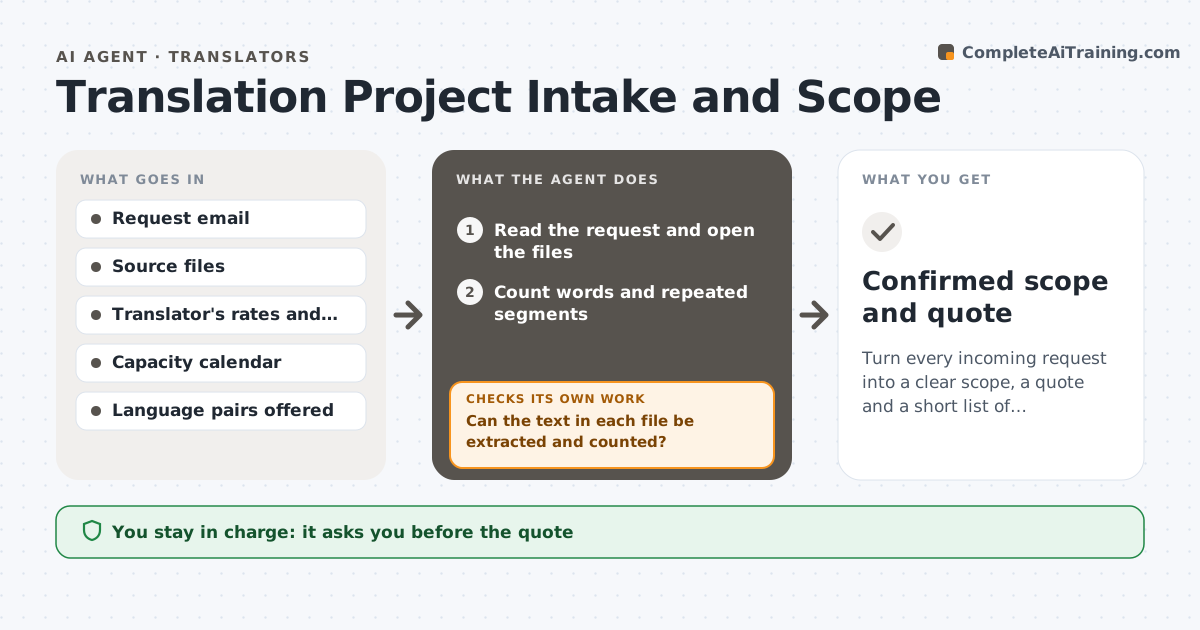
Turn every incoming request into a clear scope, a quote and a short list of questions.
What it does
A translation request often arrives as an email with a few files and a vague deadline, and the translator discovers later that the files include scans, images with text, or a terminology list nobody mentioned. This agent reads the request and files, counts words and checks the file types, including whether text can be extracted and how much repeats. It checks what is missing: language pair and variant, audience, formatting needs, deadline, reference material and terminology. It drafts a quote from the translator's rates and a list of questions for the client, and rechecks after replies. It never sends the quote or the questions. The translator approves. Edge case: a scanned PDF is priced with an OCR line and flagged for a quality check.
How it works
Follow the arrows from top to bottom. The orange dashed arrow is the loop: when a check fails, the agent goes back and tries again.
Read the steps as a list
- Request arrives
- Read the request and open the files
- Can the text in each file be extracted and counted?If not: mark scans or images, estimate with OCR, and add a flag to the quote. Back to step 2.
- Count words and repeated segments
- Check language pair, variant, audience, format and deadline
- Check the capacity calendar for the deadline
- Draft the quote with rates and assumptions
- Draft questions about missing details
- Translator approves the quote and questionsThe agent waits here for your OK.
- Did the client's replies resolve every question?If not: update the scope and quote and list what remains open. Back to step 4.
- Confirmed scope and quote
How it decides
It marks a request ready to quote only when language pair, word count, format and deadline are clear. Anything unclear becomes a question, not an assumption.
- Ask rather than assume when a language variant is unclear
- Price OCR work as a separate line
- Apply repetition discounts only if the translator's rules allow
- Warn when the deadline would exceed capacity
Make it yours
Every agent is a starting point. You choose these settings for your own situation.
- Rates and discounts
- Quote validity (default 14 days)
- Question list template
- Capacity limits
- File types accepted
What keeps you in control
It always asks you first
- The quote
- Questions sent to the client
- Acceptance of the job
Hard limits
- Never send a quote or accept a job
- Never guess a language variant
It stops when
- Done: scope confirmed
- Stop: client does not reply within the quote validity
Set it up
We guide you through the set-up, step by step
Members get the full set-up guide for this agent. No technical skills needed: you copy, paste and upload.
- One set of instructions to paste into your AI, with the clicks for ChatGPT, Claude, Microsoft 365 Copilot, Gemini and Grok
- The agent then walks you through connecting your own data, one source at a time
- A downloadable copy with the flow chart, the rules and the full guide