AI agent for transportation managers
Transport Incident Investigation Follow-up Agent
Every incident investigated and actions completed
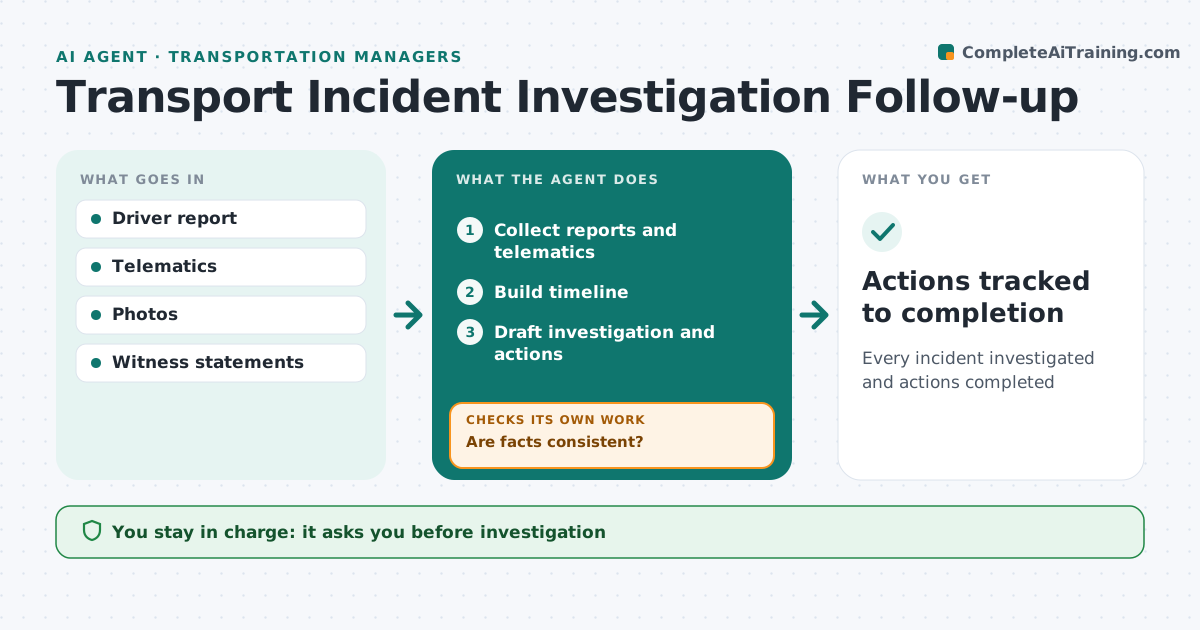
What it does
After a road incident, the transportation manager must investigate, report and stop it from happening again, often while running daily operations. This agent collects the driver report, telematics data, photos and witness statements, then builds a timeline of what happened. It checks that the facts agree. If the driver report and the telematics data contradict each other, for example on speed or time, it sends the question back to the investigator and rebuilds the timeline once answered. It drafts the investigation with likely causes and corrective actions, each with an owner and a date, and tracks those actions until they are done. Each month it looks for patterns across incidents, such as the same route or time of day. The manager approves the investigation and the actions. Edge case: when an incident involves injury, the agent flags legal reporting deadlines straight away.
How it works
Follow the arrows from top to bottom. The orange dashed arrow is the loop: when a check fails, the agent goes back and tries again.
Read the steps as a list
- Incident reported
- Collect reports and telematics
- Build timeline
- Are facts consistent?If not: send contradictions to investigator. Back to step 3.
- Draft investigation and actions
- Manager approvesThe agent waits here for your OK.
- Actions tracked to completion
How it decides
It builds a timeline from data and requires consistency before drafting causes.
- Injury incidents flagged for reporting deadlines
- Patterns reviewed monthly
- Actions have owners and dates
Make it yours
Every agent is a starting point. You choose these settings for your own situation.
- Reporting deadlines
- Action tracking
- Report format
- Pattern review
What keeps you in control
It always asks you first
- Investigation
- Actions
Hard limits
- No blame language
- Personal data protected
It stops when
- Done: actions complete
- Stop: police investigation
Set it up
We guide you through the set-up, step by step
Members get the full set-up guide for this agent. No technical skills needed: you copy, paste and upload.
- One set of instructions to paste into your AI, with the clicks for ChatGPT, Claude, Microsoft 365 Copilot, Gemini and Grok
- The agent then walks you through connecting your own data, one source at a time
- A downloadable copy with the flow chart, the rules and the full guide