AI agent for policy makers
Capital Improvement Priority Scoring Agent
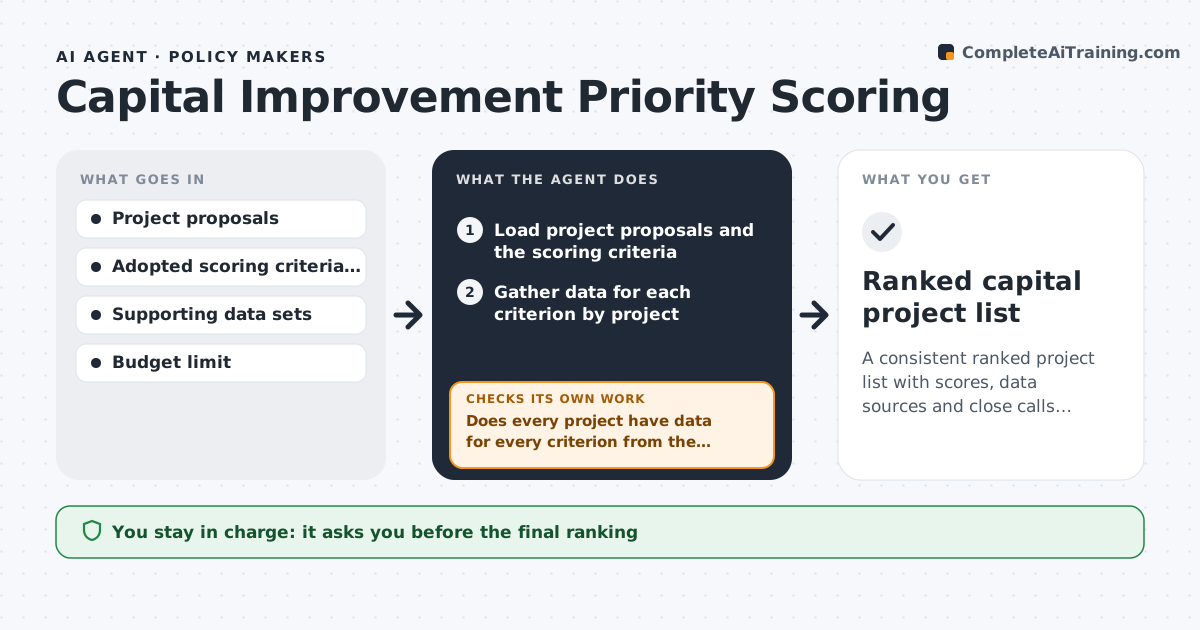
A consistent ranked project list with scores, data sources and close calls identified
What it does
Each year dozens of capital projects compete for limited money, and the ranking becomes a debate about who spoke last. This agent scores every project against the adopted criteria, such as safety, equity, condition, cost and plan alignment. For each score it gathers the supporting data, for example crash counts, asset condition ratings and census data for the benefit area. It checks that every project has data for every criterion and that the data comes from the same period. When data is missing, it asks the project sponsor and rescored the project. It then tests how the rankings change when the weights shift, and lists close calls where a small change flips the order. The planner approves the ranking. Edge case: a project with a legal or safety mandate is placed in a separate list before scoring.
How it works
Follow the arrows from top to bottom. The orange dashed arrow is the loop: when a check fails, the agent goes back and tries again.
Read the steps as a list
- Capital program cycle opens
- Load project proposals and the scoring criteria
- Gather data for each criterion by project
- Does every project have data for every criterion from the same period?If not: request the missing data from the sponsor and wait. Back to step 3.
- Separate mandated projects and score the rest
- Rank projects and fit them to the budget
- Test the ranking with different weights
- Is the order stable under small weight changes?If not: list the close calls and show which weights flip them. Back to step 5.
- Draft the ranking table with sources
- Planner approves the rankingThe agent waits here for your OK.
- Ranked capital project list
How it decides
Projects are scored on each criterion from the data. Mandated projects are listed first. The rest are ranked by total score until the budget is used.
- List projects with a legal or safety mandate before scoring
- Require data from the same year for all projects
- Call a result close when a 10% weight change flips its rank
- Do not score a project with missing data
Make it yours
Every agent is a starting point. You choose these settings for your own situation.
- Criteria and weights
- Data period
- Close call margin (default 10% weight change)
- Budget limit
What keeps you in control
It always asks you first
- The final ranking
Hard limits
- Never changes the adopted criteria
- Does not decide funding
It stops when
- Done: the ranking and close calls are approved
- Stop: the criteria and weights are not adopted
Set it up
We guide you through the set-up, step by step
Members get the full set-up guide for this agent. No technical skills needed: you copy, paste and upload.
- One set of instructions to paste into your AI, with the clicks for ChatGPT, Claude, Microsoft 365 Copilot, Gemini and Grok
- The agent then walks you through connecting your own data, one source at a time
- A downloadable copy with the flow chart, the rules and the full guide