AI agent for transportation managers
Roadside Safety Audit Preparation Agent
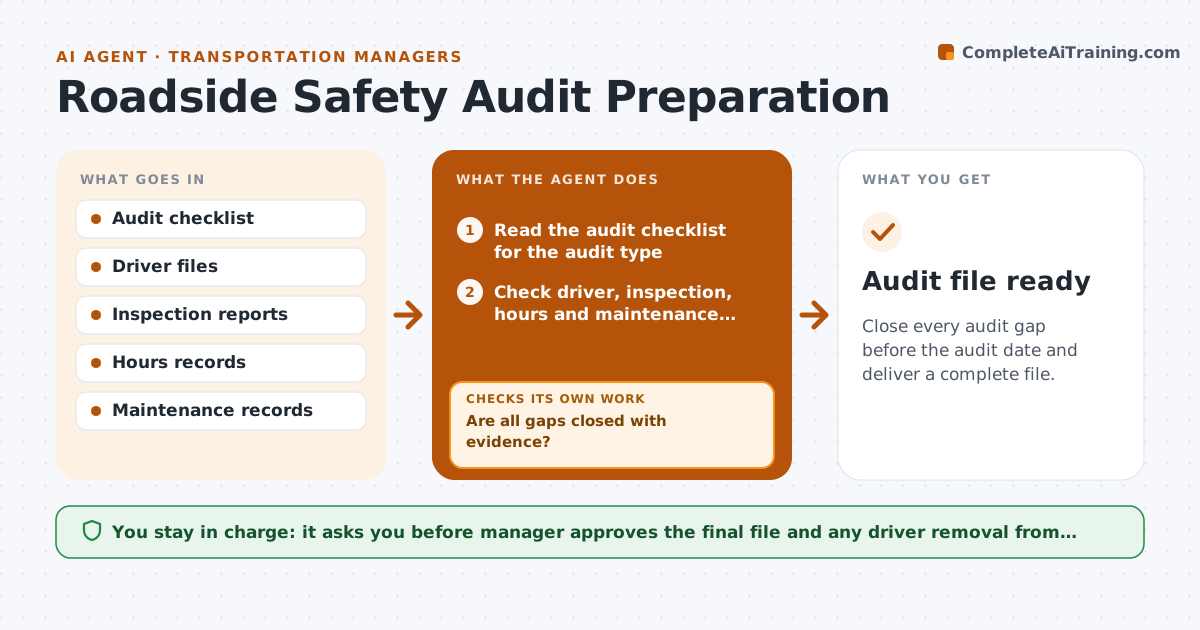
Close every audit gap before the audit date and deliver a complete file.
What it does
An audit by a safety regulator or a customer is stressful when the file is incomplete. This agent checks the fleet against the audit list ahead of time. It reads driver files for licenses and medical cards, inspection reports for open defects, hours of service for violations and maintenance records for overdue items. It lists every gap and who owns it, requests fixes, and checks again until the file is clean. It builds the final file in the auditor's order. The manager approves the final file. Edge case: a driver whose medical card expired last week is flagged for removal from driving until it is renewed.
How it works
Follow the arrows from top to bottom. The orange dashed arrow is the loop: when a check fails, the agent goes back and tries again.
Read the steps as a list
- Audit is scheduled or announced
- Read the audit checklist for the audit type
- Check driver, inspection, hours and maintenance records
- List gaps with owners and dates
- Send fix requests to owners
- Are all gaps closed with evidence?If not: Chase the owners and escalate gaps that stay open for a week. Back to step 4.
- Assemble the file in the auditor's order
- Does the file pass a final read against the checklist?If not: Return to the gaps found and request fixes. Back to step 3.
- Manager approves the final fileThe agent waits here for your OK.
- Audit file ready
How it decides
It marks an item as a gap when evidence is missing, expired or contradicted, and rechecks until the evidence is found.
- Flag expired licenses and medical cards as critical
- Flag open defects older than 7 days
- Escalate gaps with less than 14 days left
- Never edit a record to close a gap
Make it yours
Every agent is a starting point. You choose these settings for your own situation.
- Audit types and checklists
- Escalation timing (default 14 days)
- Record owners
- File order
What keeps you in control
It always asks you first
- Manager approves the final file and any driver removal from duty
Hard limits
- Never alter records to close a gap
- Never present an incomplete file as final
It stops when
- Done: the file passes the checklist and is approved
- Stop: critical gaps cannot be closed before the audit
Set it up
We guide you through the set-up, step by step
Members get the full set-up guide for this agent. No technical skills needed: you copy, paste and upload.
- One set of instructions to paste into your AI, with the clicks for ChatGPT, Claude, Microsoft 365 Copilot, Gemini and Grok
- The agent then walks you through connecting your own data, one source at a time
- A downloadable copy with the flow chart, the rules and the full guide