AI agent for cfos
Treasury Bank Account and Signer Review Agent
Bring every bank account's signers and limits in line with current staff and policy.
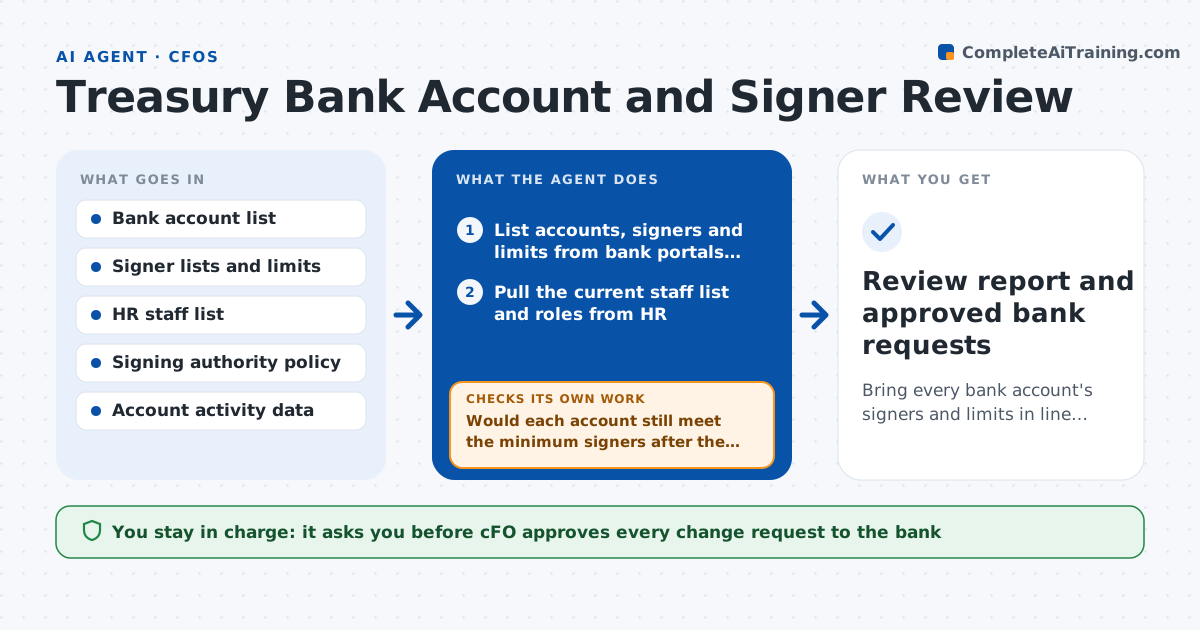
What it does
Banks hold mandates that list who may sign and move money, and these lists go stale as people leave or change roles. This agent compiles every bank account with its signers, limits and purpose from bank portals and the treasury file. It compares signers with the current staff list and the signing policy, and finds former employees, people above their authority, dormant accounts and accounts without a clear owner. It drafts change requests for the bank and checks each one against the policy before it goes forward. If the removal of a signer would leave an account with too few signers, it flags the gap and proposes a replacement. The CFO approves every change.
How it works
Follow the arrows from top to bottom. The orange dashed arrow is the loop: when a check fails, the agent goes back and tries again.
Read the steps as a list
- Quarter ends or an HR change is reported
- List accounts, signers and limits from bank portals and treasury records
- Pull the current staff list and roles from HR
- Compare each signer with staff status and the policy
- Flag former staff, over-limit signers and dormant accounts
- Draft change requests for each issue
- Would each account still meet the minimum signers after the change?If not: propose a replacement signer or an interim rule and redraft. Back to step 4.
- Check dormant accounts for pending items before proposing closure
- CFO approves every change requestThe agent waits here for your OK.
- Review report and approved bank requests
How it decides
It flags a signer who is not on the current staff list or exceeds the policy limit, and a dormant account when there is no activity in the set period.
- Flag any signer who is no longer an employee
- Flag an account with no activity for 12 months
- Require at least 2 signers on every account
- Flag any limit above the policy level for the role
Make it yours
Every agent is a starting point. You choose these settings for your own situation.
- Review schedule (default quarterly)
- Dormant account period (default 12 months)
- Minimum signers per account
- Limits by role
What keeps you in control
It always asks you first
- CFO approves every change request to the bank
- CFO approves any account closure
Hard limits
- Never submits requests to the bank
- Never closes or changes an account
It stops when
- Done: all issues resolved or approved for action
- Stop: bank data cannot be retrieved for an account
Set it up
We guide you through the set-up, step by step
Members get the full set-up guide for this agent. No technical skills needed: you copy, paste and upload.
- One set of instructions to paste into your AI, with the clicks for ChatGPT, Claude, Microsoft 365 Copilot, Gemini and Grok
- The agent then walks you through connecting your own data, one source at a time
- A downloadable copy with the flow chart, the rules and the full guide