AI agent for plant managers
Turnaround Readiness Agent
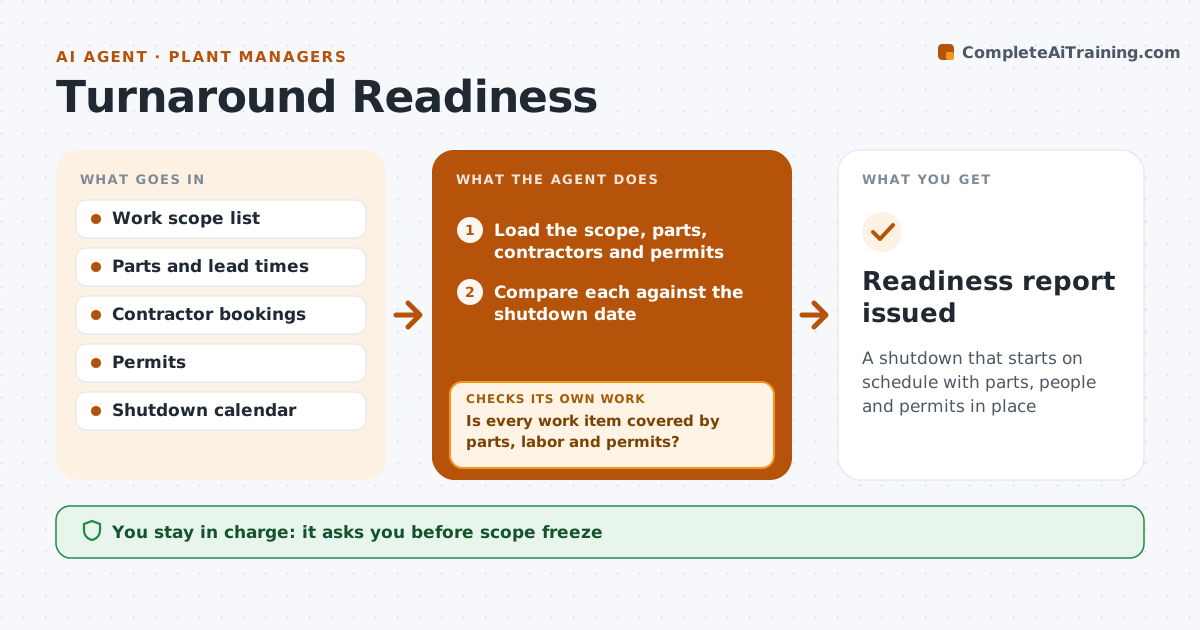
A shutdown that starts on schedule with parts, people and permits in place
What it does
Shutdown work starts with missing parts, contractors or permits, and the date cannot move. This agent tracks the scope, parts, contractors and permits against the shutdown date and flags gaps early. It checks lead times against the calendar and proposes options such as expediting, alternates or scope cuts. After each change it replans and checks that the critical path still holds. The manager approves the scope freeze. Edge case: a vital valve has a 14 week lead time and the shutdown is in 10 weeks, so the agent proposes a rental or a repair instead.
How it works
Follow the arrows from top to bottom. The orange dashed arrow is the loop: when a check fails, the agent goes back and tries again.
Read the steps as a list
- Weekly readiness review
- Load the scope, parts, contractors and permits
- Compare each against the shutdown date
- Is every work item covered by parts, labor and permits?If not: list the gaps ranked by effect on the critical path. Back to step 2.
- Propose options: expedite, alternate, rent or cut scope
- Manager approves changes and the scope freezeThe agent waits here for your OK.
- Update the plan and the calendar
- Check the critical path after the update
- Does the plan still finish on time?If not: propose further changes and recheck. Back to step 5.
- Readiness report issued
How it decides
A work item is ready when its parts, labor and permits are confirmed before the needed date. Gaps are ranked by effect on the critical path.
- Flag any part with lead time beyond the remaining weeks
- Freeze scope 8 weeks before the shutdown
- Rank gaps by critical path impact
- Require permits 4 weeks ahead
Make it yours
Every agent is a starting point. You choose these settings for your own situation.
- Scope freeze date (default 8 weeks)
- Permit lead time
- Report cadence
- Critical path rule
What keeps you in control
It always asks you first
- Scope freeze
- Orders and changes
Hard limits
- Never place orders
- Never change scope without approval
It stops when
- Done: shutdown starts with all items ready
- Stop: shutdown is cancelled
Set it up
We guide you through the set-up, step by step
Members get the full set-up guide for this agent. No technical skills needed: you copy, paste and upload.
- One set of instructions to paste into your AI, with the clicks for ChatGPT, Claude, Microsoft 365 Copilot, Gemini and Grok
- The agent then walks you through connecting your own data, one source at a time
- A downloadable copy with the flow chart, the rules and the full guide