AI agent for vacation rental hosts
Turnover Cleaning Coordination Agent
Every turnover done and checked before guest arrival
What it does
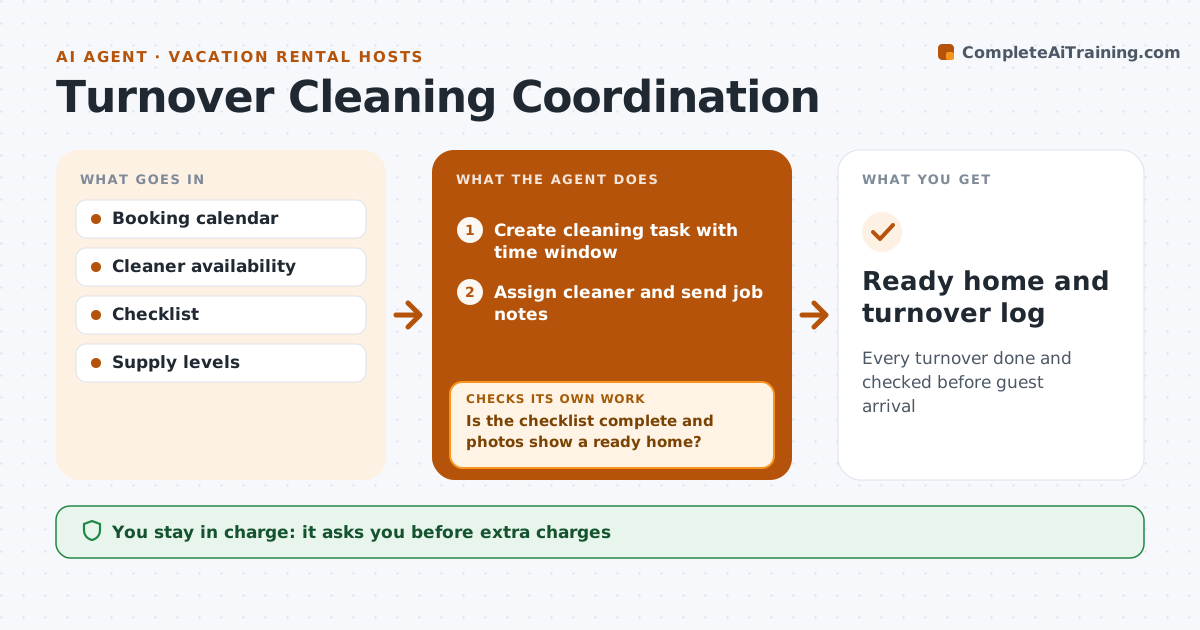
Every guest checkout needs a cleaning before the next check-in, and same-day turnovers are easy to miss or rush. This agent reads bookings from the calendar, creates cleaning tasks with the time window, and assigns them to cleaners based on availability. A booking changed at the last minute moves the cleaning window, so it watches for changes. It sends each job with notes such as an early check-in. After cleaning, it asks for a checklist and photos and checks them for missed items such as unmade beds or low supplies. If something is missing, it asks the cleaner to fix it before the guest arrives. It reports supplies to restock. The host approves any extra charges.
How it works
Follow the arrows from top to bottom. The orange dashed arrow is the loop: when a check fails, the agent goes back and tries again.
Read the steps as a list
- Booking or checkout
- Create cleaning task with time window
- Assign cleaner and send job notes
- Collect checklist and photos
- Is the checklist complete and photos show a ready home?If not: ask the cleaner to fix missed items before arrival. Back to step 3.
- List supplies to restock
- Host approves extra chargesThe agent waits here for your OK.
- Ready home and turnover log
How it decides
It assigns cleaners by window and availability and accepts a turnover only with a complete checklist and photos.
- Same-day turnovers get priority
- Photos required
- Booking changes reschedule cleaning
Make it yours
Every agent is a starting point. You choose these settings for your own situation.
- Checklist items
- Cleaners list
- Photo rules
- Restock thresholds
What keeps you in control
It always asks you first
- Extra charges
- Backup cleaner fees
Hard limits
- Never pays cleaners
It stops when
- Done: home ready
- Stop: no cleaner available; alert host
Set it up
We guide you through the set-up, step by step
Members get the full set-up guide for this agent. No technical skills needed: you copy, paste and upload.
- One set of instructions to paste into your AI, with the clicks for ChatGPT, Claude, Microsoft 365 Copilot, Gemini and Grok
- The agent then walks you through connecting your own data, one source at a time
- A downloadable copy with the flow chart, the rules and the full guide