AI agent for community managers
Unanswered Question Routing Agent
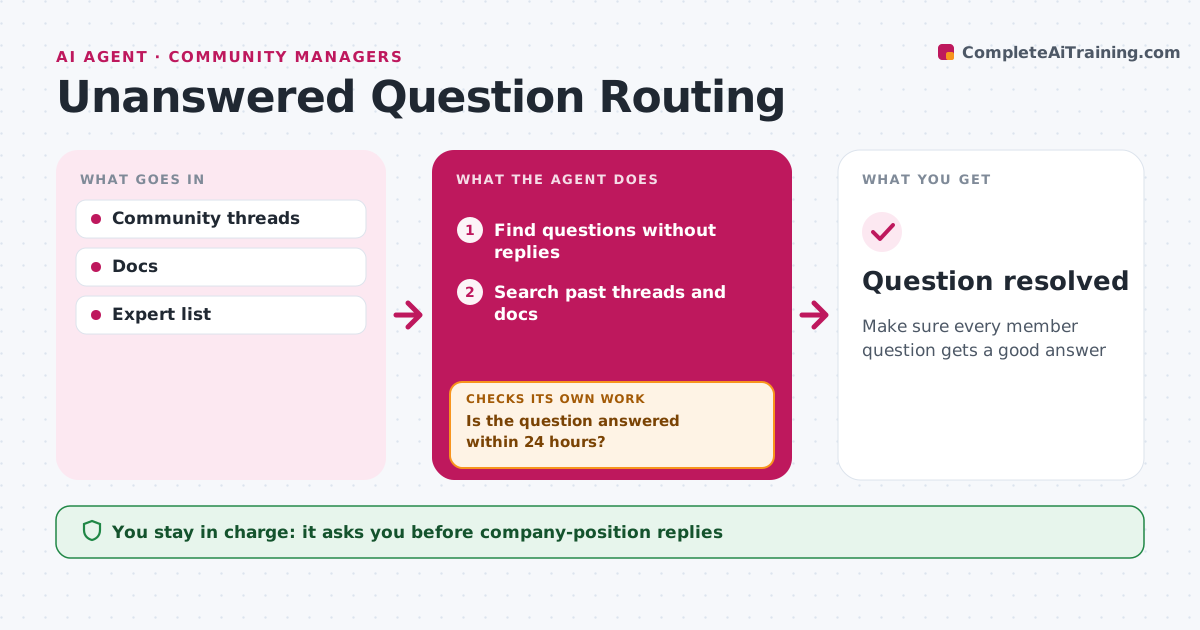
Make sure every member question gets a good answer
What it does
Unanswered questions hurt member trust and make a community feel empty. Every four hours this agent finds questions that have had no reply after the set time. For each, it searches past threads and documentation for an answer and drafts a reply with links. If no answer exists, it finds members or staff who know the topic and asks them to help. Replies that state a company position, such as a roadmap or policy, need the community manager's approval before posting. The agent then checks whether the question was answered within 24 hours. If not, it escalates the question to the community manager with what it already tried. Edge case: a question that turns out to describe a product bug is routed to support with the thread link, instead of being answered in the community.
How it works
Follow the arrows from top to bottom. The orange dashed arrow is the loop: when a check fails, the agent goes back and tries again.
Read the steps as a list
- Four-hour check
- Find questions without replies
- Search past threads and docs
- Draft a reply or ask an expert
- Community manager approves company-position repliesThe agent waits here for your OK.
- Is the question answered within 24 hours?If not: escalate to staff. Back to step 3.
- Question resolved
How it decides
Questions without replies after 12 hours are handled. Bugs go to support.
- Bugs routed to support
- Expert asked when no answer is found
- Escalate at 24 hours
Make it yours
Every agent is a starting point. You choose these settings for your own situation.
- Wait time
- Expert list
- Escalation path
What keeps you in control
It always asks you first
- Company-position replies
Hard limits
- Never states company policy without approval
- Never closes threads
It stops when
- Done: answered
- Stop: thread closed
Set it up
We guide you through the set-up, step by step
Members get the full set-up guide for this agent. No technical skills needed: you copy, paste and upload.
- One set of instructions to paste into your AI, with the clicks for ChatGPT, Claude, Microsoft 365 Copilot, Gemini and Grok
- The agent then walks you through connecting your own data, one source at a time
- A downloadable copy with the flow chart, the rules and the full guide