AI agent for underwriters
Underwriting File Documentation Audit Agent
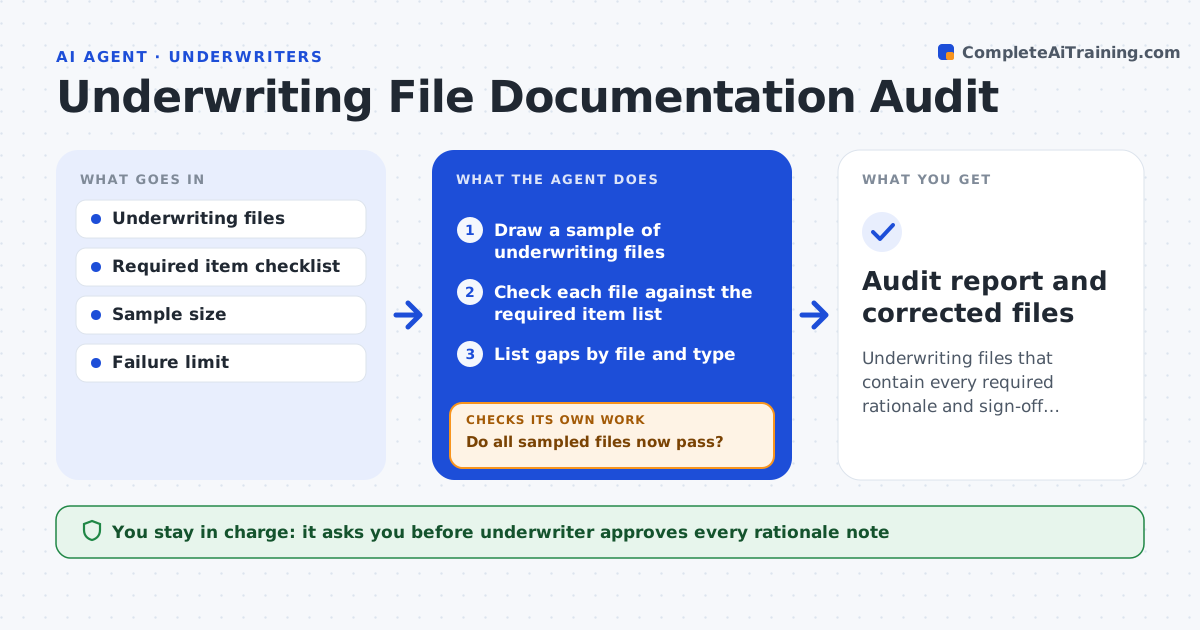
Underwriting files that contain every required rationale and sign-off, with gaps closed
What it does
Files often lack the rationale and sign-offs auditors look for, and the gaps are found too late. This agent scans a sample of underwriting files for required items such as a rationale note, referral approvals and signed forms. It lists each gap by file. For missing rationale, it drafts a note from the file contents for the underwriter to confirm, and it never writes facts that are not in the file. After fixes, it checks the files again. If the failure rate is above your limit, it draws a larger sample. The underwriter approves every note. Edge case: a referral approval is dated after binding, so the agent flags it as late.
How it works
Follow the arrows from top to bottom. The orange dashed arrow is the loop: when a check fails, the agent goes back and tries again.
Read the steps as a list
- Monthly file audit
- Draw a sample of underwriting files
- Check each file against the required item list
- List gaps by file and type
- Draft missing rationale notes from the file contents
- Underwriter confirms or corrects each noteThe agent waits here for your OK.
- Recheck the fixed files
- Do all sampled files now pass?If not: list the remaining gaps and send them back to the underwriter. Back to step 3.
- Is the failure rate under the limit?If not: draw a larger sample and repeat the audit. Back to step 2.
- Audit report and corrected files
How it decides
A file passes only when every required item is present and dated correctly. A failure rate over the limit triggers a larger sample.
- Count an item as missing if it is absent or dated after binding
- Draw a larger sample when failures exceed the limit
- Draft a note only from facts in the file
- Report repeated gaps by underwriter team
Make it yours
Every agent is a starting point. You choose these settings for your own situation.
- Required item checklist
- Sample size (default: 25 files)
- Failure limit (default: 10%)
- Audit frequency
What keeps you in control
It always asks you first
- Underwriter approves every rationale note
Hard limits
- Never invents facts for a rationale note
- Never changes bound policies
It stops when
- Done: the sample passes and the report is saved
- Stop: the checklist is not defined
Set it up
We guide you through the set-up, step by step
Members get the full set-up guide for this agent. No technical skills needed: you copy, paste and upload.
- One set of instructions to paste into your AI, with the clicks for ChatGPT, Claude, Microsoft 365 Copilot, Gemini and Grok
- The agent then walks you through connecting your own data, one source at a time
- A downloadable copy with the flow chart, the rules and the full guide