AI agent for underwriters
Underwriting Referral Queue Agent
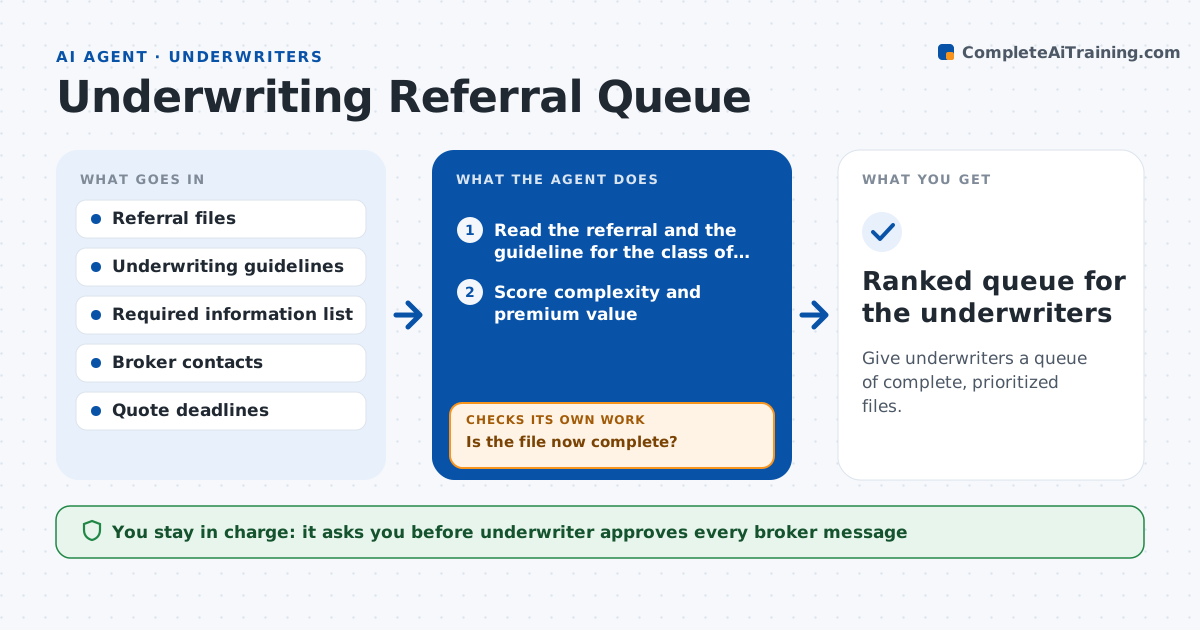
Give underwriters a queue of complete, prioritized files.
What it does
Referred risks pile up in a queue in arrival order, and underwriters open files only to find key information missing. This agent reads each referral, scores its complexity and value, and checks which information is missing, such as loss runs, building details or financial statements. It writes a request to the broker for each missing item and reorders the queue as answers come in, so files that are complete and valuable rise to the top. It flags items that are aging and those close to a quote deadline. If a broker does not reply, it sends a reminder and flags the file. The underwriter approves all decisions and every broker message.
How it works
Follow the arrows from top to bottom. The orange dashed arrow is the loop: when a check fails, the agent goes back and tries again.
Read the steps as a list
- Referral arrives or morning update
- Read the referral and the guideline for the class of risk
- Score complexity and premium value
- Check which required items are missing
- Draft a request to the broker for missing items
- Underwriter approves broker messagesThe agent waits here for your OK.
- Track replies and update the file
- Is the file now complete?If not: send a reminder after 2 days and keep the file lower in the queue. Back to step 4.
- Reorder the queue by deadline, value and completeness
- Flag aging items and near deadlines
- Ranked queue for the underwriters
How it decides
It ranks files by deadline, premium and completeness, and moves files with missing items down until answers arrive.
- Rank files with quote deadlines in 3 days first
- Treat a file as incomplete if any required item is missing
- Flag items older than 5 days
- Send a reminder after 2 days without a reply
Make it yours
Every agent is a starting point. You choose these settings for your own situation.
- Required items by class of risk
- Aging threshold (default 5 days)
- Reminder timing (default 2 days)
- Ranking weights
What keeps you in control
It always asks you first
- Underwriter approves every broker message
- Underwriter makes every quote or decline decision
Hard limits
- Never quotes, binds or declines a risk
- Does not message brokers without approval
It stops when
- Done: file complete and passed to the underwriter
- Stop: broker withdraws the submission
Set it up
We guide you through the set-up, step by step
Members get the full set-up guide for this agent. No technical skills needed: you copy, paste and upload.
- One set of instructions to paste into your AI, with the clicks for ChatGPT, Claude, Microsoft 365 Copilot, Gemini and Grok
- The agent then walks you through connecting your own data, one source at a time
- A downloadable copy with the flow chart, the rules and the full guide