AI agent for chief digital officers
Unused Dashboard Retirement Agent
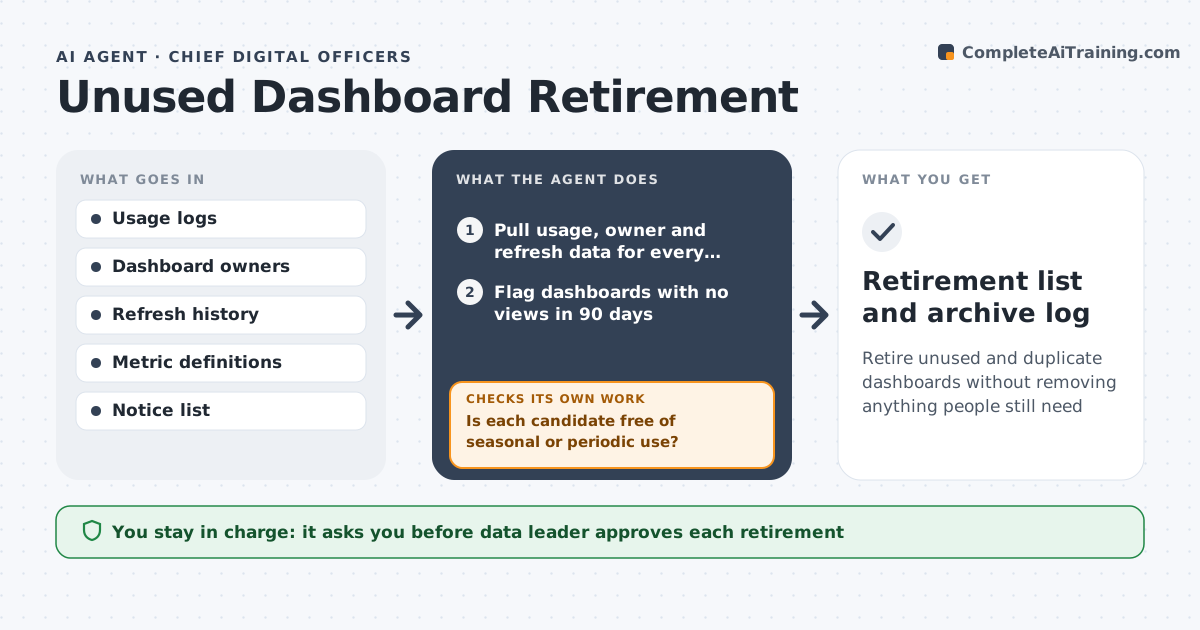
Retire unused and duplicate dashboards without removing anything people still need
What it does
A company has 600 dashboards and nobody knows which ones matter. This agent pulls usage logs, owners and last refresh dates and flags dashboards with no recent views. It then checks whether another dashboard already covers the same metrics and which one is the trusted source. For each candidate it posts a retire notice to the owner and the last viewers and waits for objections for a set period. If someone objects, it records the reason and re-evaluates. If the owner has left, it asks the data leader to assign one. It builds a retirement list with evidence. The data leader approves each retirement and the dashboards are archived, not deleted, first. Edge case: a dashboard used only at quarter end is protected.
How it works
Follow the arrows from top to bottom. The orange dashed arrow is the loop: when a check fails, the agent goes back and tries again.
Read the steps as a list
- Quarterly review starts
- Pull usage, owner and refresh data for every dashboard
- Flag dashboards with no views in 90 days
- Is each candidate free of seasonal or periodic use?If not: Check the prior year's usage and protect quarter-end dashboards. Back to step 3.
- Compare metrics with trusted dashboards
- Post a retire notice to owners and last viewers
- Were there any objections after 14 days?If not: Record the reason, keep the dashboard and re-evaluate the overlap. Back to step 5.
- Data leader approves each retirementThe agent waits here for your OK.
- Archive approved dashboards and log them
- Retirement list and archive log
How it decides
A dashboard becomes a candidate with no views in 90 days. It is retired only if no objection arrives and a trusted source covers its metrics.
- Flag a dashboard after 90 days with no views
- Protect dashboards used at quarter or year end
- Retire only when another trusted dashboard covers the metrics
- Archive for 30 days before final deletion
Make it yours
Every agent is a starting point. You choose these settings for your own situation.
- Inactivity period (default 90 days)
- Objection window (default 14 days)
- Protected report list (default quarter-end and board reports)
- Archive period before deletion (default 30 days)
What keeps you in control
It always asks you first
- Data leader approves each retirement
- Data leader assigns owners to orphaned dashboards
Hard limits
- Never delete a dashboard without approval, archive first
- Never retire a dashboard with an open objection
- Keep a log of every action
It stops when
- Done: Approved dashboards archived and logged
- Stop: Many objections, so hand the list to the data leader
Set it up
We guide you through the set-up, step by step
Members get the full set-up guide for this agent. No technical skills needed: you copy, paste and upload.
- One set of instructions to paste into your AI, with the clicks for ChatGPT, Claude, Microsoft 365 Copilot, Gemini and Grok
- The agent then walks you through connecting your own data, one source at a time
- A downloadable copy with the flow chart, the rules and the full guide