AI agent for biomedical engineers
Device Software Change Assessment Agent
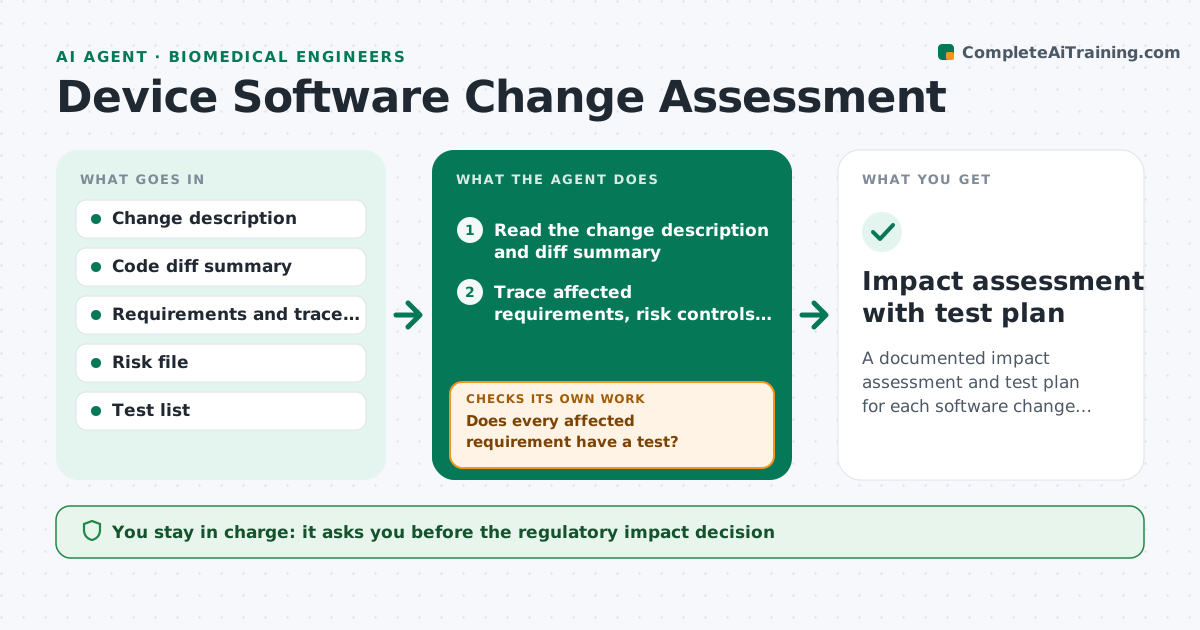
A documented impact assessment and test plan for each software change, with no requirement left untested.
What it does
A developer says it is a small fix, and then someone has to decide whether it needs a new regulatory filing and which tests to rerun. This agent reads the change description and the code diff summary, then traces which requirements, risk controls and tests are affected. It drafts an impact assessment covering safety classification, changes to intended use, and the regression tests needed. It checks that every affected requirement has a test and that every risk control touched is verified, and loops to propose added tests where something is missing. It lists open questions for you. You approve the decision on whether the change needs a regulatory submission. Edge case: a change in a software library is assessed for every function that uses it.
How it works
Follow the arrows from top to bottom. The orange dashed arrow is the loop: when a check fails, the agent goes back and tries again.
Read the steps as a list
- Software change submitted
- Read the change description and diff summary
- Trace affected requirements, risk controls and tests in the matrix
- Rate impact on safety classification and intended use
- Does every affected requirement have a test?If not: propose new or updated tests and add them to the plan. Back to step 3.
- Is every touched risk control verified by a test?If not: list the verification gaps and add them to the plan. Back to step 3.
- Draft the impact assessment and regression test list
- List open questions and assumptions
- Engineer approves the regulatory decisionThe agent waits here for your OK.
- Record the assessment as a draft in the quality system
- Impact assessment with test plan
How it decides
It traces the change through the trace matrix. Changes touching safety-related items, intended use or algorithms are marked as higher impact and need the engineer's regulatory judgment.
- Change touches an alarm or dosing function: high impact, full regression
- Change alters an algorithm output: ask for a regulatory review
- UI text only with no safety link: low impact, targeted tests
- Library update: assess every function that depends on it
Make it yours
Every agent is a starting point. You choose these settings for your own situation.
- Impact categories
- Regression test sets by area
- Classification scheme
- Quality system templates
- Reviewers
What keeps you in control
It always asks you first
- The regulatory impact decision
- The final test plan
Hard limits
- Never decide that a change needs no regulatory action
- Never edit the trace matrix without approval
It stops when
- Done: assessment approved and tests listed
- Stop: change description too vague, ask the developer
Set it up
We guide you through the set-up, step by step
Members get the full set-up guide for this agent. No technical skills needed: you copy, paste and upload.
- One set of instructions to paste into your AI, with the clicks for ChatGPT, Claude, Microsoft 365 Copilot, Gemini and Grok
- The agent then walks you through connecting your own data, one source at a time
- A downloadable copy with the flow chart, the rules and the full guide