AI agent for prompt engineers
User Feedback to Prompt Fix Agent
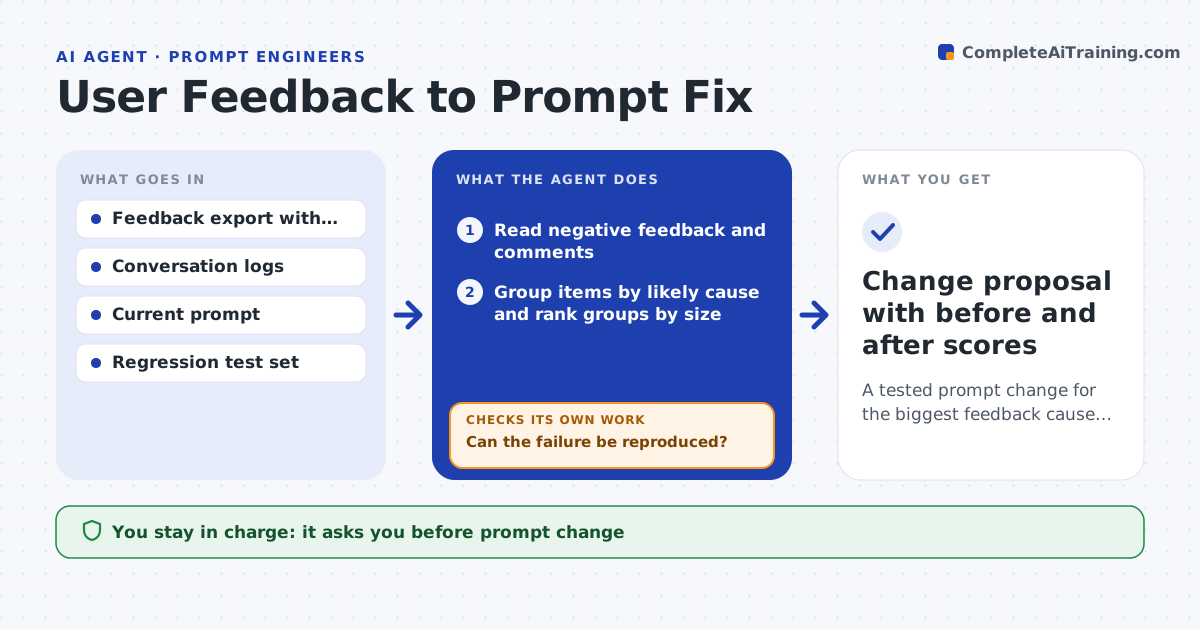
A tested prompt change for the biggest feedback cause with no regressions
What it does
Thumbs-down signals arrive daily and rarely lead to a change. This agent reads the negative feedback and its comments, groups it by likely cause such as wrong tone, missing facts, format errors or refusals, and ranks the groups by size. For the top group it finds real conversations and reproduces the failure by running the same input through the current prompt. If it cannot reproduce, it marks the case as noise. For reproducible cases it drafts a prompt change, tests it on those cases and on the standard regression set, and compares scores. If regressions appear, it revises the change and tests again. The engineer approves the final change and its release. Edge case: two groups need opposite fixes, so the agent writes both and asks the engineer to choose.
How it works
Follow the arrows from top to bottom. The orange dashed arrow is the loop: when a check fails, the agent goes back and tries again.
Read the steps as a list
- Weekly feedback export arrives
- Read negative feedback and comments
- Group items by likely cause and rank groups by size
- Rerun sample inputs from the top group on the current prompt
- Can the failure be reproduced?If not: mark non-reproducible items as noise and move to the next group. Back to step 4.
- Draft a prompt change for the reproduced cases
- Test the change on the cases and on the regression set
- Do targeted cases improve with no regression?If not: revise the change to fix the regression and retest. Back to step 6.
- Engineer approves the change and its releaseThe agent waits here for your OK.
- Change proposal with before and after scores
How it decides
It fixes the largest reproducible cause first, and keeps a change only if the targeted cases improve and the regression set does not drop.
- Fix the largest reproducible group first
- Treat non-reproducible items as noise unless they repeat next week
- Reject a change that drops the regression set by more than 1 point
- Present both options when two groups conflict
Make it yours
Every agent is a starting point. You choose these settings for your own situation.
- Minimum group size to act on (default 20)
- Regression drop allowed (default 1 point)
- Feedback sources
- Day of the week it runs
What keeps you in control
It always asks you first
- Prompt change
- Release to users
Hard limits
- Never changes the live prompt
- Never stores user text outside the test run
It stops when
- Done: change approved and regression set holds
- Stop: feedback has no logs to reproduce from
Set it up
We guide you through the set-up, step by step
Members get the full set-up guide for this agent. No technical skills needed: you copy, paste and upload.
- One set of instructions to paste into your AI, with the clicks for ChatGPT, Claude, Microsoft 365 Copilot, Gemini and Grok
- The agent then walks you through connecting your own data, one source at a time
- A downloadable copy with the flow chart, the rules and the full guide