AI agent for property managers
Utility Billing Allocation Agent
Allocate each utility bill across units by the lease method and send tenants statements that add up
What it does
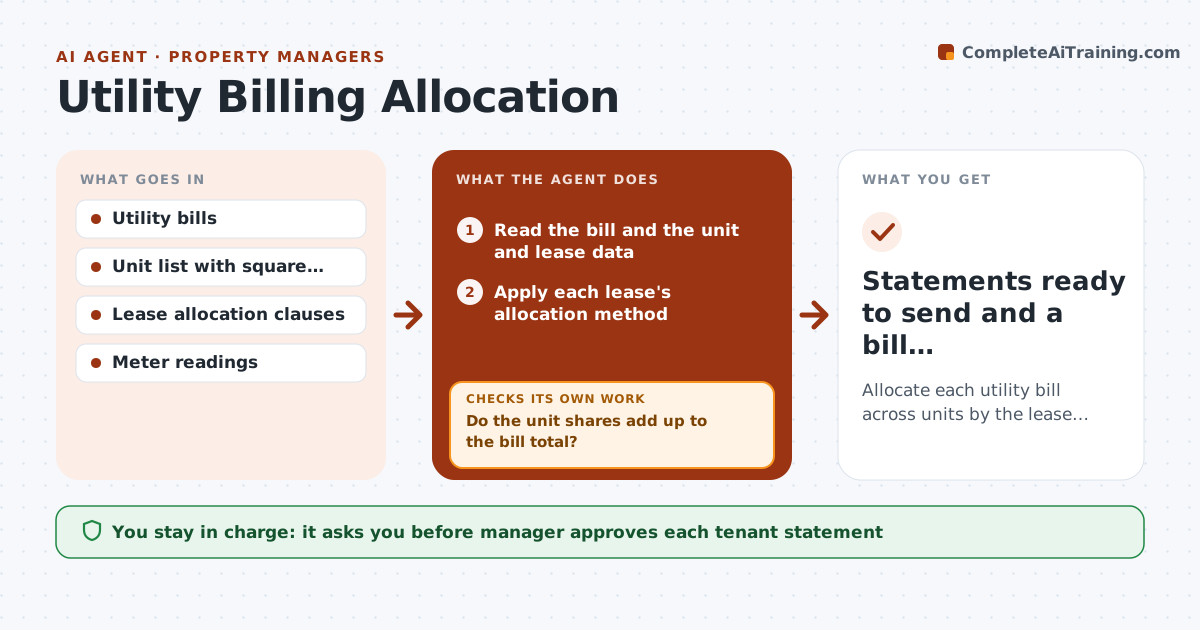
Splitting utility bills by hand takes hours and tenants dispute the numbers. Each month the agent reads the water, gas and trash bills and the unit data. It applies the method in each lease, whether by square footage, occupants or sub-meter, and builds each tenant's share. It then checks that the shares add up to the bill, including late fees and base charges. It compares each unit's usage with its own history and the building average, and flags leaks or errors such as a unit billed for a vacant month. After corrections it rebuilds the whole allocation. The manager approves each tenant statement before it is sent. Edge case: a unit with a running toilet shows triple usage, so the agent holds it and asks for a plumber visit.
How it works
Follow the arrows from top to bottom. The orange dashed arrow is the loop: when a check fails, the agent goes back and tries again.
Read the steps as a list
- Monthly utility bill received
- Read the bill and the unit and lease data
- Apply each lease's allocation method
- Do the unit shares add up to the bill total?If not: Find the gap (fees, vacant units, rounding), correct, and rebuild. Back to step 3.
- Compare each unit's usage with history and building average
- Is any unit more than 40% above its norm?If not: Mark the unit, ask for a meter reread or leak check, and rebuild after the answer. Back to step 4.
- Draft tenant statements with the method explained
- Manager approves each tenant statementThe agent waits here for your OK.
- Statements ready to send and a bill reconciliation
How it decides
The agent applies the method each lease names and accepts the split only when the sum matches the bill and no unit looks abnormal.
- Use the method written in each lease, never a default
- Round shares so that the total equals the bill exactly
- Flag usage more than 40% above the unit's average
- Allocate vacant units to the owner, not to tenants
Make it yours
Every agent is a starting point. You choose these settings for your own situation.
- Flag threshold for unusual usage (default 40%)
- Bill types handled
- Rounding rule
- Statement wording and delivery timing
What keeps you in control
It always asks you first
- Manager approves each tenant statement
- Manager approves any credit or adjustment
Hard limits
- Never send a statement the manager has not approved
- Never apply a method not found in the lease
It stops when
- Done: totals match and every statement is approved
- Stop: a lease method is unclear and the manager must decide
Set it up
We guide you through the set-up, step by step
Members get the full set-up guide for this agent. No technical skills needed: you copy, paste and upload.
- One set of instructions to paste into your AI, with the clicks for ChatGPT, Claude, Microsoft 365 Copilot, Gemini and Grok
- The agent then walks you through connecting your own data, one source at a time
- A downloadable copy with the flow chart, the rules and the full guide