AI agent for real estate developers
Utility Capacity and Impact Fee Agent
Estimate utility demand and impact fees early, request will-serve letters, and keep the budget current
What it does
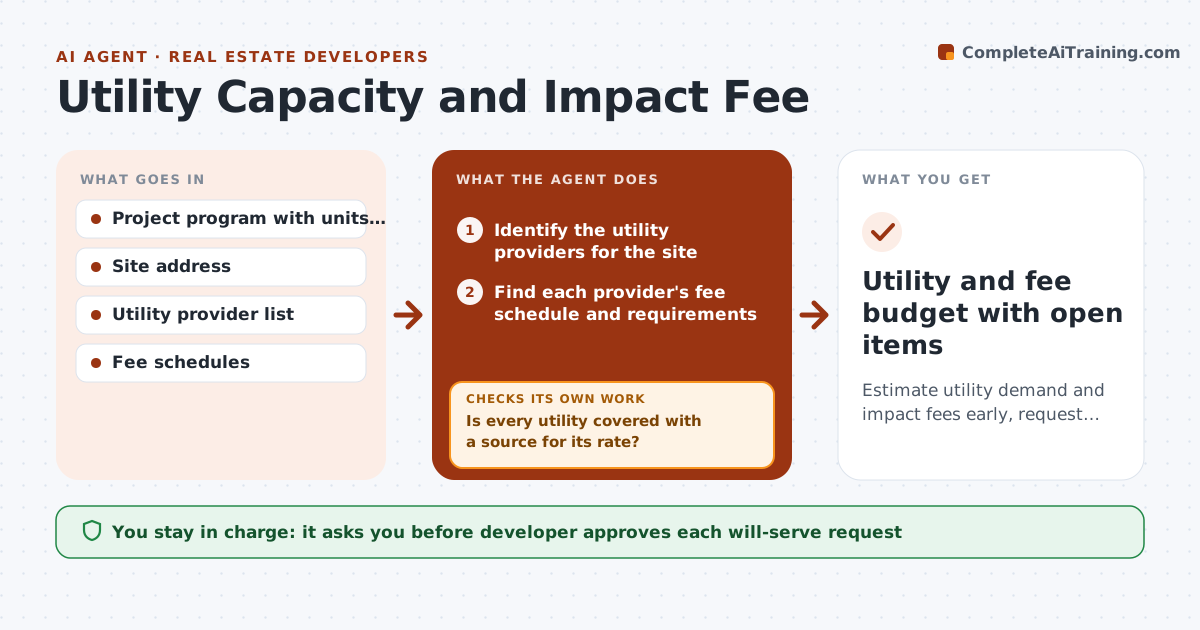
Utility capacity and impact fees often show up late and break the budget. The agent reads the project program and finds each utility provider for the site: water, sewer, power, gas and stormwater. It looks up fee schedules, estimates demand from the units and building type, and computes likely fees. It drafts will-serve requests with the demand data and tracks replies. When a provider says capacity is limited or a fee changes, the agent updates the budget line and notes the risk. It rechecks the estimates whenever the program changes. The developer approves each request before it is sent. Edge case: the sewer provider needs a capacity study for any project over 50 units, and the agent flags this at 52 units.
How it works
Follow the arrows from top to bottom. The orange dashed arrow is the loop: when a check fails, the agent goes back and tries again.
Read the steps as a list
- Program issued or revised
- Identify the utility providers for the site
- Find each provider's fee schedule and requirements
- Estimate demand and compute likely fees
- Is every utility covered with a source for its rate?If not: Search for the missing provider or ask the developer for a contact. Back to step 3.
- Draft will-serve requests with demand data
- Developer approves each request before it is sentThe agent waits here for your OK.
- Track replies and log capacity or fee changes
- Update the budget lines and note risks
- Does the budget match the latest confirmed figures?If not: Recompute the line from the confirmed fee or capacity. Back to step 9.
- Utility and fee budget with open items
How it decides
Demand estimates come from standard rates for each use; budget figures update only when a provider confirms or a rate changes.
- Use the provider's published rate when available, otherwise a stated estimate
- Flag a fee change above 5% of the line
- Mark capacity as at risk if a provider asks for a study
- Rerun the estimate when units change by more than 5%
Make it yours
Every agent is a starting point. You choose these settings for your own situation.
- Utilities to include
- Change threshold for a program rerun (default 5%)
- Budget file location
- Contact details for each provider
What keeps you in control
It always asks you first
- Developer approves each will-serve request
- Developer approves budget changes sent to lenders
Hard limits
- Never send a request to a provider without approval
- Mark every estimate as an estimate until confirmed
It stops when
- Done: every utility has a confirmed will-serve and a budget line
- Stop: a provider says there is no capacity and the developer must change the plan
Set it up
We guide you through the set-up, step by step
Members get the full set-up guide for this agent. No technical skills needed: you copy, paste and upload.
- One set of instructions to paste into your AI, with the clicks for ChatGPT, Claude, Microsoft 365 Copilot, Gemini and Grok
- The agent then walks you through connecting your own data, one source at a time
- A downloadable copy with the flow chart, the rules and the full guide