AI agent for electricians
Utility Interconnection and Service Upgrade Agent
Utility applications are complete on the first submission and answered fast when the utility asks questions.
What it does
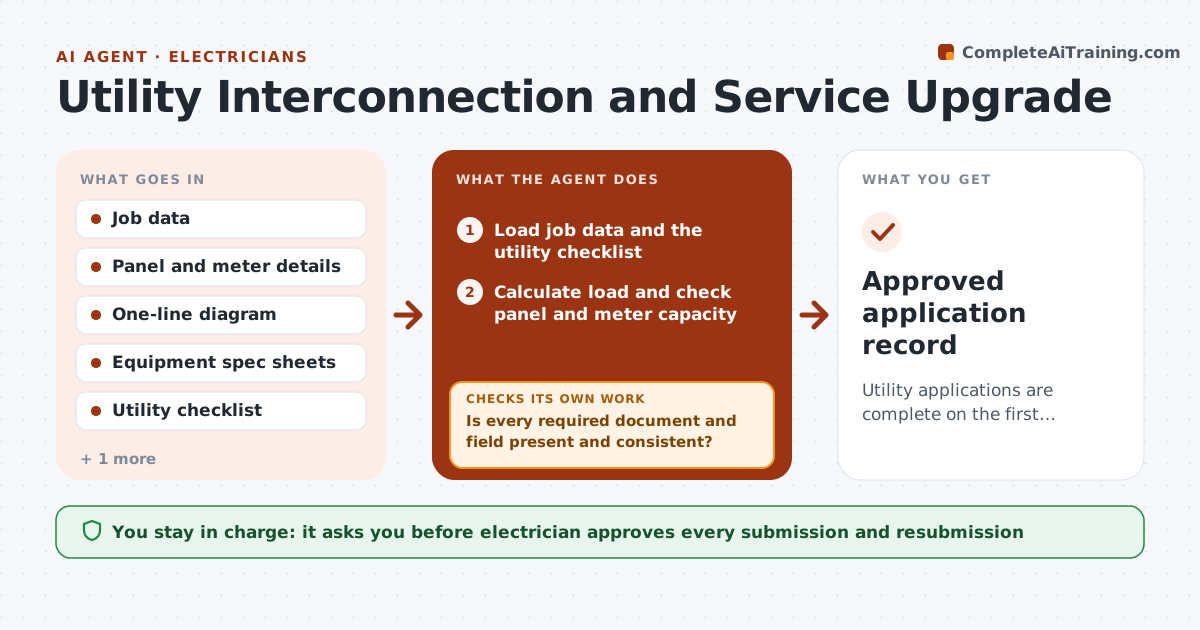
You finish a solar install and the utility application is rejected for a missing one-line diagram, and the customer waits three more weeks. This agent prepares the application from job data. It checks panel, meter and one-line details for completeness against the utility's requirements, flags anything missing, and builds the packet. After you approve and submit, it tracks status, answers utility requests, and drafts corrections. If the utility rejects an item, it loops, fixes the item and prepares a resubmission. You approve each submission. Edge case: a panel rated for less than the new load triggers a service upgrade request instead of a simple interconnection.
How it works
Follow the arrows from top to bottom. The orange dashed arrow is the loop: when a check fails, the agent goes back and tries again.
Read the steps as a list
- Job reaches application stage
- Load job data and the utility checklist
- Calculate load and check panel and meter capacity
- Is every required document and field present and consistent?If not: List the missing items and ask the electrician for them. Back to step 2.
- Decide interconnection only or service upgrade request
- Build the application packet
- Electrician approves the submissionThe agent waits here for your OK.
- Track the utility status and read replies
- Did the utility accept the application without comments?If not: Draft a correction for each comment and prepare a resubmission. Back to step 6.
- Approved application record
How it decides
It checks each required document and data field against the utility's checklist and decides between interconnection only or a service upgrade from the load calculation.
- Compare the load calculation with panel and service ratings
- Request a service upgrade when load exceeds 80% of rating
- Check every utility checklist item before submission
- Follow up on status every 5 business days
Make it yours
Every agent is a starting point. You choose these settings for your own situation.
- Utility checklist
- Load threshold (default 80%)
- Follow-up interval
- Packet format
What keeps you in control
It always asks you first
- Electrician approves every submission and resubmission
Hard limits
- Never submit to the utility itself
- Never certify safety or code compliance
It stops when
- Done: utility approval received
- Stop: customer account or ownership details missing
Set it up
We guide you through the set-up, step by step
Members get the full set-up guide for this agent. No technical skills needed: you copy, paste and upload.
- One set of instructions to paste into your AI, with the clicks for ChatGPT, Claude, Microsoft 365 Copilot, Gemini and Grok
- The agent then walks you through connecting your own data, one source at a time
- A downloadable copy with the flow chart, the rules and the full guide