AI agent for fleet managers
Vehicle Accident Claim File Agent
Complete accident files submitted quickly and repairs tracked
What it does
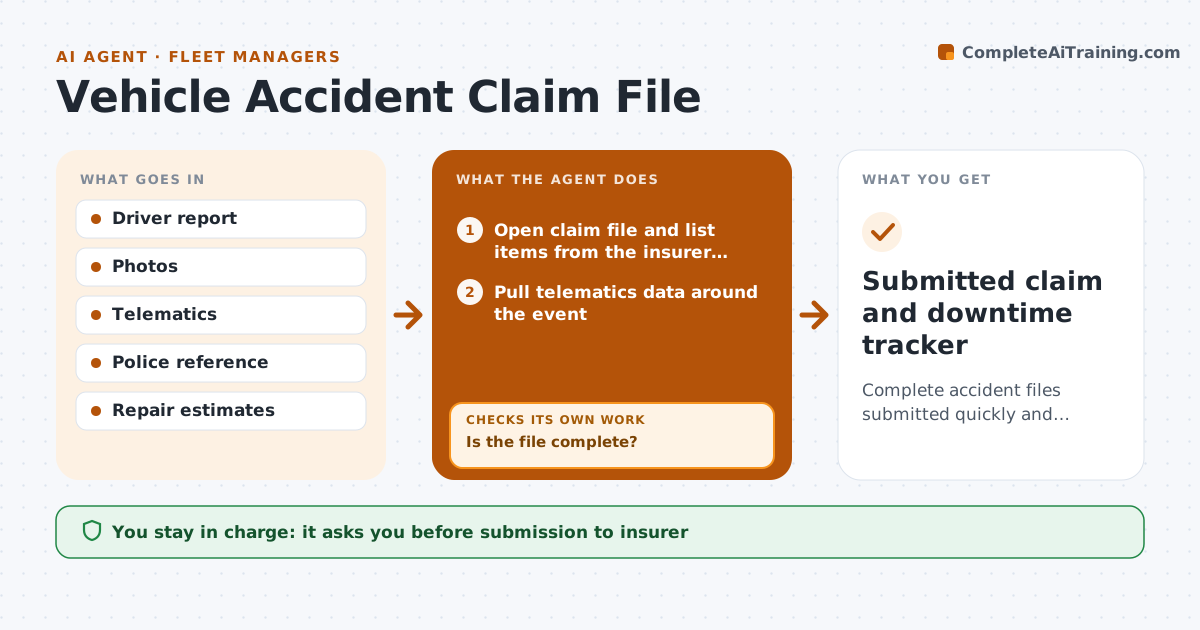
After an accident, the fleet manager needs the driver's report, photos, telematics data, witness details, police reference and repair estimates, and claims stall when one item is missing. When an accident is reported, this agent opens a claim file and lists what the insurer's checklist requires. Accidents with injuries go straight to the manager. It pulls telematics data around the event, such as speed and braking, and drafts requests to the driver and supervisor for missing items. It checks the file for completeness, and if items are still missing, requests them again. It then checks that the details agree across the driver's report, photos and telematics. The fleet manager approves submission to the insurer. After submission it tracks repair progress and downtime daily. Edge case: a driver statement that conflicts with telematics is flagged for the manager, not edited.
How it works
Follow the arrows from top to bottom. The orange dashed arrow is the loop: when a check fails, the agent goes back and tries again.
Read the steps as a list
- Accident reported
- Open claim file and list items from the insurer checklist
- Pull telematics data around the event
- Draft requests for missing items
- Is the file complete?If not: request missing items again. Back to step 4.
- Do the driver report, photos and telematics agree?If not: flag the conflict for the fleet manager with both versions. Back to step 3.
- Fleet manager approves submission to insurerThe agent waits here for your OK.
- Track repair progress and downtime daily
- Submitted claim and downtime tracker
How it decides
A file is complete when every item on the insurer's checklist is present.
- Injury accidents go straight to the manager
- Insurer checklist sets completeness
- Downtime tracked daily
Make it yours
Every agent is a starting point. You choose these settings for your own situation.
- Insurer checklist
- Request templates
- Downtime reporting
- Escalation rules
What keeps you in control
It always asks you first
- Submission to insurer
- Repair authorizations
Hard limits
- Never admits liability
- Never contacts the other party
It stops when
- Done: claim submitted
- Stop: driver unavailable
Set it up
We guide you through the set-up, step by step
Members get the full set-up guide for this agent. No technical skills needed: you copy, paste and upload.
- One set of instructions to paste into your AI, with the clicks for ChatGPT, Claude, Microsoft 365 Copilot, Gemini and Grok
- The agent then walks you through connecting your own data, one source at a time
- A downloadable copy with the flow chart, the rules and the full guide