AI agent for fleet managers
Vehicle Idling Reduction Agent
Cut avoidable idle time with fixes that are proven on later data
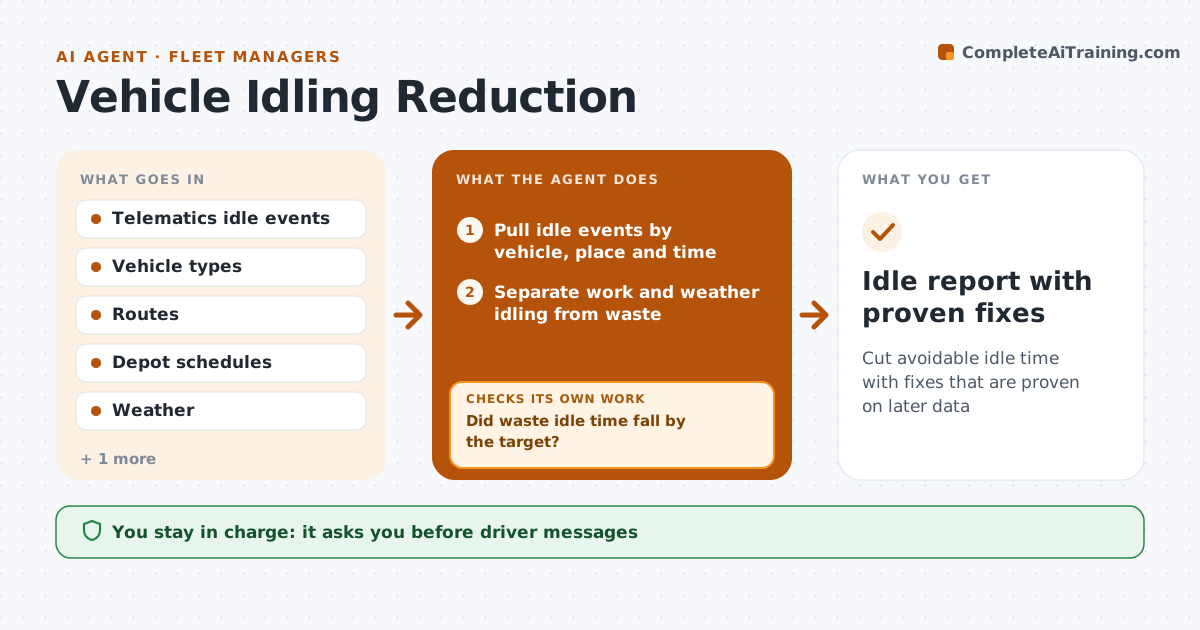
What it does
Idle time burns fuel, but the causes are rarely known. This agent analyzes idle events from telematics by place, time of day and vehicle. It separates legitimate idling, such as cold weather, loading or traffic, from waste, such as waiting at a depot or long breaks with the engine on. It then proposes simple fixes: a changed route, a loading sequence, or a start time. After a fix is tried, it tests the effect against the following weeks of data and reports whether idle time fell. If the fix did not help, it tries the next option. The manager approves driver messages and policy changes. Edge case: one vehicle shows heavy idle time but its power take-off is running a pump, so the agent marks it as work.
How it works
Follow the arrows from top to bottom. The orange dashed arrow is the loop: when a check fails, the agent goes back and tries again.
Read the steps as a list
- Weekly telematics data arrives
- Pull idle events by vehicle, place and time
- Separate work and weather idling from waste
- Rank the biggest waste patterns by cost
- Propose a fix for the top pattern
- Manager approves the driver message or policy changeThe agent waits here for your OK.
- Collect the next 3 weeks of idle data
- Did waste idle time fall by the target?If not: propose the next fix for the same pattern and retest. Back to step 5.
- Record the result and move to the next pattern
- Idle report with proven fixes
How it decides
Idle counts as waste when the engine runs over a set number of minutes with no work, no extreme weather and no traffic. A fix is kept only if idle time drops against the earlier weeks.
- Count idling over 5 minutes with no work as waste
- Exclude events with PTO use or below-freezing temperatures
- Accept a fix after a 15 percent drop in 3 weeks
- Do not blame a driver when the cause is a depot queue
Make it yours
Every agent is a starting point. You choose these settings for your own situation.
- Idle minutes counted as waste (default 5)
- Success target (default 15 percent drop)
- Test period (default 3 weeks)
- Exclusions
What keeps you in control
It always asks you first
- Driver messages
- Policy changes
Hard limits
- Never message a driver directly
- Never change vehicle settings
It stops when
- Done: top patterns fixed or documented
- Stop: telematics data missing for the period
Set it up
We guide you through the set-up, step by step
Members get the full set-up guide for this agent. No technical skills needed: you copy, paste and upload.
- One set of instructions to paste into your AI, with the clicks for ChatGPT, Claude, Microsoft 365 Copilot, Gemini and Grok
- The agent then walks you through connecting your own data, one source at a time
- A downloadable copy with the flow chart, the rules and the full guide