AI agent for transportation managers
Vehicle Replacement Lifecycle Agent
Replace vehicles at the lowest total cost within budget
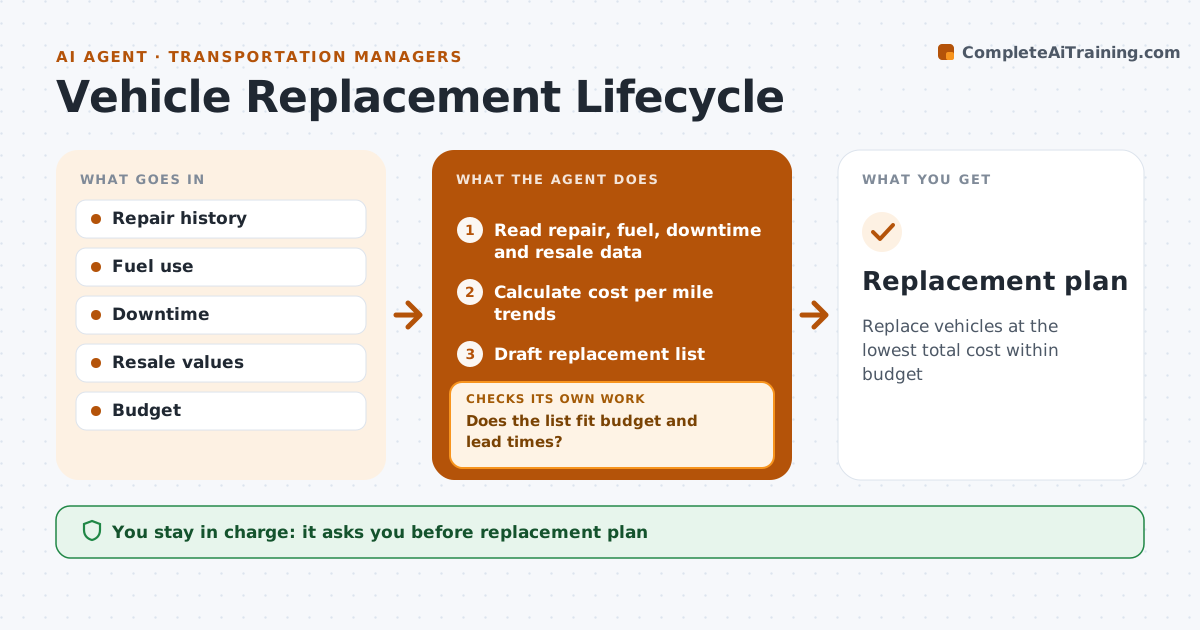
What it does
Choosing when to replace a vehicle depends on repair costs, fuel, downtime and resale value, and gut feel often keeps costly vehicles too long. During budget planning, this agent reads repair, fuel, downtime and resale data for each vehicle, calculates cost per mile over time, and forecasts future repair costs and resale value. It finds the point where replacing becomes cheaper than keeping, then drafts a replacement list for the budget year. It checks the list against the budget and supplier delivery lead times. If the list is over budget or deliveries would arrive too late, it reorders by cost savings, moves lower-value replacements to next year, and checks again. The fleet manager approves the final plan and any purchase. Edge case: a vehicle with a major failure, such as a blown engine, is assessed at once instead of waiting for the yearly review.
How it works
Follow the arrows from top to bottom. The orange dashed arrow is the loop: when a check fails, the agent goes back and tries again.
Read the steps as a list
- Budget planning
- Read repair, fuel, downtime and resale data
- Calculate cost per mile trends
- Draft replacement list
- Does the list fit budget and lead times?If not: reorder by savings and redraft. Back to step 4.
- Fleet manager approves the planThe agent waits here for your OK.
- Replacement plan
How it decides
A vehicle is due for replacement when its forecast cost per mile for the next year exceeds a new vehicle's.
- Cost per mile comparison
- Major failures assessed at once
- Lead times included
Make it yours
Every agent is a starting point. You choose these settings for your own situation.
- Cost model
- Budget
- Lead times
- Vehicle classes
What keeps you in control
It always asks you first
- Replacement plan
- Orders
Hard limits
- Never orders vehicles
- Never sells vehicles
It stops when
- Done: plan approved
- Stop: budget not set
Set it up
We guide you through the set-up, step by step
Members get the full set-up guide for this agent. No technical skills needed: you copy, paste and upload.
- One set of instructions to paste into your AI, with the clicks for ChatGPT, Claude, Microsoft 365 Copilot, Gemini and Grok
- The agent then walks you through connecting your own data, one source at a time
- A downloadable copy with the flow chart, the rules and the full guide