AI agent for office managers
Vendor Contract Renewal Agent
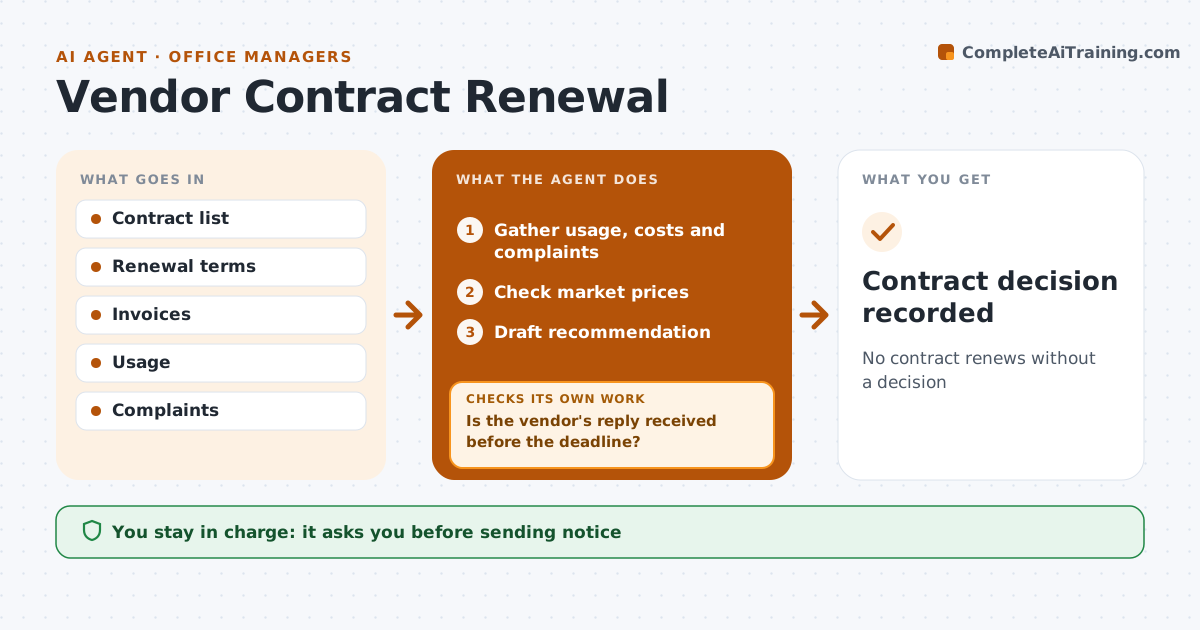
No contract renews without a decision
What it does
Cleaning, internet, printer leases and software often renew automatically at higher prices before anyone reviews them. This agent keeps a list of contracts with renewal dates, notice periods and prices. It counts back from the notice deadline, not the renewal date, since a 90 day notice period needs action early. Before that deadline it gathers usage and complaints for the vendor and checks market prices. It drafts a recommendation: renew, renegotiate or switch. If renegotiation is chosen, it drafts the request and tracks the reply. If no answer comes before the deadline, it reminds the manager with the default action. The manager approves every notice or new contract.
How it works
Follow the arrows from top to bottom. The orange dashed arrow is the loop: when a check fails, the agent goes back and tries again.
Read the steps as a list
- Notice deadline approaching
- Gather usage, costs and complaints
- Check market prices
- Draft recommendation
- Manager approves the decisionThe agent waits here for your OK.
- Draft notice or renegotiation request
- Is the vendor's reply received before the deadline?If not: remind the manager and suggest sending notice. Back to step 6.
- Contract decision recorded
How it decides
It starts a review when the notice deadline is within the set window.
- Start review 30 days before notice deadline
- Compare at least two alternatives
- Track price increase percent
Make it yours
Every agent is a starting point. You choose these settings for your own situation.
- Review window
- Contracts tracked
- Price increase that triggers review
What keeps you in control
It always asks you first
- Sending notice
- Signing contracts
Hard limits
- Never signs contracts
- Never sends notice without approval
It stops when
- Done: decision made
- Stop: contract terms unclear; ask vendor
Set it up
We guide you through the set-up, step by step
Members get the full set-up guide for this agent. No technical skills needed: you copy, paste and upload.
- One set of instructions to paste into your AI, with the clicks for ChatGPT, Claude, Microsoft 365 Copilot, Gemini and Grok
- The agent then walks you through connecting your own data, one source at a time
- A downloadable copy with the flow chart, the rules and the full guide