AI agent for pharmaceutical sales representatives
Vendor Credentialing Renewal Agent
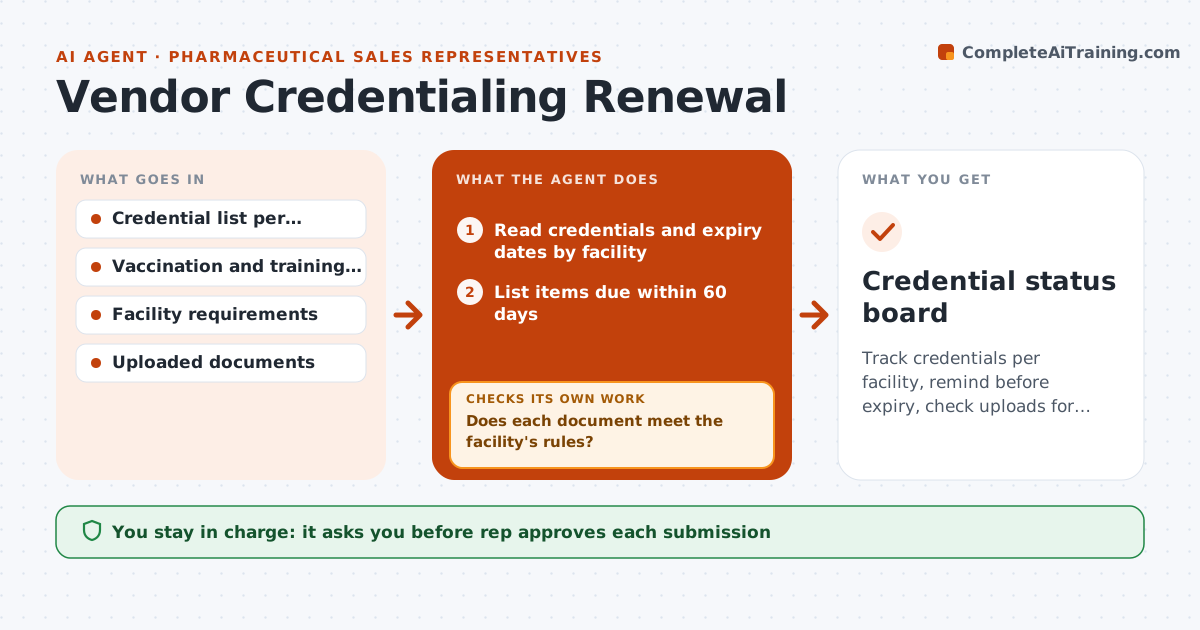
Track credentials per facility, remind before expiry, check uploads for acceptance and follow until access is confirmed
What it does
Credentials lapse and reps are turned away at the hospital door. The agent keeps a list of credentials, vaccinations and training per facility with their expiry dates. It reminds the rep 60 days ahead and again at 30 days. When the rep uploads a document, it checks it against the facility's rules, such as the right form, a legible date and a matching name. It flags rejections with the reason. It then follows up until the facility confirms access. The rep approves each submission. Edge case: a facility requires a flu shot by October 15, and the agent adds it to the list before the season.
How it works
Follow the arrows from top to bottom. The orange dashed arrow is the loop: when a check fails, the agent goes back and tries again.
Read the steps as a list
- Weekly credential scan
- Read credentials and expiry dates by facility
- List items due within 60 days
- Draft reminders with the facility steps
- Rep approves each submissionThe agent waits here for your OK.
- Check uploaded documents against the facility rules
- Does each document meet the facility's rules?If not: Tell the rep what failed and ask for a corrected document. Back to step 2.
- Submit and track facility confirmation
- Has the facility confirmed access?If not: Follow up with the facility contact and log the reply. Back to step 7.
- Credential status board
How it decides
Each facility's requirement list is the standard; a credential counts only after the facility confirms it.
- Remind at 60 and 30 days
- Reject unclear or mismatched documents
- Add seasonal requirements before their date
- Escalate when a lapse is within 7 days
Make it yours
Every agent is a starting point. You choose these settings for your own situation.
- Reminder timing (default 60 and 30 days)
- Facilities tracked
- Document rules
- Escalation days
What keeps you in control
It always asks you first
- Rep approves each submission
- Rep approves sharing health records
Hard limits
- Never submit health records without the rep
- Never state that a credential is valid before the facility confirms
It stops when
- Done: access is confirmed for every facility
- Stop: the facility refuses and the rep must decide
Set it up
We guide you through the set-up, step by step
Members get the full set-up guide for this agent. No technical skills needed: you copy, paste and upload.
- One set of instructions to paste into your AI, with the clicks for ChatGPT, Claude, Microsoft 365 Copilot, Gemini and Grok
- The agent then walks you through connecting your own data, one source at a time
- A downloadable copy with the flow chart, the rules and the full guide