AI agent for data protection officers
Vendor Data Transfer Review Agent
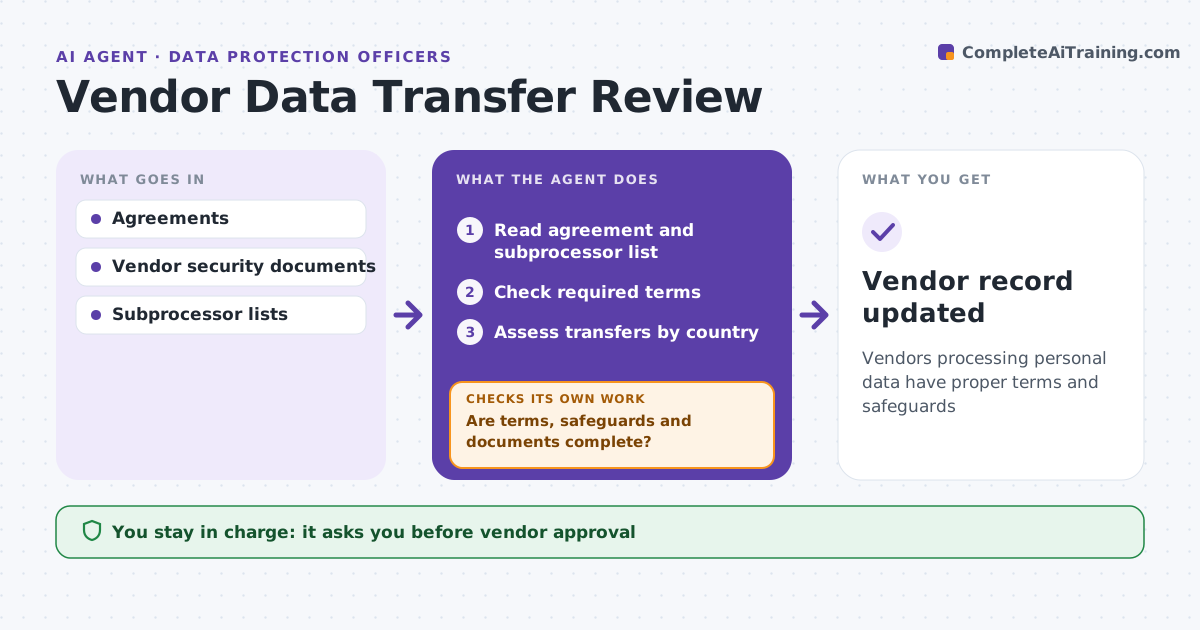
Vendors processing personal data have proper terms and safeguards
What it does
Vendors that handle personal data can move it to other countries and subprocessors without the company noticing. When a vendor review is triggered, this agent reads the data processing agreement and checks the required terms, such as breach notice, audit rights and deletion at end of contract. It identifies where data will go, including subprocessors and countries, and whether transfer safeguards are in place. It drafts a transfer risk assessment for countries without adequacy and reviews the vendor's security documents. If terms or documents are missing, it drafts requests to the vendor and reviews again when they arrive. The DPO approves the arrangement before data flows. Edge case: the vendor adds a subprocessor in a new country mid-contract, which triggers a fresh review.
How it works
Follow the arrows from top to bottom. The orange dashed arrow is the loop: when a check fails, the agent goes back and tries again.
Read the steps as a list
- Vendor review triggered
- Read agreement and subprocessor list
- Check required terms
- Assess transfers by country
- Are terms, safeguards and documents complete?If not: request missing items from the vendor and re-review. Back to step 3.
- DPO approvesThe agent waits here for your OK.
- Vendor record updated
How it decides
It checks required terms and transfer safeguards by destination country.
- Missing breach notice term: require
- Country without adequacy: transfer assessment
- New subprocessor: re-review
Make it yours
Every agent is a starting point. You choose these settings for your own situation.
- Required terms list
- Country list
- Review triggers
- Templates
What keeps you in control
It always asks you first
- Vendor approval
- Messages to vendors
Hard limits
- Never signs agreements
- Never contacts vendors without approval
It stops when
- Done: approved
- Stop: vendor refuses terms
Set it up
We guide you through the set-up, step by step
Members get the full set-up guide for this agent. No technical skills needed: you copy, paste and upload.
- One set of instructions to paste into your AI, with the clicks for ChatGPT, Claude, Microsoft 365 Copilot, Gemini and Grok
- The agent then walks you through connecting your own data, one source at a time
- A downloadable copy with the flow chart, the rules and the full guide